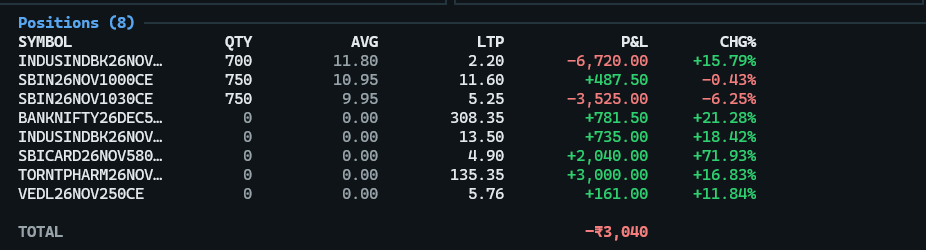
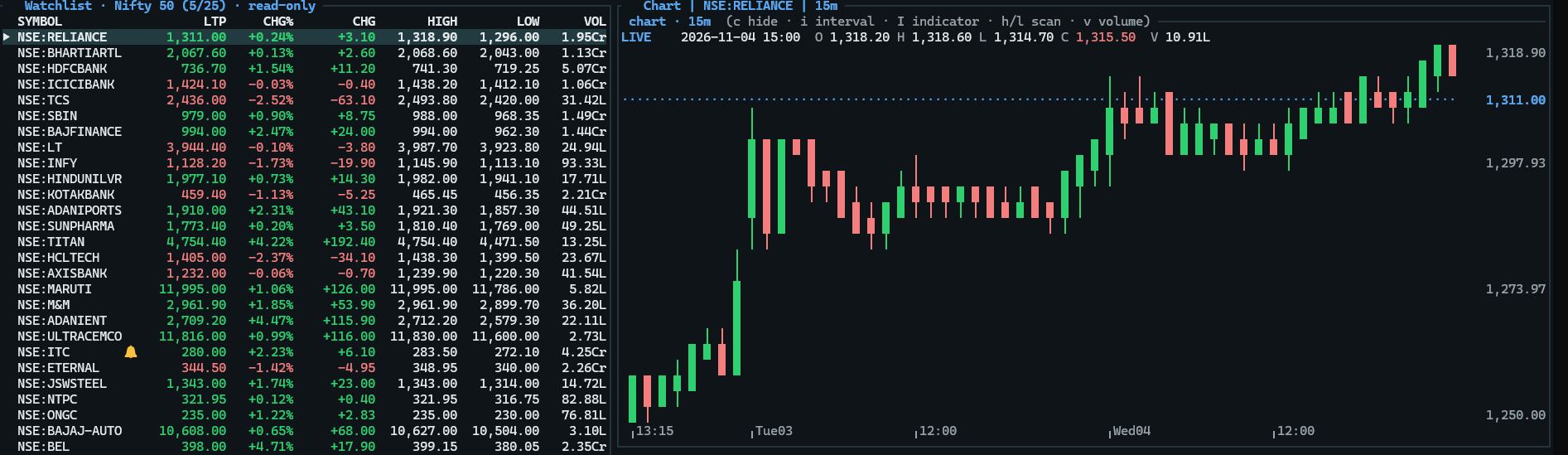
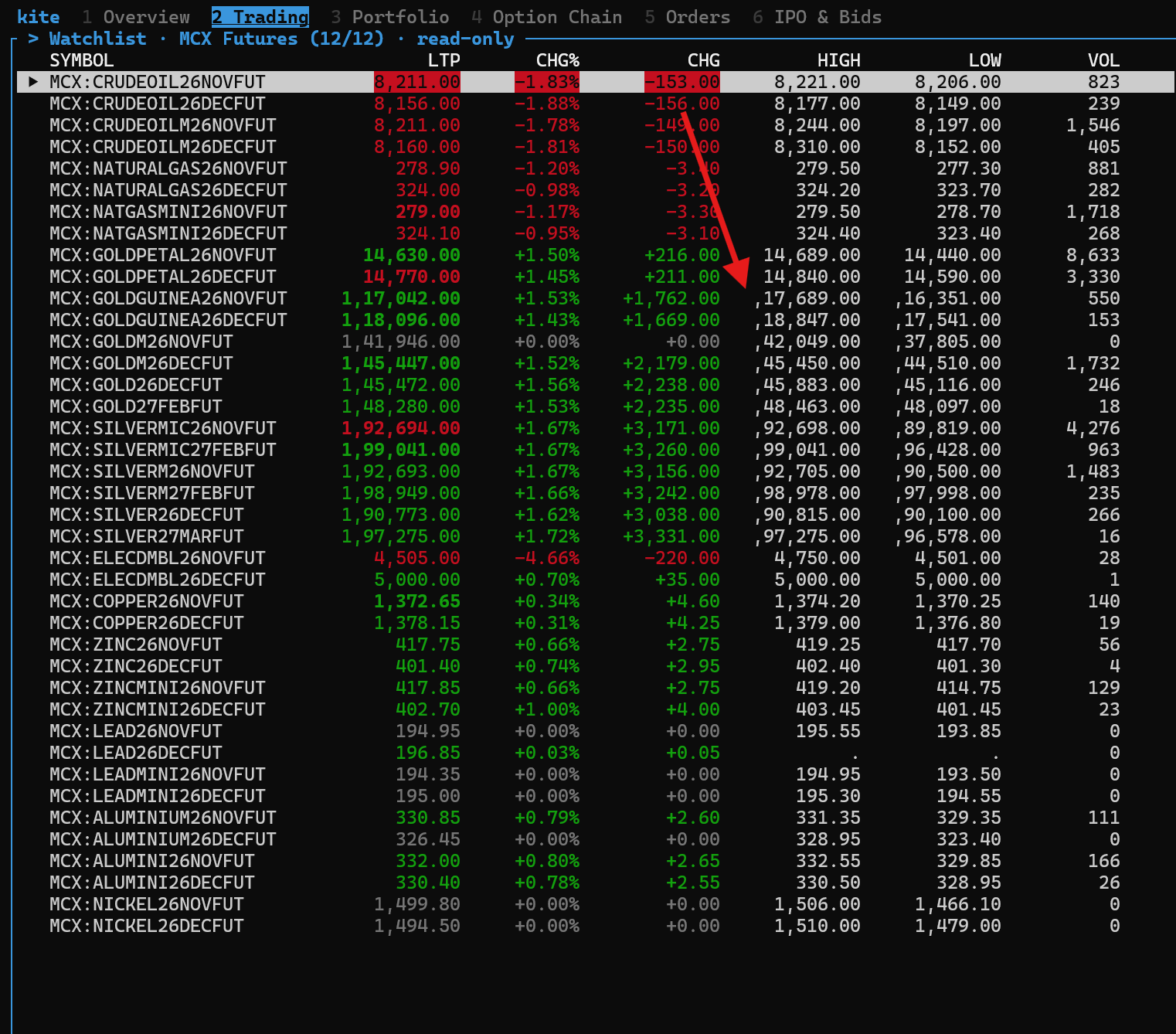
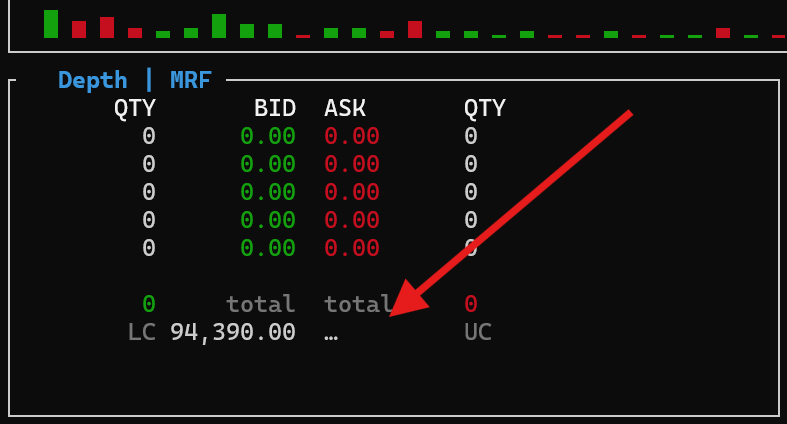
It is an official, open-source terminal app and command-line interface for Kite, built in Rust for macOS, Linux, and Windows. If you spend most of your day in the terminal, you can now track live markets, analyse charts and option chains, and manage orders, GTTs, and alerts without leaving your keyboard. You can use it as a full-screen Terminal UI (TUI) or run subcommands directly from your shell and scripts.
It works out of the box with your regular Zerodha Kite login.
What is Kite CLI?
Kite CLI is built as an interactive Terminal User Interface (TUI) optimised for high performance and minimal resource overhead. It lets you monitor tickers, analyse charts, and manage orders using dedicated keyboard shortcuts.
Core Highlights:
- Fast and lightweight: Runs natively in your terminal with minimal CPU and memory usage. Mouse support (clicking tabs, rows, and dragging pane borders) works alongside full keyboard navigation.
- Live streaming: Streams real-time market ticks, 5-level market depth, live P&L on positions and holdings, and instant order status updates over WebSockets.
- Synced with Kite: Watchlists, orders, GTTs, and price alerts stay in sync with Kite Web and the Kite mobile app.
- Charts and indicators: View candlestick charts (
1m,5m,15m,1h,1D) with volume bars and built-in overlays and indicators (SMA, EMA, Bollinger Bands, RSI, and MACD). - Command palette and local notes: Press
:to place quick orders (buy NSE:INFY 10 @ 1520), switch watchlists, or jump across panes. Pressnto open a local scratchpad for trade notes tagged to specific instruments. - Customisable layout and themes: Resize or zoom panes (
z), and pressTto switch between 22 built-in colour themes (including Dracula, Catppuccin, Gruvbox, Tokyo Night, and Solarized) or configure your own palette. - Scriptable CLI: Query quotes, historical candles, portfolio data, margins, and mutual funds from standard UNIX pipelines with
--jsonoutput. - Safe by default: Every order, GTT, or position conversion in the TUI goes through a review screen showing a live margin and charges breakdown before submission. In the CLI, all write commands run in dry-run mode unless you pass
--confirm.
Exploring the Workspaces
The TUI is organised into six workspaces. Switch between them instantly using number keys 1 through 6.
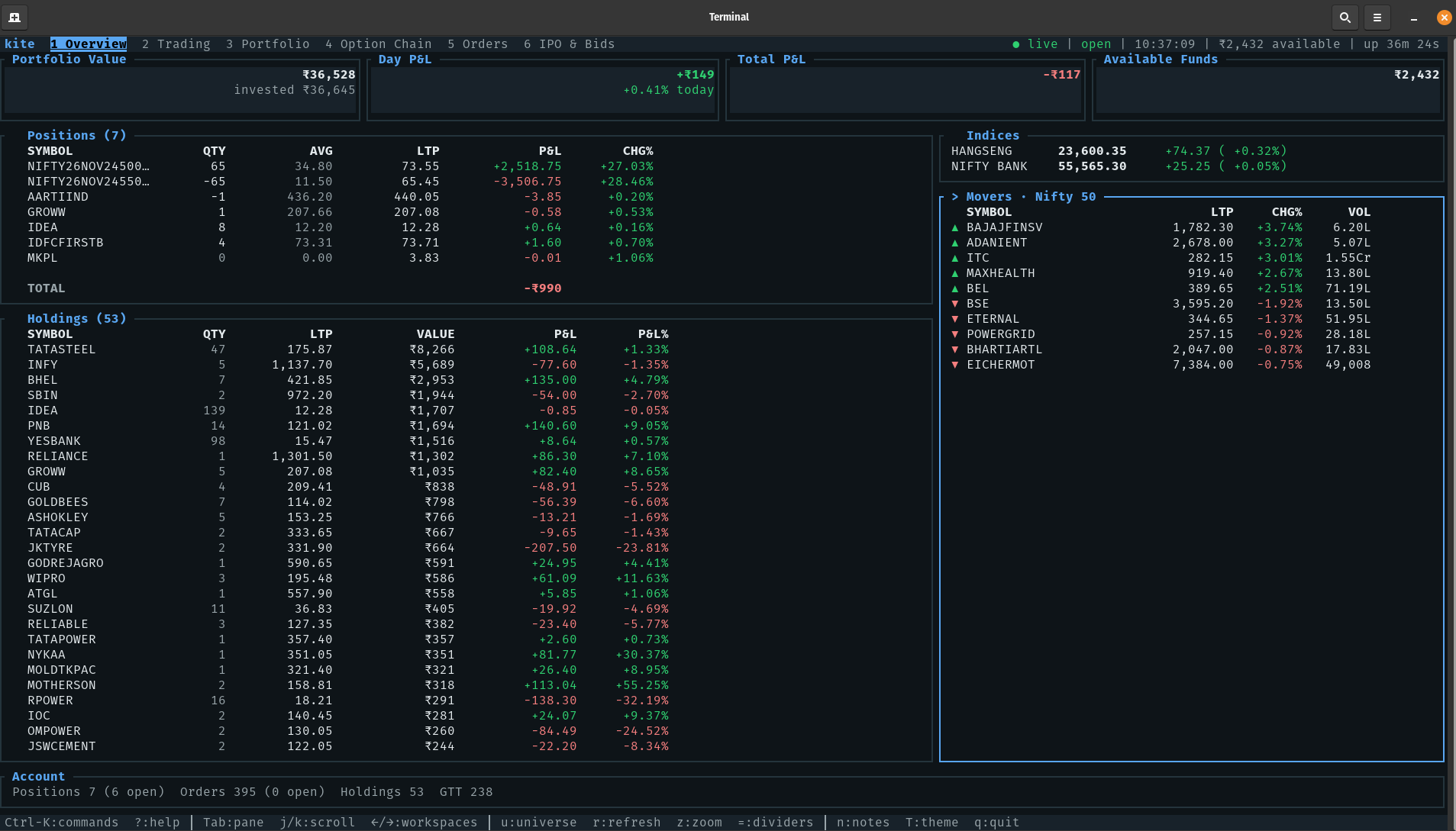
1 Overview
A read-only snapshot of your account: portfolio value, day P&L, total P&L, and available funds. It also shows snapshots of your Positions and Holdings, watchlist indices, and top NSE gainers and losers (press u to cycle between Nifty 50, Nifty 100, Nifty 500, and F&O stocks).
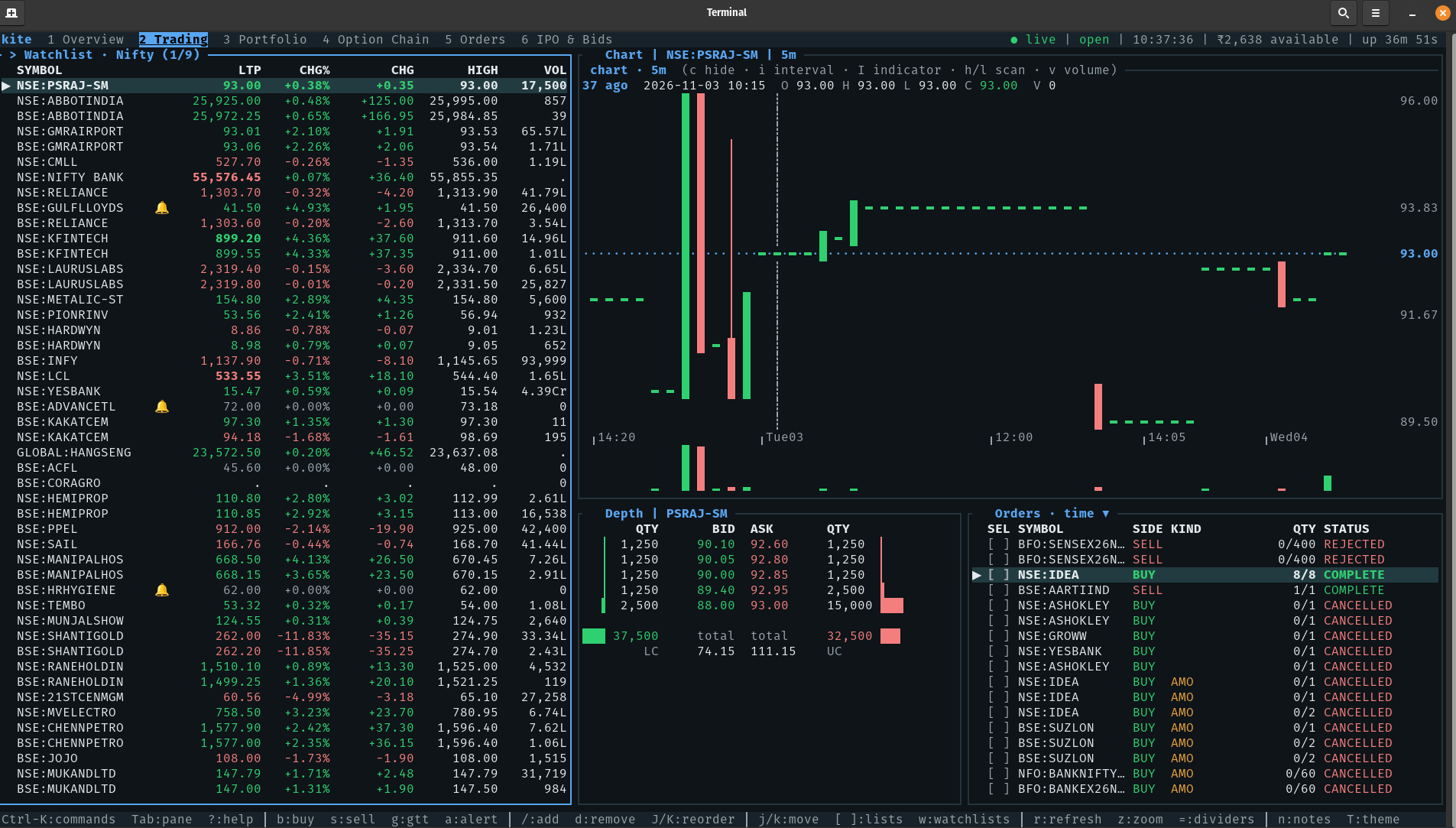
2 Trading
Your primary trading screen. It combines your synced Kite watchlists on the left with interactive candlestick charts, 5-level market depth (with upper/lower circuit limits and day range), and a live order book on the right.
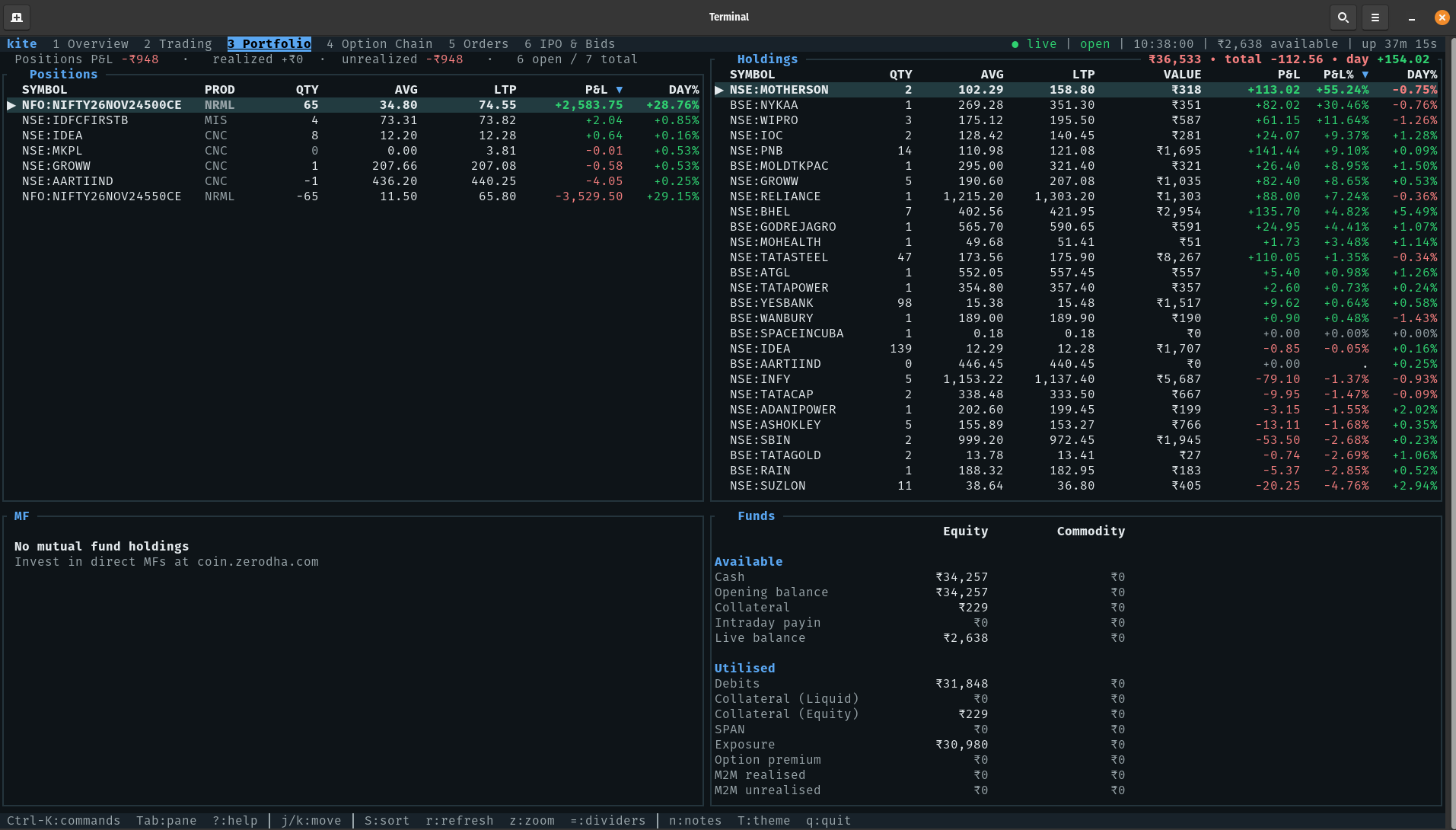
3 Portfolio
Tracks open and closed Positions, equity Holdings, Mutual Funds, and equity/commodity Funds & Margins in a four-pane layout.
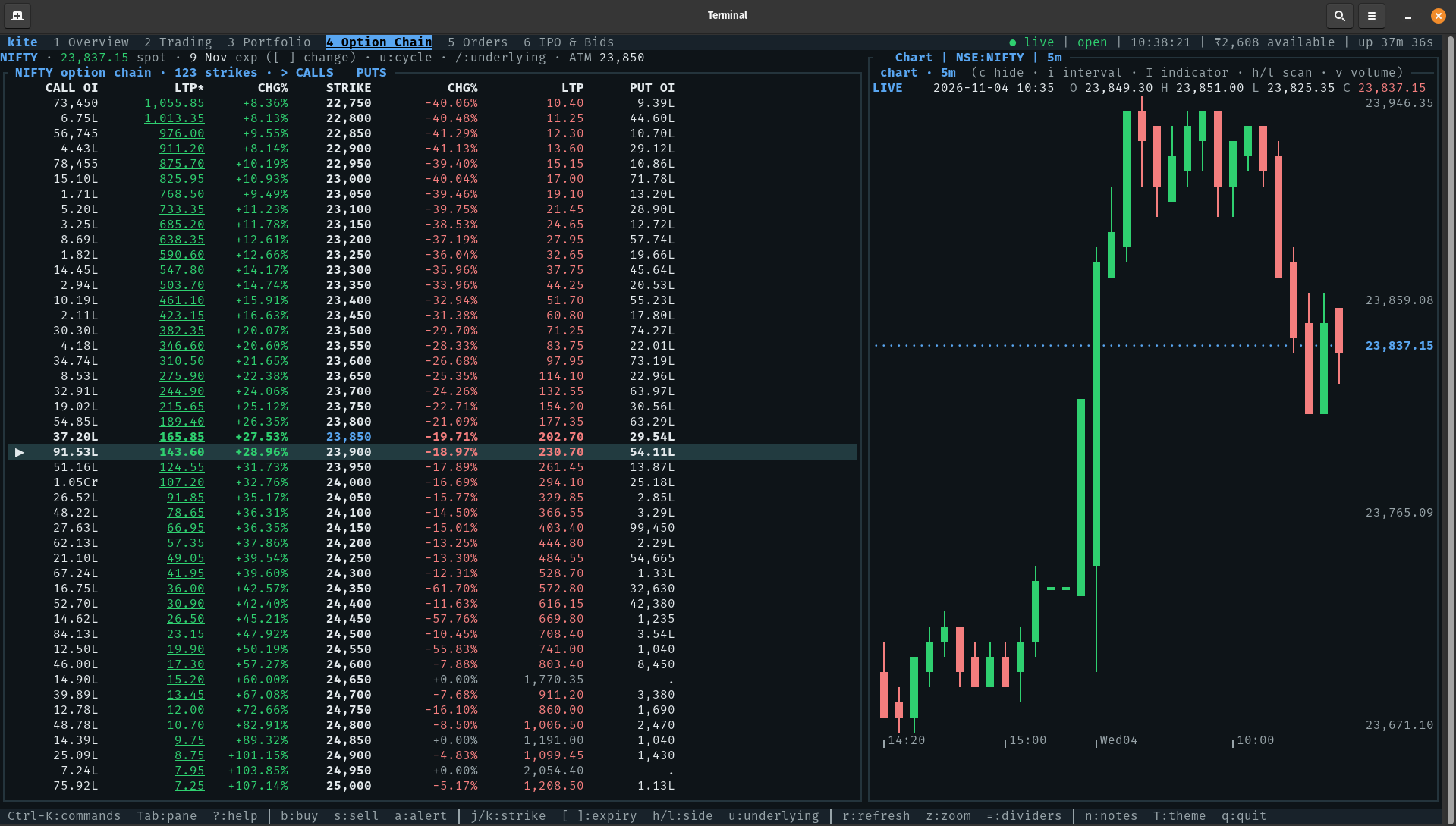
4 Option Chain
Displays strikes, CALL and PUT open interest (OI), LTP, change percentages, and an integrated real-time chart of the underlying spot instrument. You can browse strikes directly and trigger buy/sell orders.
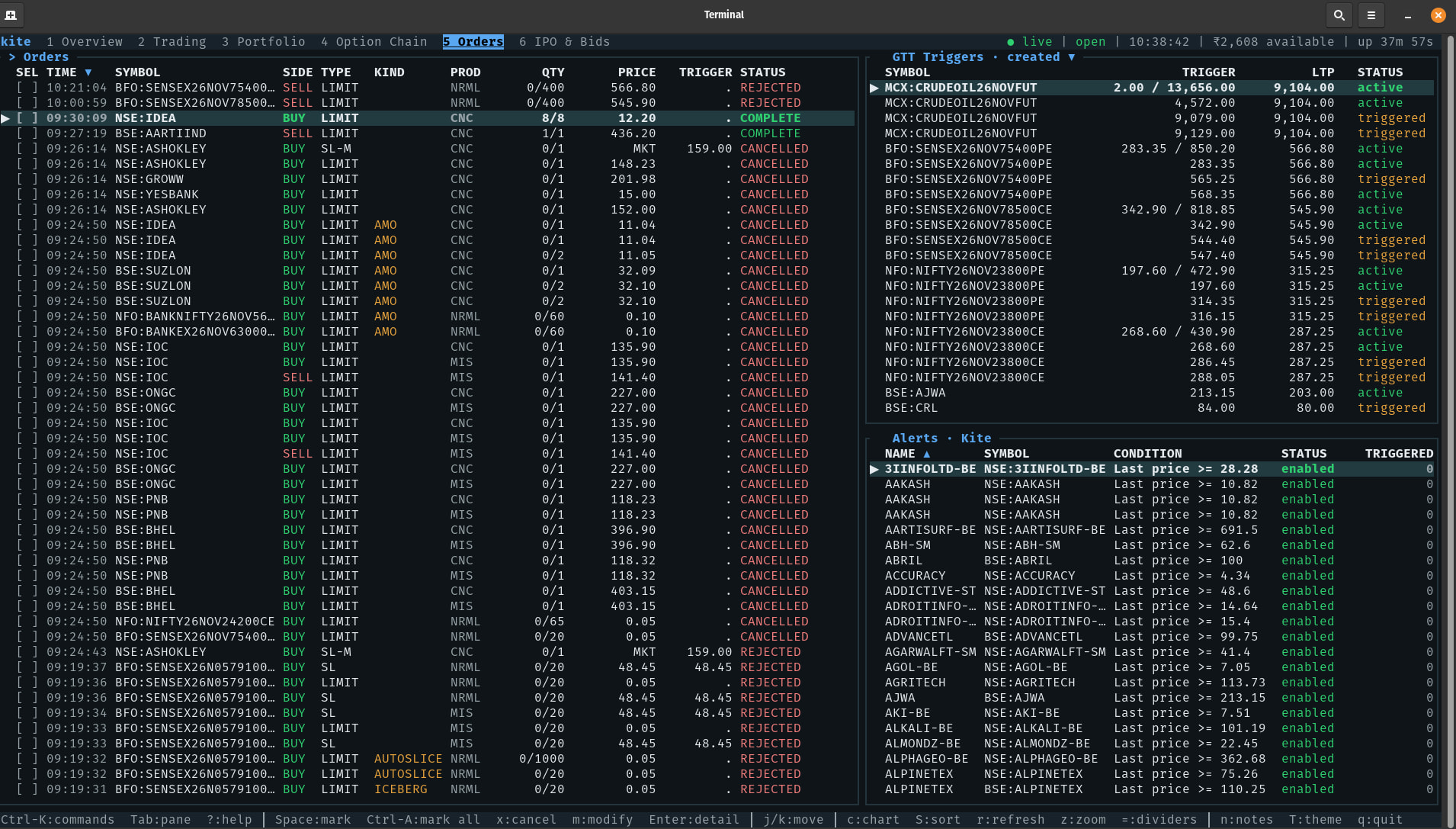
5 Orders
A multi-pane view to inspect executed/open Orders, monitor GTT Triggers (including active trailing stop-loss triggers), and toggle Kite Alerts.
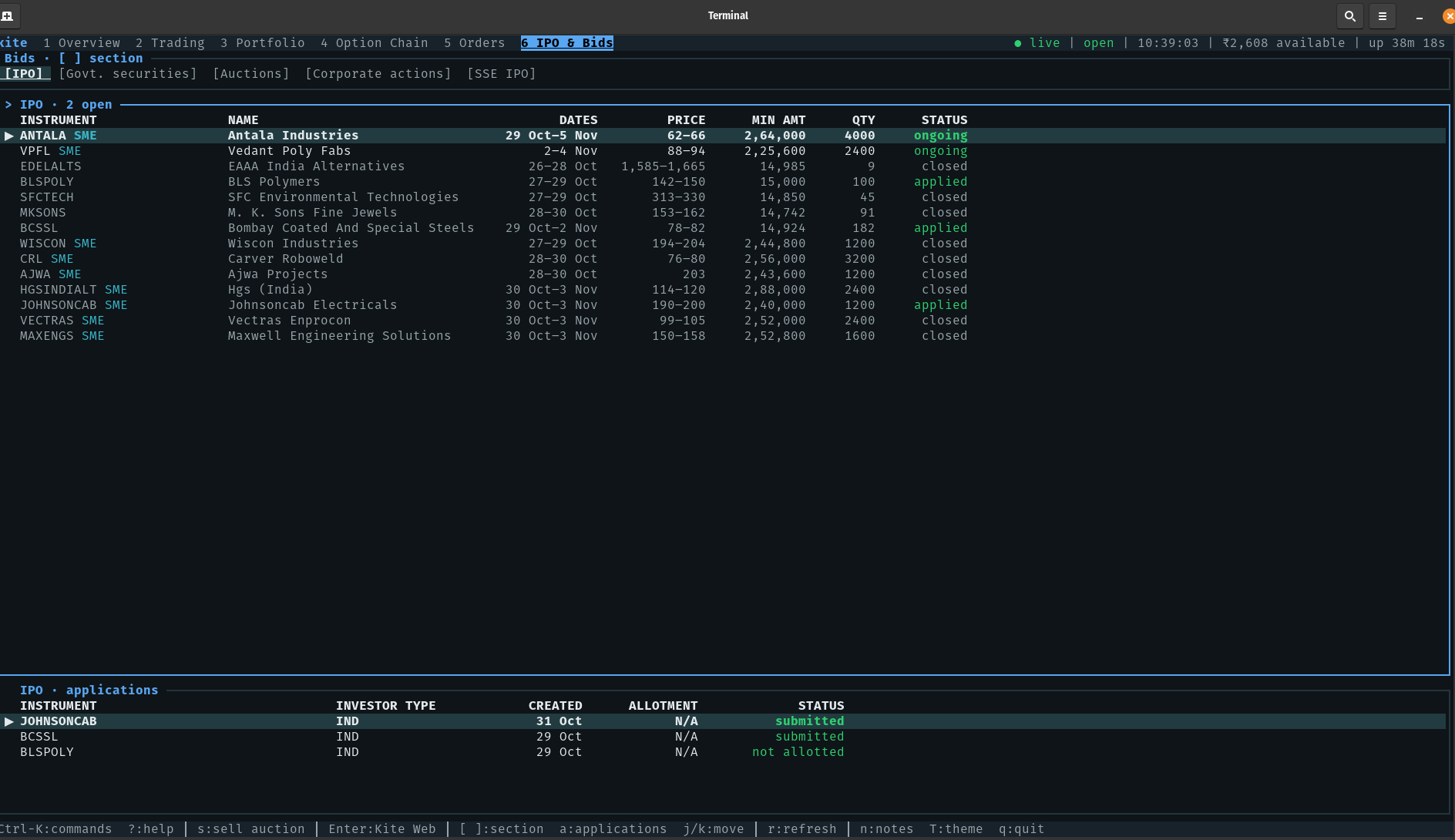
6 IPO & Bids
Browse IPO, Govt. securities, Auctions, Corporate actions, and SSE IPO. Review instrument details, dates, price ranges, lot quantities, and track or place your applications.
Using the Scriptable CLI
Alongside the full-screen UI, kite provides subcommands for scripts, and quick terminal checks.
Bash
kite auth login                                 # Sign in from the shell (use `kite doctor` to verify)
kite market quote NSE:INFY                      # Live quote and 5-level market depth
kite portfolio holdings                         # Demat holdings and P&L
kite portfolio positions                        # Net and day positions
kite orders list                                # Today's order book
kite user margins                               # Available and utilised funds
kite alerts list                                # Active server-side price alerts
kite mf holdings                                # Mutual fund holdings (plus `orders` and `sips`)
kite stream ticks --token 256265 --limit 5       # Stream live WebSocket ticks
Pass --json to any command for machine-readable output.
Web Handoff for Security & Verification
Certain actions require Kite web in your default browser for verification and security reasons. When you initiate any of the following actions, Kite CLI opens Kite web automatically:
- Authorising delivery holdings: When you press
ain the 3 Portfolio workspace, Kite CLI opens Kite web to complete your CDSL T-PIN authorisation. - Applying for IPOs and Bids: Pressing
Enteron an IPO, government security, auction, or corporate action opens Kite web so you can submit your bid.
How to Install & Get Started
Kite CLI supports macOS, Linux, and Windows.
1. Installation
macOS and Linux (x86_64 and aarch64 / Apple Silicon):
Bash
curl -fsSL https://raw.githubusercontent.com/zerodha/kite-cli/main/scripts/install.sh | sh
Windows (x86_64 via PowerShell):
PowerShell
irm https://raw.githubusercontent.com/zerodha/kite-cli/main/scripts/install.ps1 | iex
2. Launching & Setup
Once installed, start the client:
Bash
kite
On initial launch, follow the standard terminal prompt to authenticate your Zerodha account securely via 2FA/TOTP.
3. Logging Out & Exiting
- Quit the UI: Press
qorCtrl+C. Your session stays active until daily token expiry so you can relaunch quickly. - Log out completely: Press
Ctrl+Kinside the TUI and select Log out, or runkite auth logoutfrom your shell to revoke the session token.
Essential Keyboard Shortcuts
| Shortcut | Description |
|---|---|
1 – 6 |
Switch tabs (1 Overview, 2 Trading, 3 Portfolio, 4 Option Chain, 5 Orders, 6 IPO & Bids) |
j / k |
Navigate / move selection up / down |
b / s |
Buy / Sell |
g |
GTT |
a |
Alert (or Authorise in Portfolio) |
Enter |
Open item in Kite web (in 6 IPO & Bids) |
c |
Chart |
Tab |
Cycle active pane |
r |
Refresh |
T |
Theme switch |
Ctrl + K |
Commands / Palette |
? |
Help |
q |
Quit |
Kite CLI is open source under the MIT License and powered by kiteconnect-rs GitHub - zerodha/kiteconnect-rs: The official Rust client library for the Kite Connect trading APIs · GitHub , our standalone Rust client for the Kite Connect v3 API.
- Repository & documentation: GitHub - zerodha/kite-cli: The official command-line interface and terminal UI (TUI) for Zerodha Kite. · GitHub
Try it out and share your feedback, shortcut requests, or bug reports in the comments below or on GitHub Issues!