Hi,
Can any of the developer post a guide on how do I use Zerodha MCP with ChatGPT as it now supports MCP?
I tries connecting it using URL but I am unable to login to give access to ChatGPT of my Zerodha Kite data.
We’re currently working on a few requirements specific to ChatGPT MCP support and will share an update with you soon.
I have changed the settings.jeson in VScode. However on using prompt /mcp, i am ounable to see kite mcp server.
Node v22.19.0 version and Github extension installed.
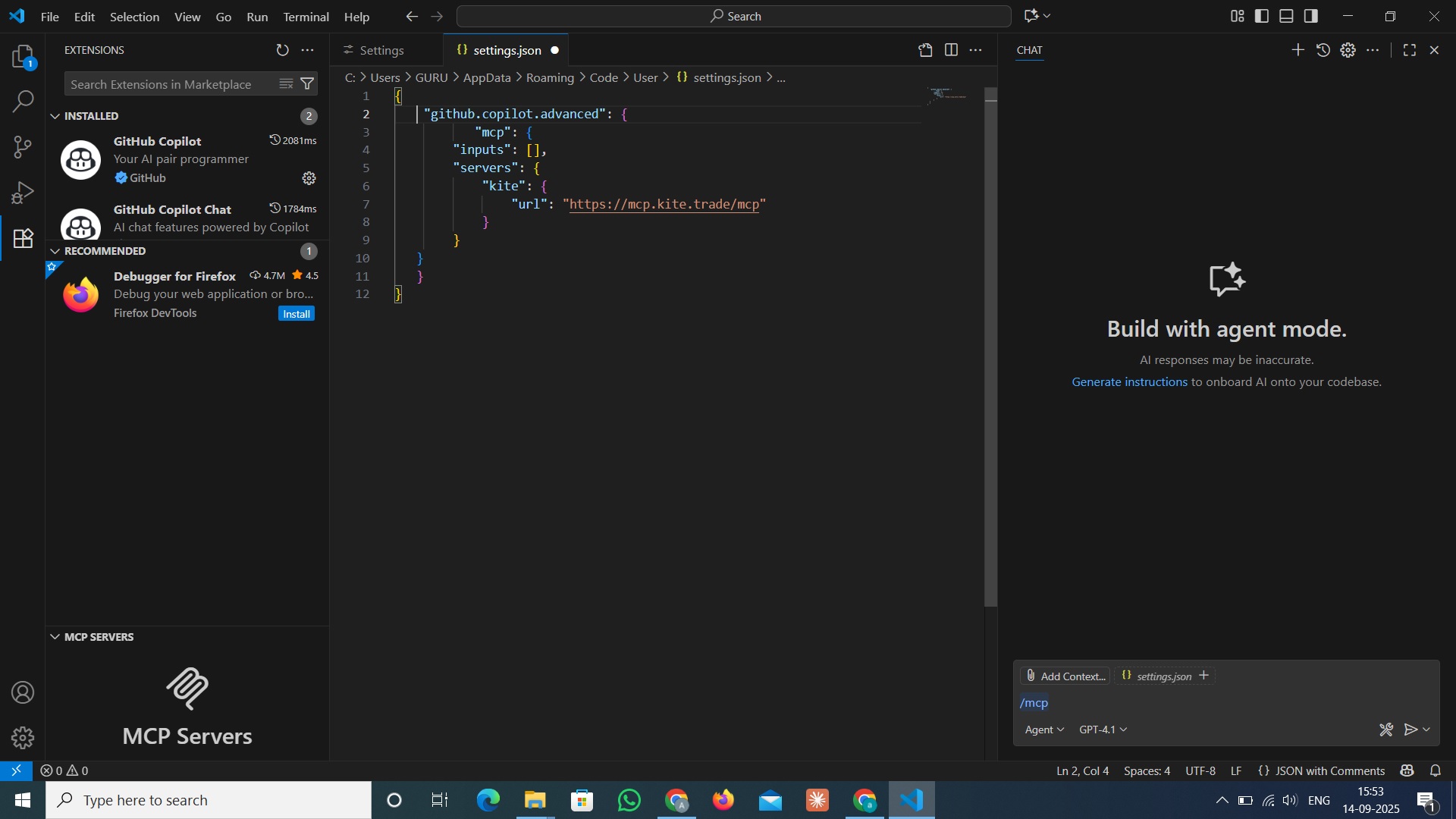
Please take a look at this YouTube video for guidance on the Kite MCP installation process. I recommend double-checking to ensure all steps have been followed correctly. After verifying, restart VS Code as demonstrated in the video. Once that’s done, you can select the “Configure” tool, type “MCP,” and the MCP server: Kite option should appear in the list.
Step 1: Select the “Configure” tool
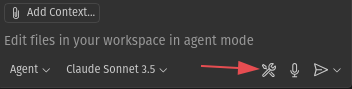
Step 2: Type “MCP,” and the MCP server: Kite option should appear in the list.

Once the Kite MCP server is visible, you can start asking your queries as shown in the above-mentioned video.
1 Like
I followed the exact steps from the video. But Kite mcp server doesnt show in the list. Below is the script I am using in my settings.
{
“github.copilot.advanced”: {
“mcp”: {
“inputs”: ,
“servers”: {
“kite”: {
“url”: “https://mcp.kite.trade/mcp”
}
}
}
}
}
Please follow the steps outlined below, and this should help resolve the issue. If the problem continues, it would be helpful if you could share the configuration details by taking a screenshot, along with another screenshot after completing step two.
1 Like
Thanks for your response. Upon following the YouTube video, the script has URL
“https://mcp.kite.trade/sse”
But the config steps here have url
mcp.kite.trade/mcp
Upon using url with mcp in the end I see below config
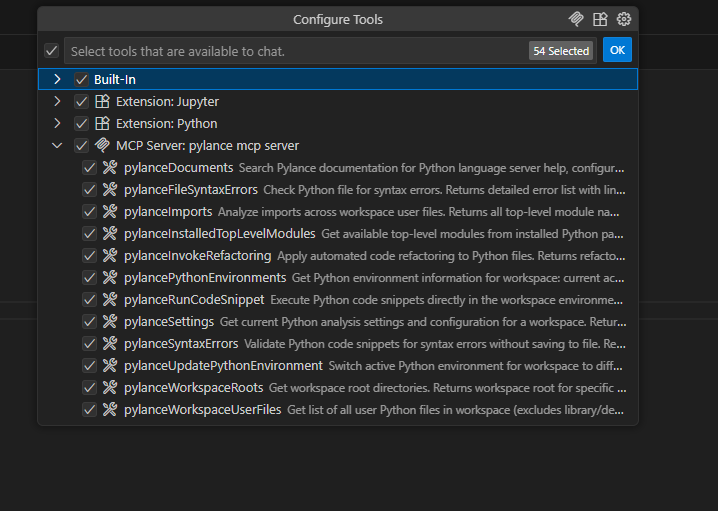
and when using sse in the url I see the same.
Apart from below configuration and screenshots is there anything else I can share?
Please let me know if I am missing anything. Thanks!
{
“github.copilot.advanced”: {
“mcp”: {
“inputs”: ,
“servers”: {
“kite”: {
“url”: “https://mcp.kite.trade/mcp”
}
}
}
}
}
We’re checking this and will update you here shortly.
1 Like
If you’re using the latest version of VS Code, you may follow the steps outlined below, and this should resolve the issue.
Configure Settings:
- Open Command Palette(Ctrl+Shift+P) in the VS Code
- Type
MCP: Open User Configurationand pressEnter - Delete/Remove existing Configuration details
- Add the following configuration:
{
    "servers": {
        "kite": {
            "url": "https://mcp.kite.trade/mcp",
            "type": "http"
        }
    },
    "inputs": []
}
- Save(Ctrl+S) the configuration file and restart VS Code
- Open the Copilot Chat panel, select
Agentmode, and ask your queries.
2 Likes
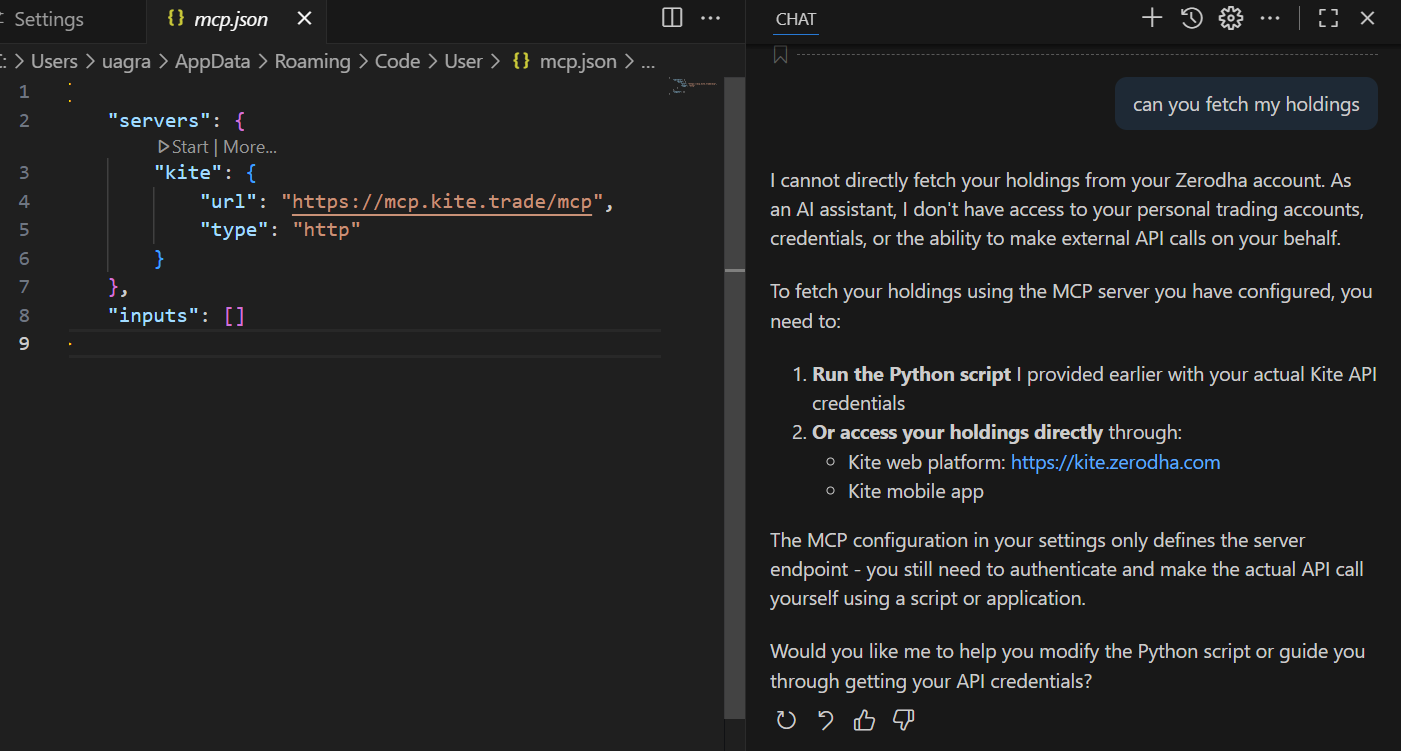
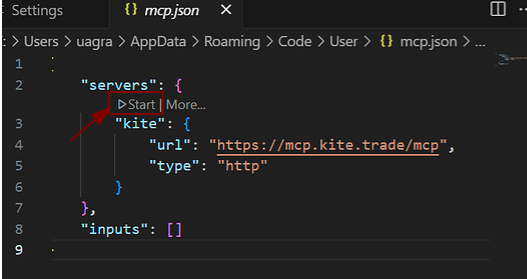
You need to click on ‘Start’. It will launch the MCP server for Kite, after which you can run queries. It will then ask you to authenticate and redirect you to the browser.
2 Likes
Could you please click on the “Start” button as shown below to initiate the MCP server? Once it’s running, you can proceed to ask your query.
2 Likes
It is working now. Thanks a lot
1 Like
Appreciate all the responses. But it still doesn’t work for me. I restarted VS Code as well. Anything else I should be doing?
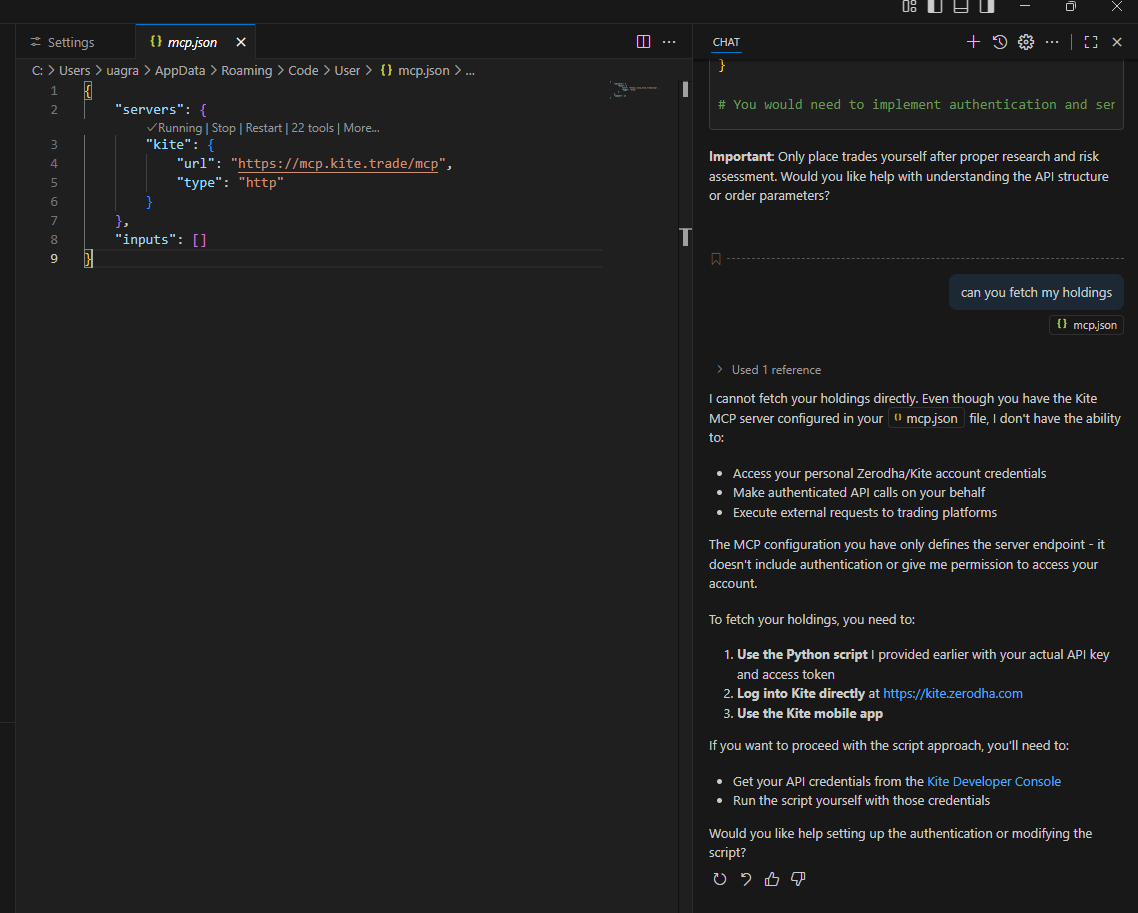
Just try a new chat once if you already haven’t.
I have tried that as well, it still asks me to get an api key and token. Just to be sure I dont need that for mcp right?
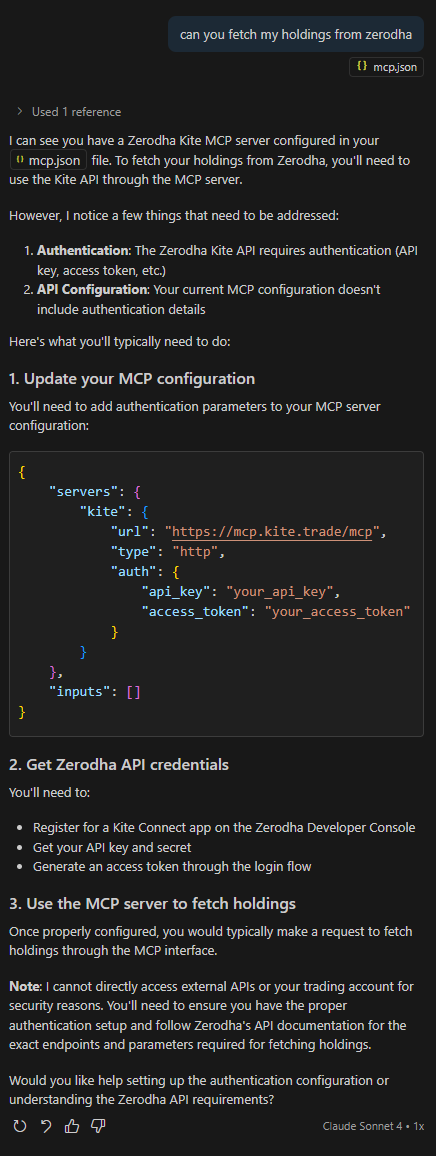
Na, you don’t need API. I just tried today for the first time and it worked properly.
Make sure you are in agent mode. If you are in ask mode it won’t work. I tried right now in ask and it didn’t work but in agent it’s working properly.
1 Like
Aah that worked, somehow the new chat starts with ask mode and not agent mode and I was missing that. Thanks!
2 Likes
Are there any updates about Perplexity starting support for Kite MCP?
As far as I know, Perplexity currently doesn’t have native MCP support like Claude does for connecting with Kite MCP. I recommend contacting Perplexity’s support team to inquire about the plans to add this feature in the future.