Revamped Mobile Charts with Fresh Design and New Features

We’ve made a major upgrade to mobile charts, making them faster, more intuitive, and much easier to use.

Here’s everything new:

Faster Chart Loading
Charts now load much quicker as all requests are processed inside the app for a smoother experience.

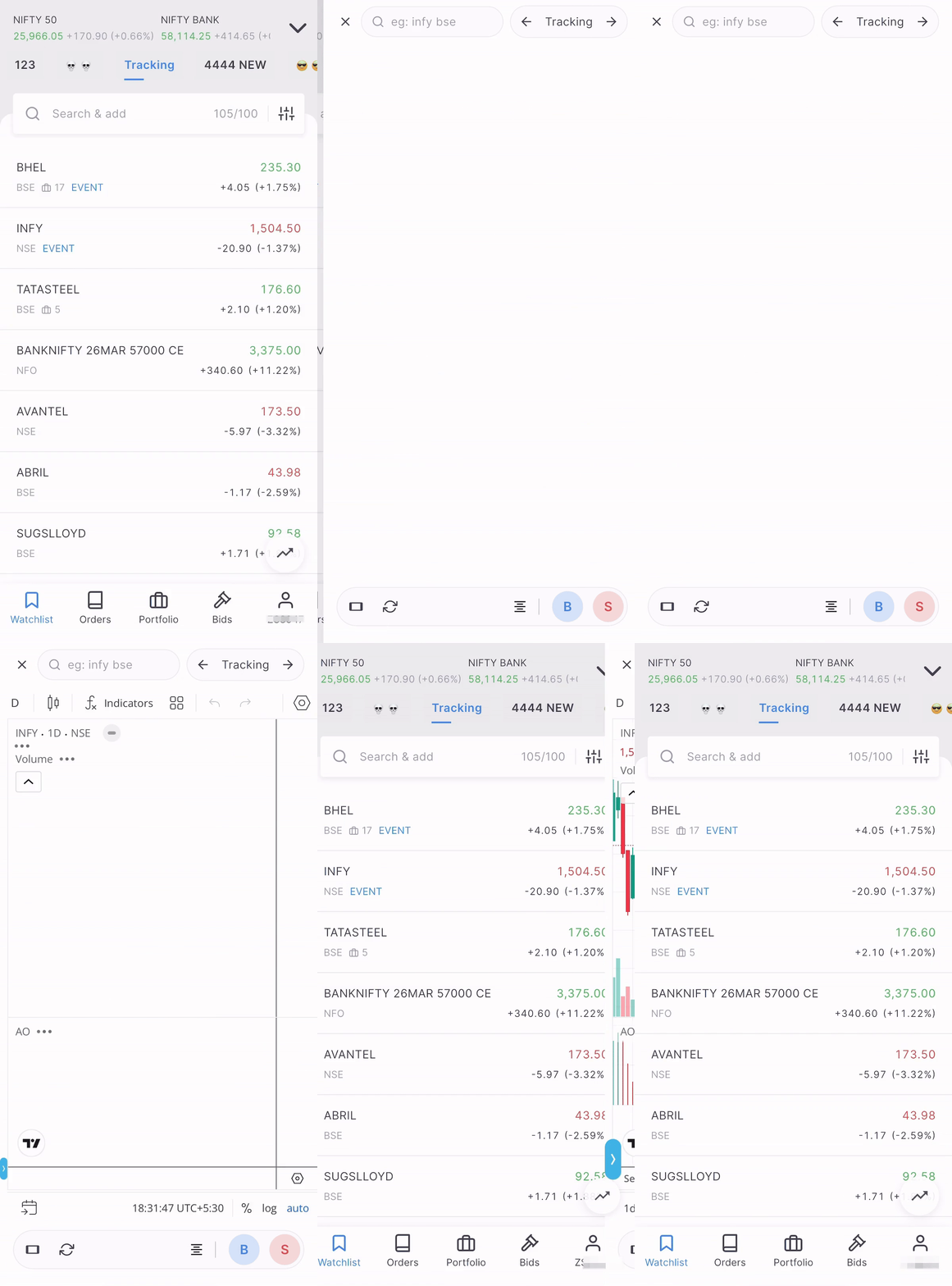
previousversionblurred-ezgif.com-video-to-gif-converter latestversion

Quick Launcher
Charts can now be opened from anywhere in Kite using a floating Quick Launcher icon. It opens the last-viewed instrument and can be dragged anywhere on the screen. The icon can be enabled or disabled anytime from Settings as per preference.
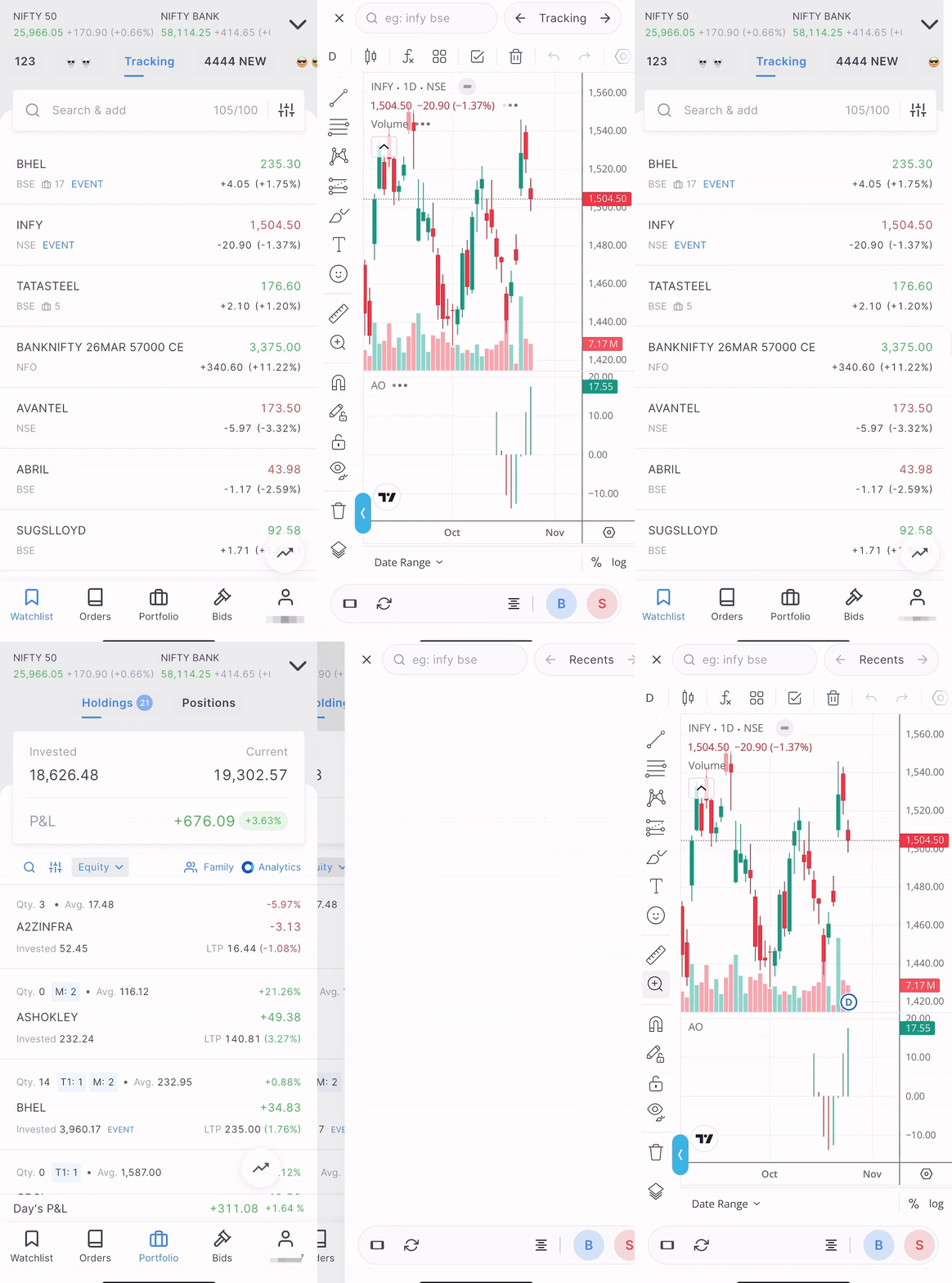
quicklauncher

In-Chart Search
Charts now allow searching and switching between instruments within the chart. The search section also lists the 20 most recently viewed charts for easy access.
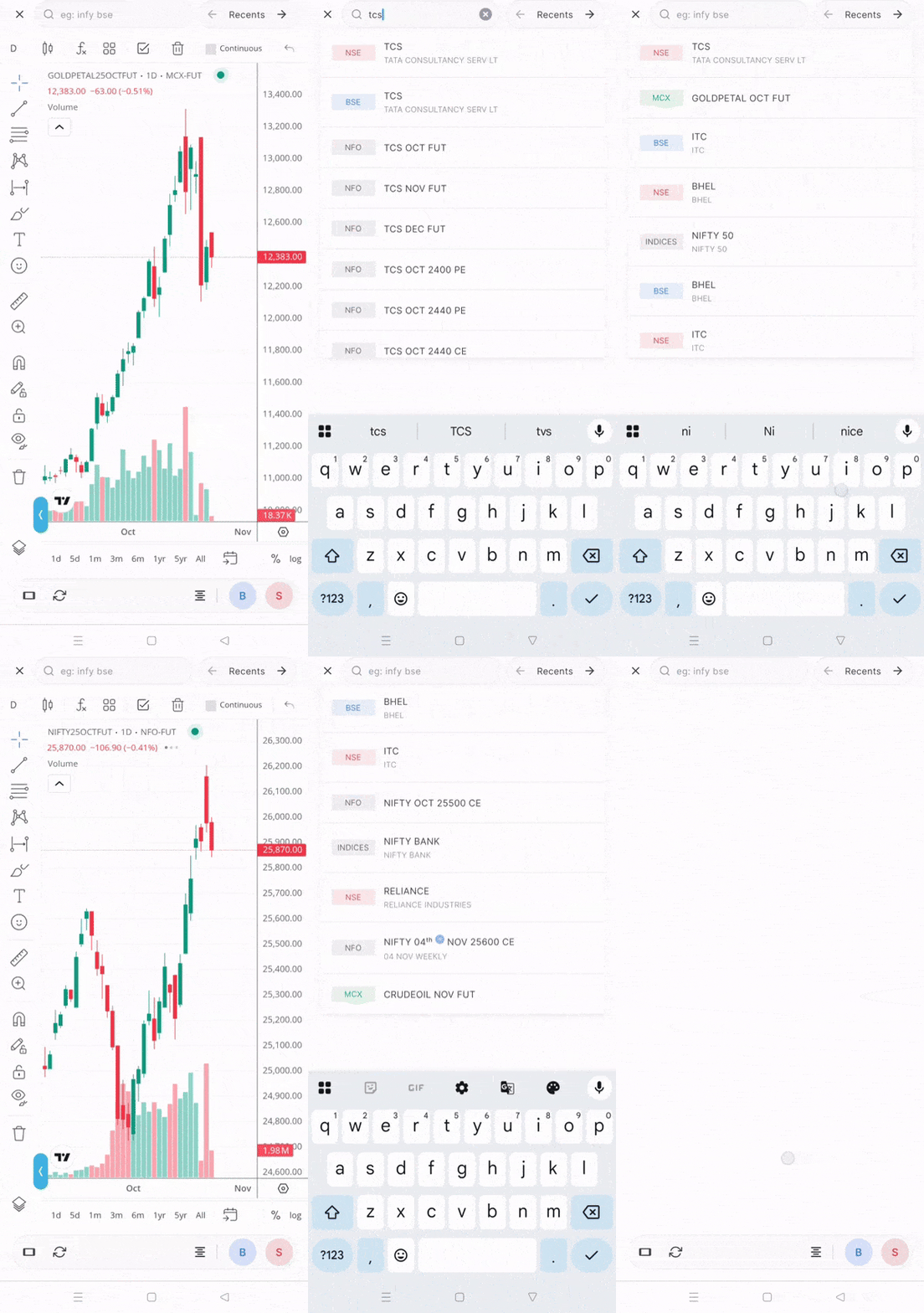
searchswitch

Chart Navigation
Easily move back and forth between charts without closing them. If a chart is opened from the Watchlist, you can move to the previous or next instrument in that list. The same applies to Positions, Orders, and Holdings, as charts can be moved between instruments available in that section.

depth+switch

Repositioned Controls
Buttons such as Refresh, Landscape, and Buy/Sell are now positioned at the bottom for easy thumb reach.

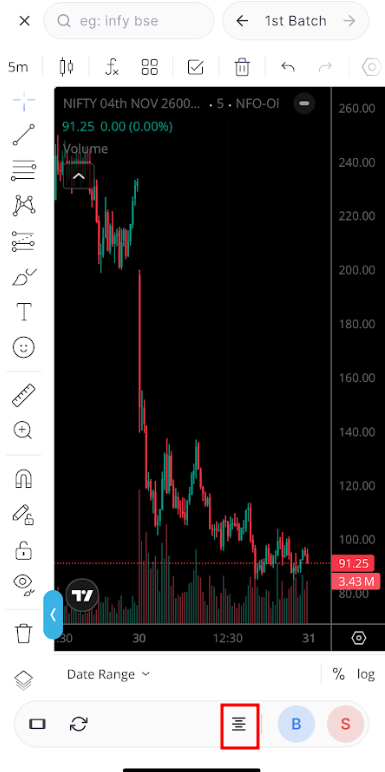
In-Chart Market Depth
The new icon beside the Buy/Sell buttons enables viewing Market Depth directly within the chart.

Swipe-to-Dismiss on iOS
iOS users can now close charts easily with a swipe from the left edge, just like other iOS apps.


Coming soon:
TV TFC on the app, accessing Orderbook and Positions directly from the chart view.

This update is currently in beta and will be gradually deployed to the live environment over the coming days.
25 Likes

Would it be possible to put the option chain icon beside the market depth?

1 Like

Thank you from removing basket icon from top bar

1 Like

Amazing work on the revamped mobile charts @Arockiya_Raja . The new UI feels premium :slightly_smiling_face:

I wanted to share some suggestions that could make the charting workflow even smoother:

  1. In landscape mode, there is currently no option to view market depth, and the close (X) button isn’t visible. Please add market depth & close button in landscape mode

  2. The ability to swipe left/right between stocks in the same watchlist is excellent. Allow swipe up/down on the watchlist name to move between different watchlists. This will help users view all charts across watchlists without closing the screen.

  3. Currently, when tapping Buy/Sell, the chart closes and the order window opens. Since you’re planning to show positions & orderbook without exiting charts, it would be great if Buy/Sell opens as a split-screen or pop-up.

  4. A multi-chart layout on mobile app

3 Likes

To switch between charts of different strikes of the same instrument?

Yes, that will be added in the coming update.

Now the basket is hidden if no orders are added to the quick basket.

  1. We are not sure if the market depth will appear appropriate in the landscape screen size. I’ve noted your feedback and will check on the close button.
  2. Feedback noted.
  3. Yes, we have already discussed this.
  4. It will be implemented in the next update.
4 Likes

Maybe in landscape mode, market depth can be shown on the right side instead of bottom. Landscape mode has more width, so a vertical depth panel might look cleaner and usable.

  • Could you please also add settings like - default click on symbol of watchlists opens its chart instead of respective icon in web kite
  • And bring the notes icon to the menu bar on hover or add customization to what to show based on users settings
  • Also please add more options to Pin, some times we wanted to observe more than 2

TIA

Hi,

When will be these updates rolled out to everyone? I haven’t received this yet.

Also, can you bring such pre defined layouts like Index+call/put, Call+Put showing the ITM or ATM strike prices charts along with the index chart?

1 Like

why I cant see this update in my app? is there anything related android app?

I also don’t see any change in kite app even after reinstalling. @Arockiya_Raja

This is in beta, we will release it to all in a week or two.

Can you bring the chart powered by TBT like upstox or angle one ? As we notice the variation in OHLC values in many candles of different time frame between kite’s chart and other brokers’ chart powered by TBT. The variation of OHLC values are noticed in option charts, in stokes charts and so on…

Hello @Arockiya_Raja @siva ,
after this update, I noticed that if the app is not cleared from memory and you open the Kite app, the biometric login screen still shows the quick chart launch button. Using that, we can open any chart and place buy or sell orders without logging in. This should be fixed. It is fine to allow viewing charts without logging in, but placing orders should not be allowed.

Noticed this occurring in a specific flow. Thanks for reporting it; we’ll get it fixed.

1 Like

Yes, noted.

We’ll check the feasibility

Yes, this is addressed in terminal mode.

2 Likes

please have bit distance or some more space or any other things between buy sell button :green_circle::red_circle:
just closed dhan account because of this design i accidentally tapped sell instead of buy and it went hell on intra day please please :pleading_face:

1 Like

Can we test the terminal mode bro, if the beta is available for all or may be a list of people (public) ?

1 Like

Should be available for beta testing in few weeks, will post on qna once it is ready.

3 Likes

@siva any response?