
How Can I re create my live market RSI BEARISH DIVERGENCE SCANNER with real time alert which I was regularly using in the old streak version? I was using the scanner to find the F&O stocks, but in the new Streak version I couldn’t find the “NFO Equities” segment to select as a criteria to put, which was available in the old streak version. Please include the “NFO Equities” segment asap. Where is the “Matches All” to put in the new version of streak scanner? I couldn’t find any “Live” button to take the scanner to make it live and I couldn’t understand what is the meaning of “execute”, “Entry”, “Exit (for individual instrument)”, “Add exit conditions (optional)” in the new version. Really need the old scanner with real time alerts with predetermined scan intervels in the new streak version. Another thing is the page loading of the new streak version is disappointingly slow.
Actually you should have kept the old version for atleast few months for the existing users till they familiarise with the new streak version. Request you to publish some tutorial videos to create and use the scanners in the new streak version and make the new version with more user friendly interface.
Hi @Ronald_Jacob,
Please find the clarifications below:
1.It looks like you’re on the “Create Strategy” page. To create a scanner, please click on Create Scanner at the bottom left and define your conditions there. Kindly refer to the image below for guidance.
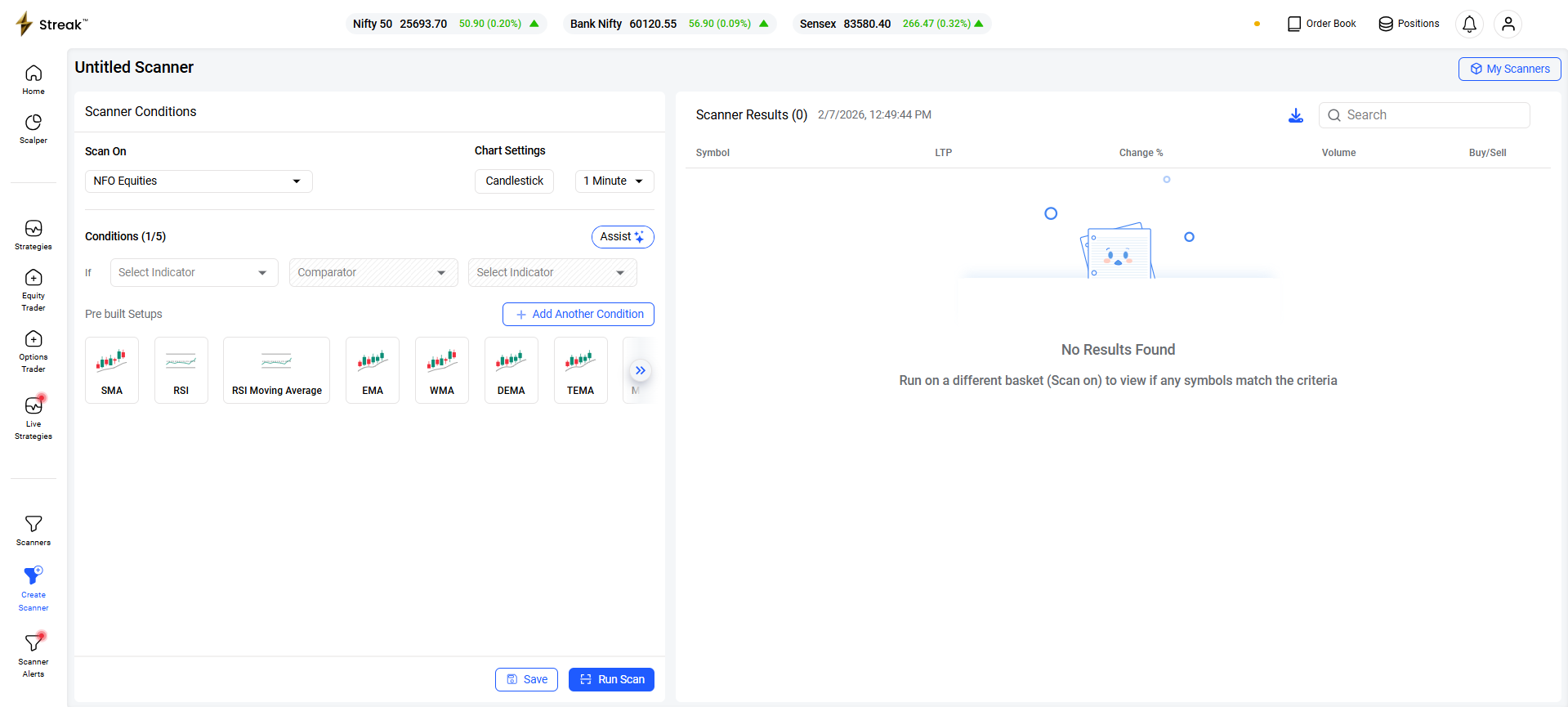
While setting up the scan, you can select from various baskets under “Scan On”, including NFO Equities. Also, all the conditions defined follow "Matches All” logic by default.
Once you save the scanner, you will get the option to “Set alerts”.
2.As the new beta version is experiencing a significant surge in user activity, this may have caused temporary latency. Our team is actively working to improve speed and overall performance.
3.We are working on producing a fresh series of video tutorials that would provide step by step guide. These will be released over the next few days, so please stay tuned to our official channel.
Hope this clarifies.
Hi Team,
Thank you very much for the reply in time.
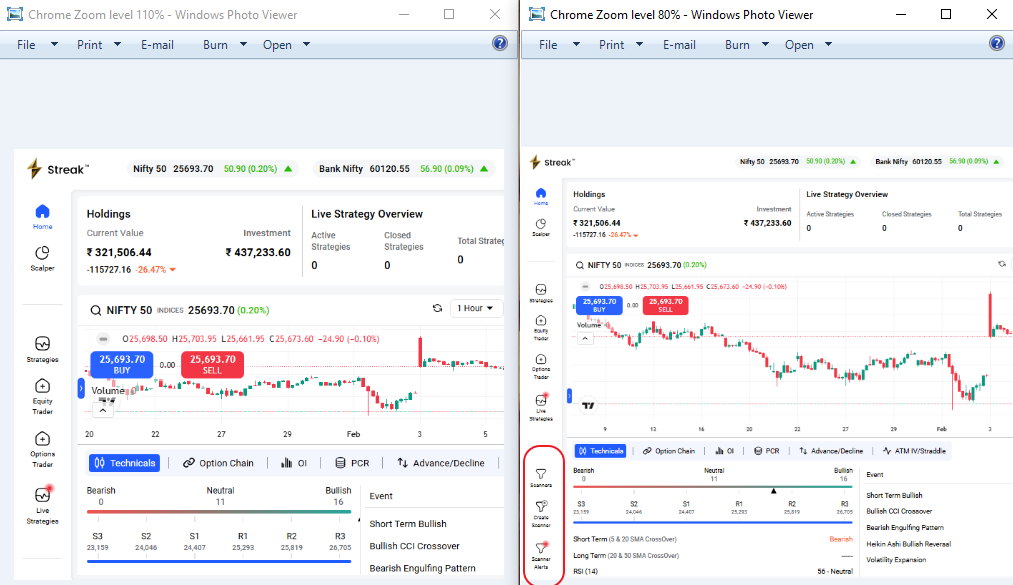
Actually my browser (Google Chrome) Zoom visibility level was set to 110% for better visibility, After your reply I put it down till 80% to check whether I missed something, then only I was able to see the whole bottom portion of the web page. Before that it was only visible till “Live Strategies”. Even at the normal 100% Zoom level, the bottom portion is not visible. Please make that left side panel or the entire page to scrollable. Let me try the scanner in live market and I really hope it to work well like in the previous version of the Streak.
Thanks & Cheers