I want to understand all the options available for placing or having a stop-loss order in place the moment I take a trade on Zerodha, without having to go to the dashboard again to manually place the SL order. In short, I want to place both the Buy/Sell order and the corresponding Stop-Loss order simultaneously in Zerodha.
For example, if I want to buy the 26000 CE for the current week (Nifty, intraday/positional — both cases including converting from intraday to positional), the exact problem I’m facing is this: even though I have my predefined stop-loss and exit levels, there have been cases where, by the time I buy → go to the Positions tab → click Exit → and place the SL order, the market reverses sharply against my position due to unexpected news or sudden movement. In such situations, even though I know my SL levels, the loss becomes large because it takes at least a few seconds to place the stop-loss order manually.
I’ve read about the discontinuation of SL-M orders since 2021 for the options market, so I want to know all the available options — if there is any way to place both the Buy/Sell order and its respective Stop-Loss order at the same time in Zerodha (except GTT), as I primarily trade options both intraday and positional.
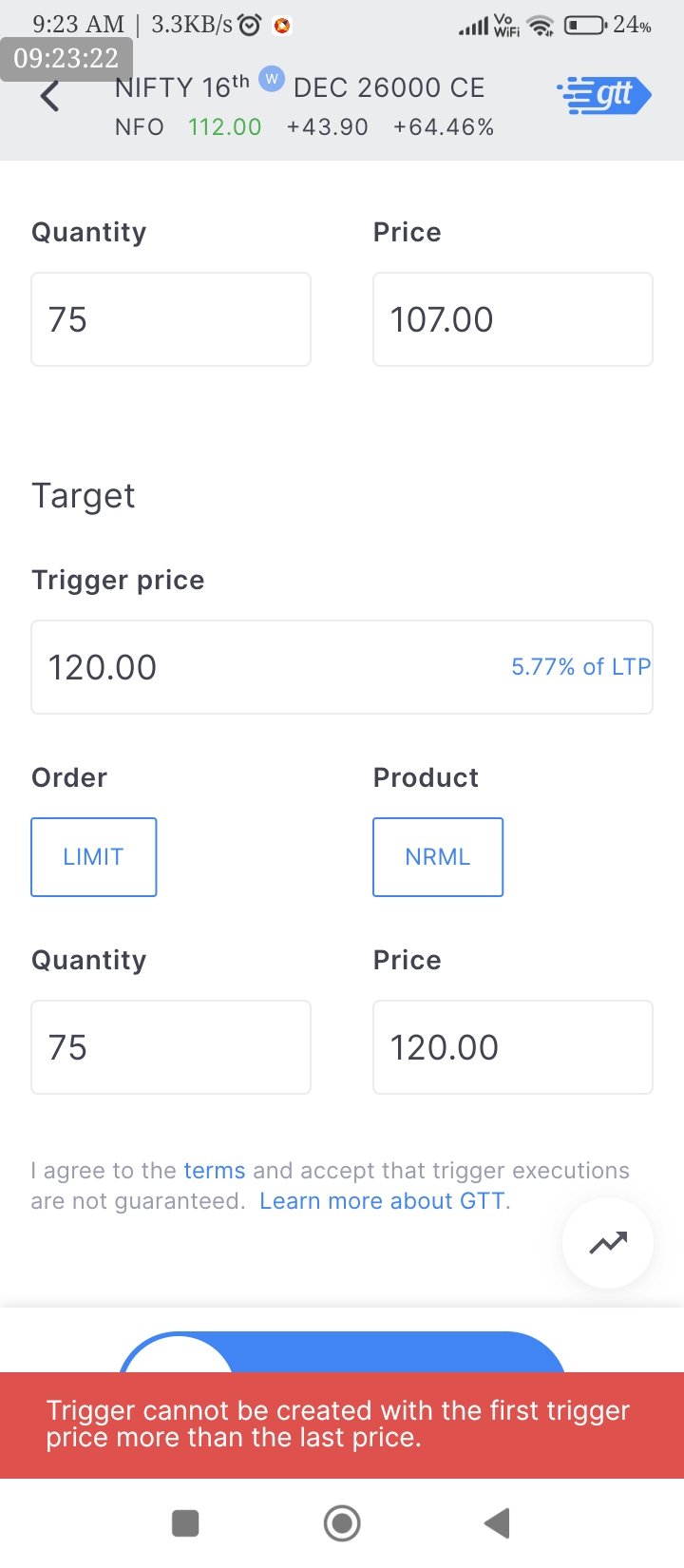
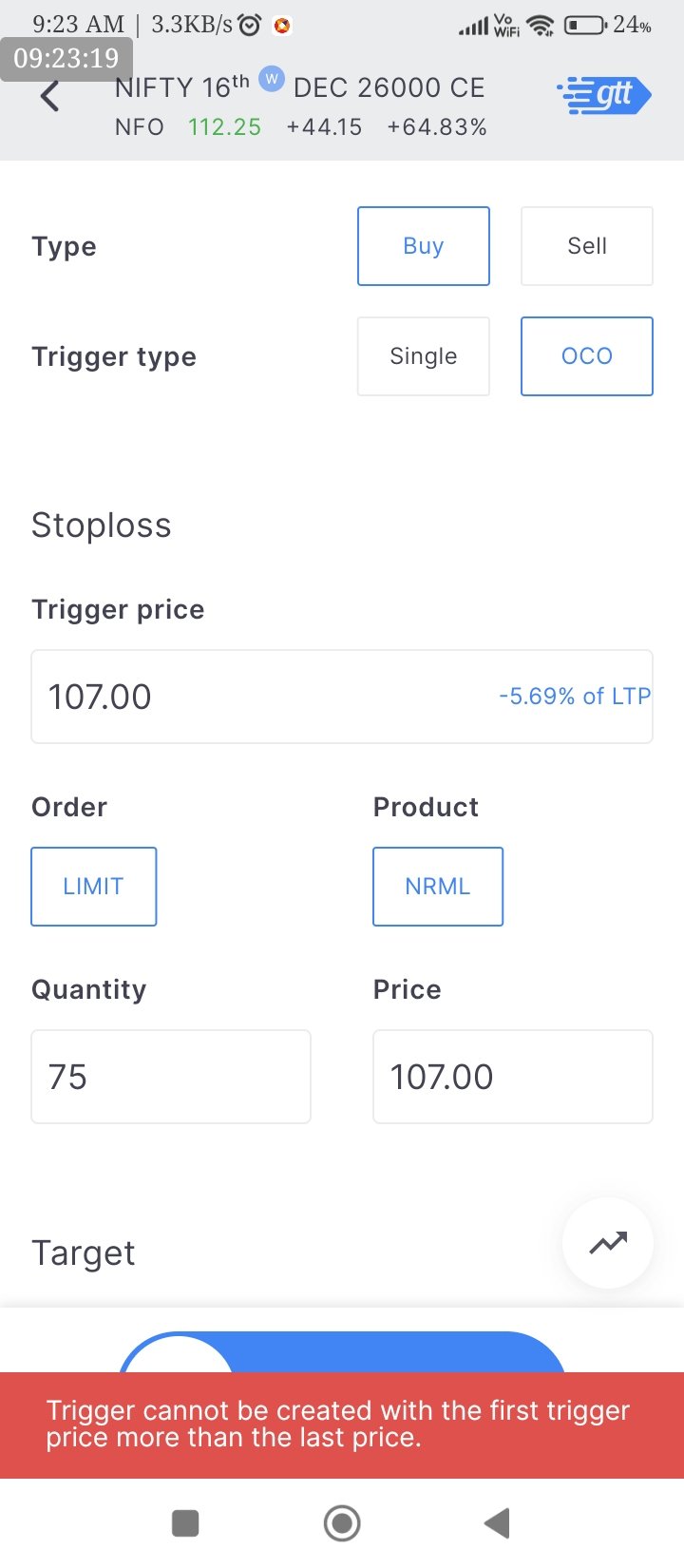
I tried the GTT today for testing purposes. Please find the attached screenshot for the details/error.
Summary of my trade: I bought the 26000 CE 16th Dec Nifty option at market price (it was around 113) and set a stop-loss at 107 and a target at 120. However, I was getting an error. Could you please check and let me know why this happened and how to mitigate it?
Additionally, I would like to understand if GTT (Good Till Triggered) is the most suitable solution and the recommended approach for placing both Buy/Sell orders, along with their respective stop-loss orders, simultaneously in Zerodha, for both intraday and positional options trading(mostly index option buying both intraday and positional buying)
Here is my understanding for my main query i.e. “place both Buy/Sell and SL(of respective Buy/Sell) orders at once in Zerodha.”
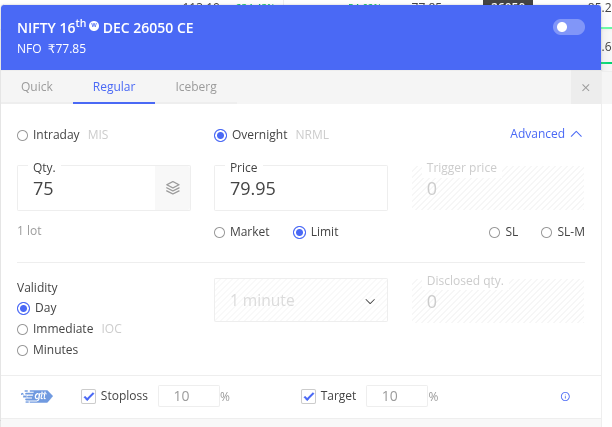
Using GTT with NRML for Near-Simultaneous Entry and Stop-Loss on Zerodha
->Zerodha allows the use of GTT (Good Till Triggered) in conjunction with NRML orders to approximate simultaneous entry and stop-loss placement for options. This enables traders to initiate a position and have predefined exit conditions (stop-loss and target) activated immediately upon execution.
->Process Overview
—>Open the order window for the desired option contract.
—>Select NRML as the product type.
—>Specify the order quantity and price (market or limit).
—>Enable the GTT option.
—>Input both the stop-loss trigger and the target trigger prices.
—>Submit the order.
→ Result:
—>The entry order executes first (market/limit).
—>The GTT (SL + target) becomes active immediately after the position is created, without you going to Positions and adding SL manually.
—>There is no extra margin required for the GTT SL/target on that existing position.
Please double confirm my understanding, as a resolution to the ““place both Buy/Sell and SL(of respective Buy/Sell) orders at once in Zerodha.”” for avoiding any unforeseen reversals in the market against the position.
I have query related to intraday (MIS) order . If I want to buy stock (Intraday) above current market price (Breakout Trade) with Stoploss ,how can I execute it because my order will execute in current market price instead of executing in given limit price which is above current price (GTT /OCO will not work as its intraday order). Please guide.
Today, I was trading by placing a GTT order for buy along with stop-loss and target placement. However, it seems this does not work the way normal MIS orders used to.
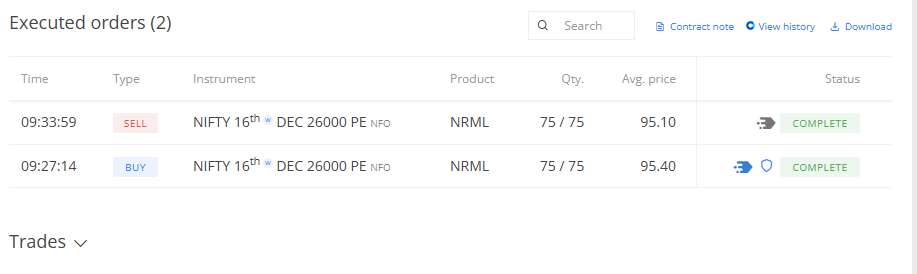
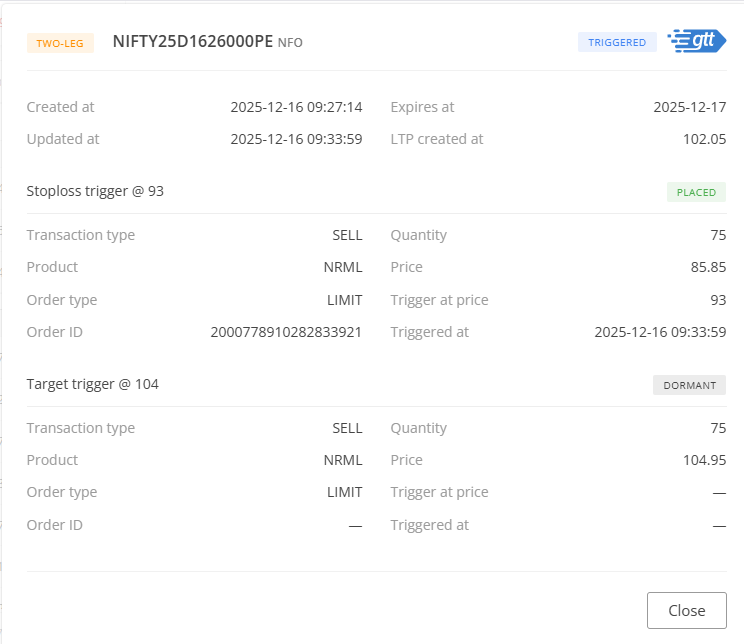
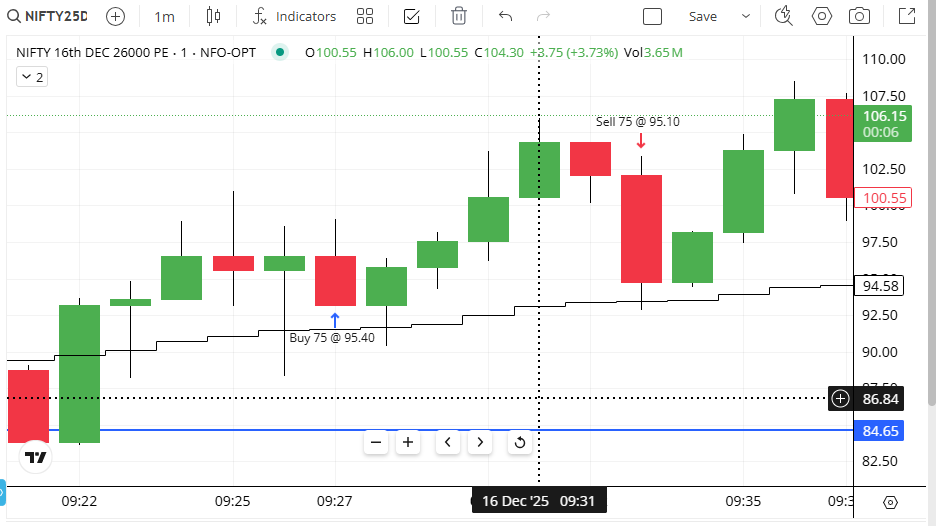
Please check the attached screenshot, wherein you can see that the target was placed at 104, with the target trigger at 104 and the price at 104.95, and the stop-loss trigger at 93 with the price at 85.85. I executed the trade at 9:27:14 (please check the attached order book image). From the chart of the contract traded today (26000 PE, 16th Dec — please check the attached image), the price had made a high of 106 at 09:31, but still my target price of 104 was not triggered.
Even after having a spread of 0.95 rupees, the target was not triggered. Further, when I tried to change the target to lower than 104 (when the market price of the contract was at 103.5), the nudge showed that the target price should be at least 0.25% away from the LTP.
Now, even after the market going to 106, my target was not hit. Also, when I try to modify the target price so that I can exit at the earliest via the GTT OCO order, it is not happening because of the 0.25% restriction. I also fear that if I exit from the Positions tab → Exit → Exit at Market, the OCO remains as it is, and very soon a new order can be placed if the GTT is not cancelled manually.
This buffer is to make sure the trigger fires only on meaningful price movements. The 0.25% filter helps reduce triggers from minor price fluctuations.
If you want immediate execution, you can use a regular market or limit order instead.
Yes, that also seems reasonable and fine however can you please address my original case!
At 09:31 when the contract had a open=low price of 100.55 and high of 106, with close at 104.5, no tick is captured even when the spread is just 0.05 for the contract?!!? how is this even possible that my tarergt of 104 was not triggered when the contract made ahigh of 106 which is a 2 rupees on the most liquid ever option i.e. 26000 PE!!!?
@siva you can correct me if I made some mistake in the order placement but htis seems too unobvious that nifty round level strike price is not having a exit when the taregt and the high made is having a difference of 2 rupees!!!
Please help in resolving this as this is definitely not obvious especially when the spread is 0.05!