This is fixed in the latest build. Please update to the latest build and check for the same.
2 Likes
Is there a way to configure buy x qty or sell x qty or exit all that can be configured using keyboard shortcuts? And a way to see them handy
Could you create a detailed video tutorial explaining how to use this? From what I’ve explored so far, it seems to offer a lot of features. A comprehensive, step-by-step video guide would be extremely helpful, especially for non-tech users, as it would help them understand this CLI thing better and make the most of everything it has to offer
3 Likes
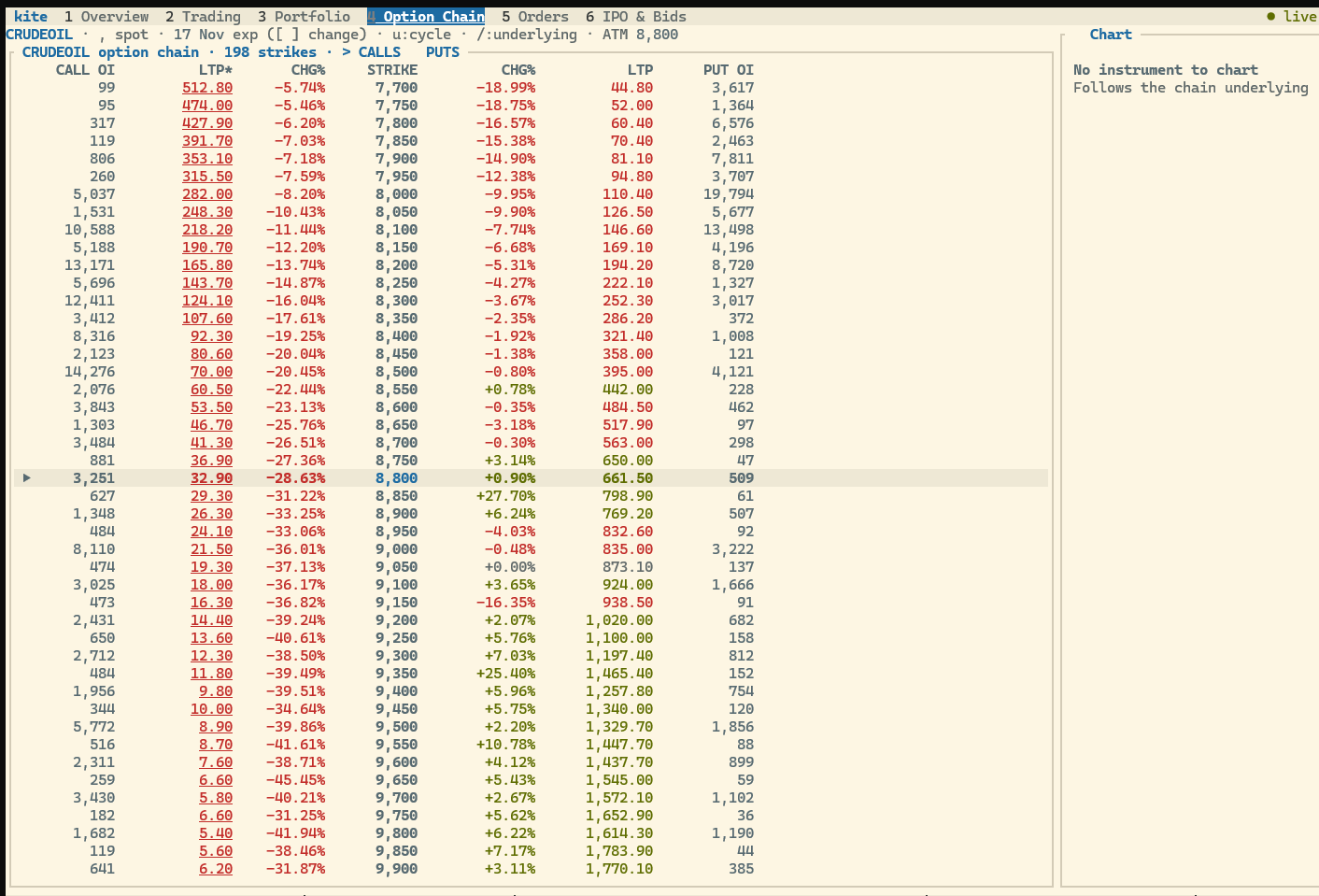
can you add alerts based on TOTAL PNL in this ?
No, but it maybe possible to write some program to do the same. Once their alerts server is updated to do this automatically, probably yes.
We’re working on this, and it’ll be live soon.
1 Like
We are looking into this and will get back to you with an update shortly.
This feature isn’t available yet, but we’ve noted your feedback and will explore adding it in a future update.
Can you also check feasibility of this feature in kite web as well?
Hi team,
While logging into the official kite-cli (kite auth login / TUI), users who haven’t enabled an external TOTP authenticator are currently required to authenticate via SMS OTP.
Since SMS OTPs can sometimes be delayed due to network or DND issues, can we add support for authenticating via the App Code generated inside the Kite mobile app (similar to how Kite Web handles 2FA)? It would make daily CLI logins much faster and more reliable without needing to set up a separate third-party authenticator app.
Thanks & Regards
1 Like
This and many other feature requests come from people who do day trading / scalping and need a quick way to send the orders out and get the feedback faster.
IN OTHER WORDS, no trading software is meeting these kind of trading needs very well.
TIP: Use a bigger screen/higher resolution and adjust font size as low as possible, to your convenience. Then kite cli looks and works great.
Long ago: nse now, nest trader and odin trader were all looked same and probabaly from same vendor (I guess odin is different). But they all had similar window/screen/page layouts which are good from brokers view but not intuitive to traders/users perspective. Every new install of those software took an hour or two to setup the layout and test keyboard shortcuts to adjust for our use.
Then came the new wave of web software. With all the bells and whistles we had to constantly move move mouse, click, change hands to keybaord, type, use mouse click… Only an ignorant team (or sadistic) team can do this for a trading software (with accessibility issues like thin fonts, light colors). I am not talking about zerodha alone. This happened across many brokers. In fact those brokers had it worse. Only the screenshots in ads/product page looked good. Actual UX sucked. STILL DO.
Then, with high speed internet and mobile trading application, things became little better. Because of screen constraints and touch, I think. The new versions of web apps also learned something from mobile app feedback. Trade from charts and multiple tabs/windows are the only things having some consideration of day traders. Rest everything can get a lot better.
Trading software are still not catering to people day trading with multiple instrumets. Think about switching between multiple watchlists, orders, position, holding tabs etc. By the time the workflow become muscle memory, the software would have changed and/or trader would have lost everything because longer mental focus was impossible while dealing with the not suited workflow imposed by the software. RSI (strain injuries not the oscillator) is altogether a different serious issue.
This kite-cli is clearly placed/explained as a kite web application for the terminal. Thats too bad; I hoped a new software will rethink the requirements of users.
The BEST THINGS about this cli is quick navigaton with keyboard and scriptable cli commands which have automation potential.
BUT STILL the kite cli has the same issues as older software, because it is using the same old approach, presenting data from brokers perspective.
The separate orders, holdings, positions,funds etc pages are essential, But the best thing would be to integrate information from them in the watchlist page. The data table should not only have ltp, vol etc but also have position/holding qty, pending order qty, pnl and some.
Nest or Odin, had the feature of not only cutomizing columns list + formatting, but also had having custom column data with custom expressions. That would be ideal for traders, but I guess we all can settle with customsing columns list and optional sparkline graphs (possibly indicating up/down with colors ).
The custom column with custom expression is ideal because why do I need OI data in option chain? I dont need even day volume, I need 1, 3, 5 or 15 minutes ema (hma is better) of the volume, with optional sparklines preferably.
No fast trader wants to see the old style quotes window. Take a user configurable amount or qty and show the likely fillable price for buy/sell for that amount/qty in the watchlist table column. I believe many would remove LTP column if that likely fillable price is made available.
OFC, there should be chart and pending orders panes along side watch list. Just like chart changes to selected instrument, the pending orders should be filtered. No need to show executed and cancelled orders here. The position/holding info can be a single, highlighted status line or a small table. Complete list of orders and postions should be in dedicated orders/positions page and not here.
Candlesticks are cumbersome for day traders. We need high/low bars without open or close markings. Configurable moving averages (please add hma and selactable value for calc like ohl/c etc), configurable vwap (not just day long but also with intraday intervals) and couple of famous oscillators can satisfy all kinds of traders and investers. Automatically showing position and pending orders in chart will be great.
I focussed on day traders and explained what I would like. But similar complaints are there for other time frame players too. The main cause or the issue here is we are still using old approach and trying to be please everyone by incremental changes in a single old design. Everyone is in pain during these changes, then new software or new regulation makes things obsolete and cycle repeats. And the pains also repeat.
BTW, I would have preferred a multiwindow desktop flutter application with same scriptable cli commands availability. I guess every desktop gui development approaches now have their own issues. Happy with TUI though, just bit skeptical on charting features.
PLEASE
- Make the tui to run on multiple windows same time, may be with a configurable limit, atleast supporting four windows. Kite web runs on multiple tabs/windows.
- Make the panes movable, i.e layout customizable. Think also of a portrait mode display. Power users almost NEVER use/prefer a single, wide screen display. If they had to use, they use multiple vertical windows side by side mimicking multimonitor setup. Some apps try to accomodate this use. But they still, like kite tui, end up wasting screen estate in one pane and cram too much on other pane. This ultimately leads to smaller fonts and squinting eyes. Please consider this a serious issue.
Cc: @nithin @Suny_Banerjee @User786 @Bhuvan
THANK YOU for the scriptable CLI and TUI. Also grateful for the steady progress in recent weeks.
BUT please forego sticking to old style and approach. Please design workspaces/watchlist/table-view whatever you call it from the perspective of scalper, swinger and invester. Dont try to push one size fits all approach, Dont be afraid to offer exclusive/dedicated setup to each.
The kite web beta started this some time ago. But I guess the custom workspaces there are a bust because the old approach/thinking aided by those inflexible panes (ok. I did notice some new effort there). Also the web styling ie thin fonts and dull/lighr colors are a big mistake for usability. To repeat, they look great in screenshot taken with larger font size in a 4k display. NOT FOR heavy day to day use. That need multiple different things, helping with actual issues.
No offense to anyone. I meant this reply to be a honest feedback. I am little demanding when it comes to the tools I use.
2 Likes
It appears to already work with multiple tabs/terms.
I meant on two different devices. But same device, many windows or cli sessions seem to be supported.
2 Likes
Then this probably is a recent change which I had not noticed. Thanks. I will test tomorrow.
Are there any video explainers available for this? On Youtube or Varsity?
I checked with the first released version and it worked with multiple terminals.
Layout is partly customizable. You can move dividers. You can make one pane or chart full screen with z. You can use another cli session with another window for watchlist. It’s well thought out. But because of the TUI, the charts lack multiple features available on the web. But as a lightweight replacement, even having streaming charts is a wonder.
Just copy and paste the installation commands in powershell and explore. What’s making you stumped here?
Then I have missed it, for some reason, probably my ignorance.
It is not well thought out. If you read my earlier message in full, you will easily understand the issues.
An investor can put up with horrible UX (user experience) of the software because he can and does analysis elsewhere and uses broker’s software just to put in not so urgent (in many cases) orders. All they need is clean, simple, reliable and efficient way to pass the orders. Zerodha’s kite-web and kite-mobile are great at this now.
Swing traders or short term investors need and demand more and more features. Because each trade uniquely and need specific functionality. Many dont actually know what their real need is. They ask features because they think that might solve their unknown issue.
Scalpers/day traders do not need many features, they just want faster execution and reliable feedback. They expect the software to not interfere with their workflow while fast trading (while making quick decisions).
Many have said that Zerodha’s backend is better than any broker. I am just asking to make the interface better for specific categories of users, either by giving features or not sticking with one solution fits all approach.
I have had accounts with many brokers but now closed most of them. Still active in the market but feeling the annoyances clearly, day to day, often because of the software / UX.
With TradingView subscription and multiple kite web windows, things are slightly better. But I still feel the pain interacting with the trading software as day trader. My complaints will sound minor, but for day to day use, they are a burden.
We’ve noted your feedback and will look into it.
1 Like