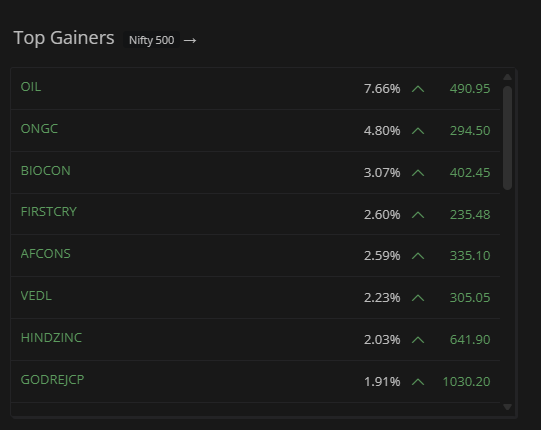
We’ve been working on a Screener for Kite, and it’s ready for early access. This can now be accessed on the Kite beta portal kite-beta.zerodha.com, and we’d love for you to try it and share your feedback.
If you’ve been switching between Kite and other websites for needs like top gainers and losers, 52-week breakouts, low P/E stocks, penny stock lists, gap-up/down scans, and more, that changes now. This was a gap we often heard from you and something we’ve been working to fix for a while.
You’ll find the Screener as a sub-tab on the Dashboard, right next to the existing Dashboard tab.
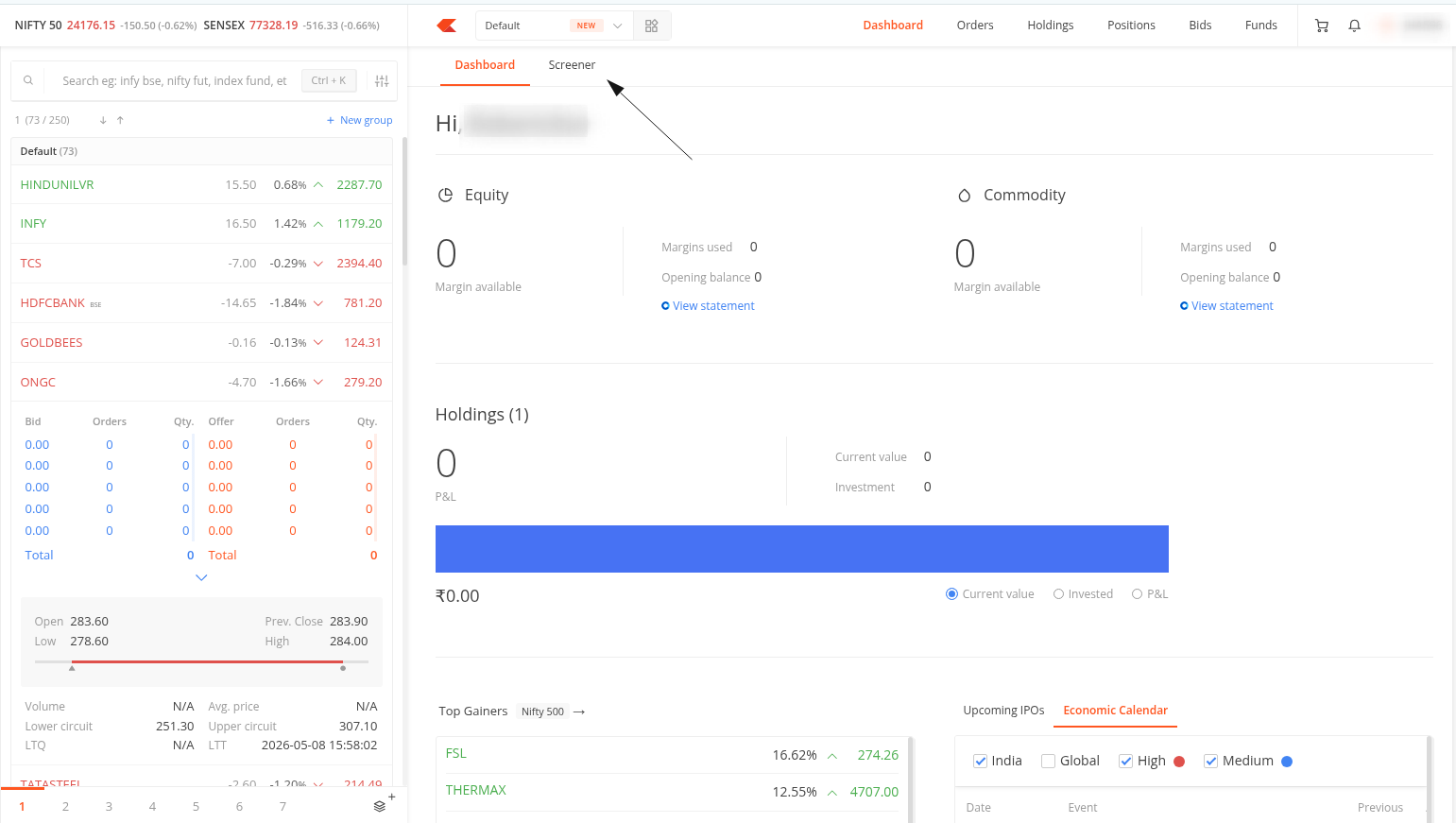
Here’s everything it can do:
Preset screeners — 20+ ready-made filters
If you don’t want to build filters from scratch, the Presets panel has you covered. There are 20+ curated screeners across two categories:
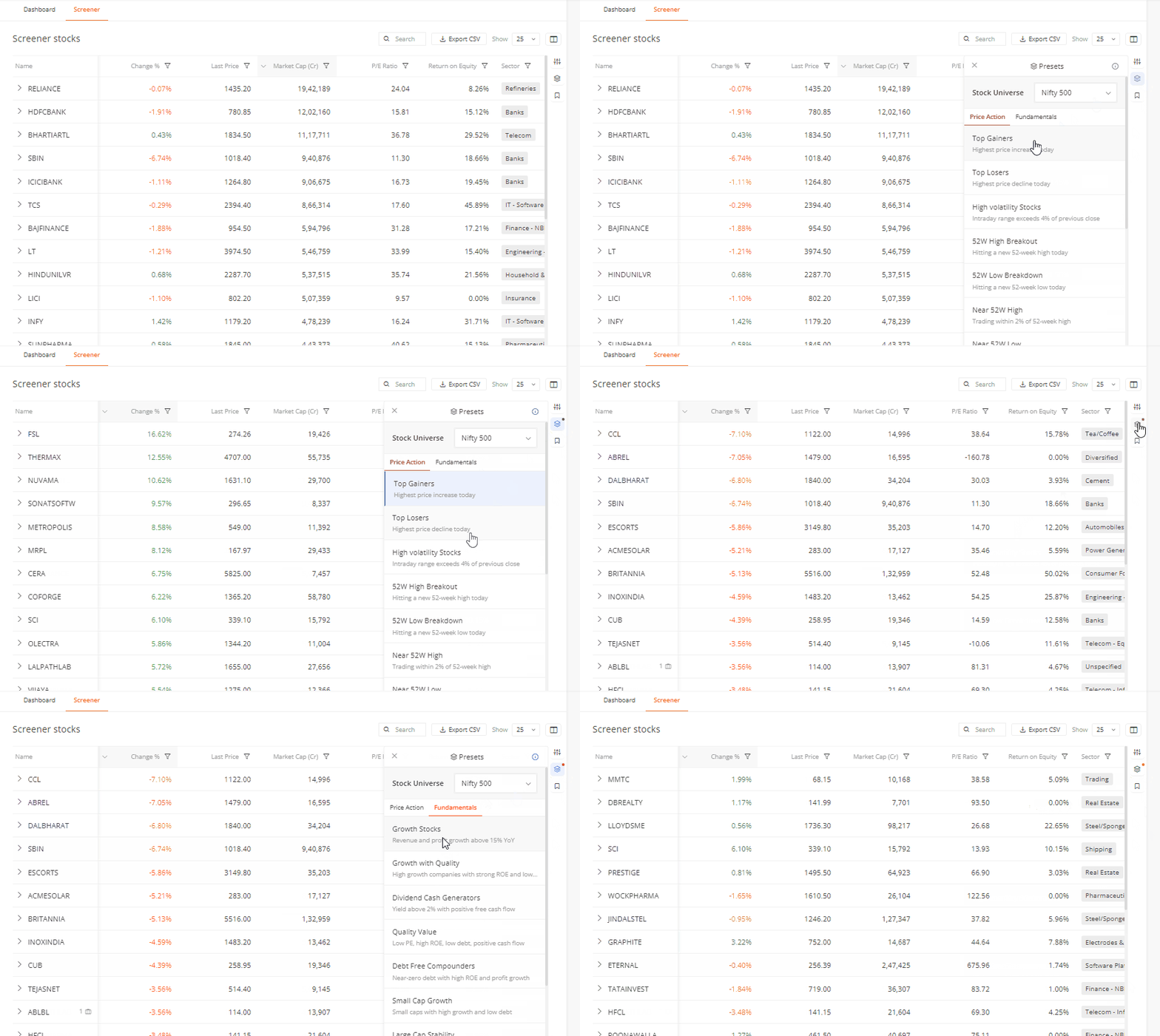
Price Action — for traders tracking intraday and momentum setups: Top Gainers, Top Losers, Gap Up, Gap Down, High Volatility Stocks, 52W High Breakout, 52W Low Breakdown, Near 52W High, Near 52W Low, Intraday Bullish Trend, Intraday Bearish Trend, Recovery, Most Active, High Near Open, Low Near Open.
Fundamentals — for investors looking at quality, value, and growth: Growth Stocks, Growth with Quality, Dividend Cash Generators, Quality Value, Debt Free Compounders, Small Cap Growth, Large Cap Stability, Quality Compounders, Market Cap, PE Ratio.
Each preset shows a one-line description of what it does. If you want to know the exact conditions used for a preset, there’s an ⓘ info link in the presets panel that takes you to a support article with full details.
Custom filters — build your own screener
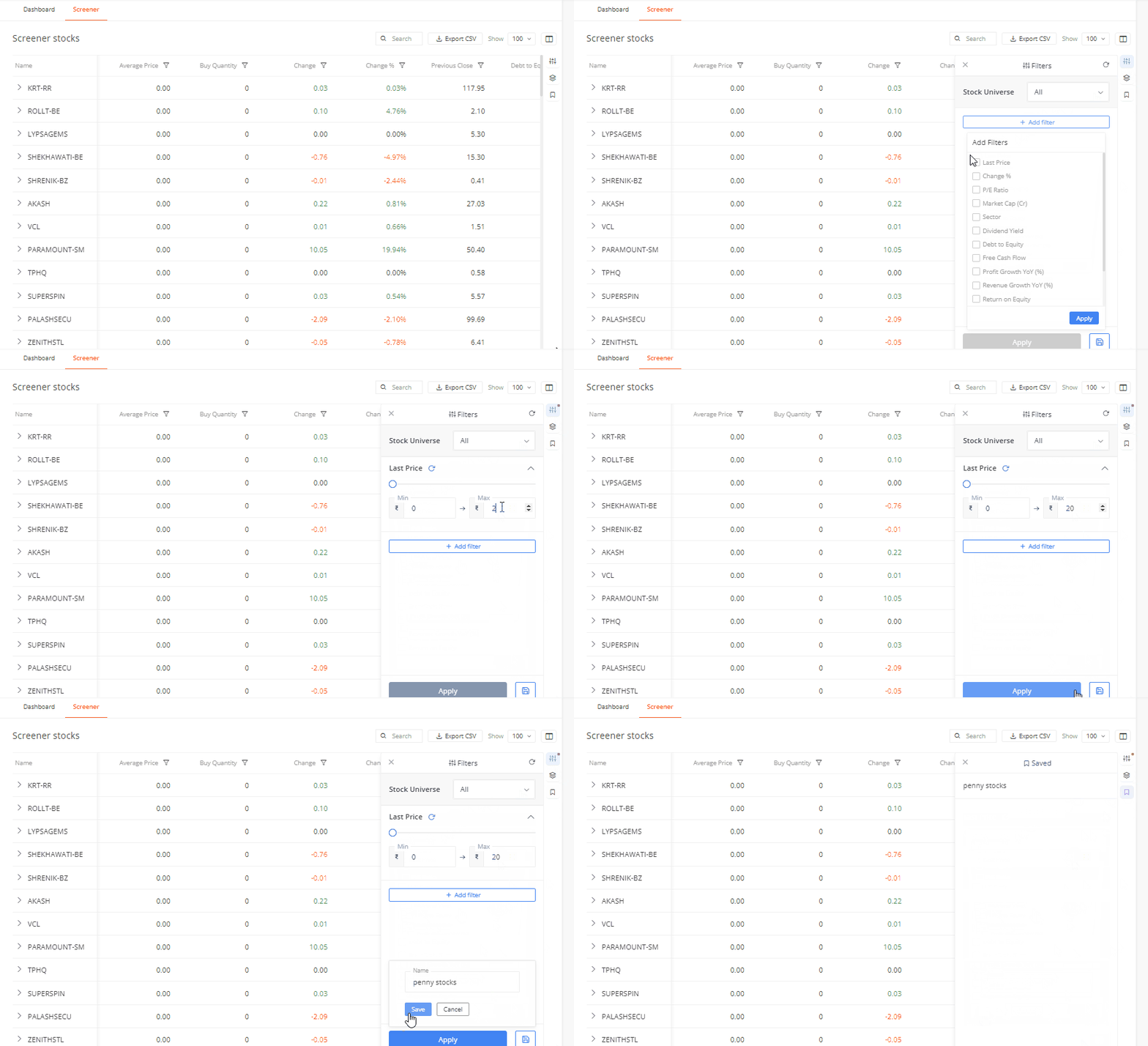
You can also build your own screener using the Filters panel. The available filter parameters are:
Last Price, Change %, P/E Ratio, Market Cap (Cr), Sector, Dividend Yield, Debt to Equity, Free Cash Flow, Profit Growth YoY (%), Revenue Growth YoY (%), Return on Equity, Average Price, Trade Value (Cr), Volume.
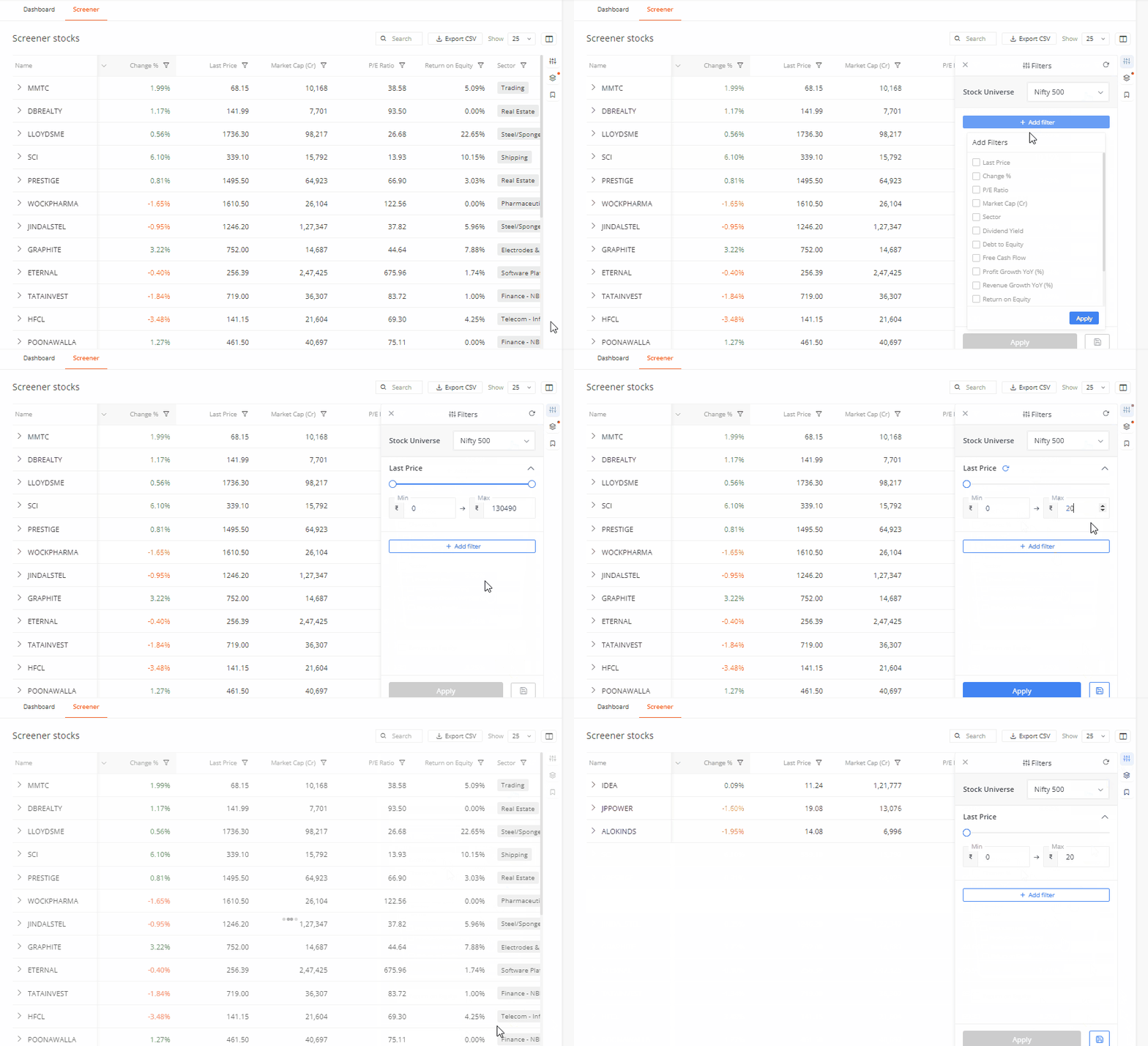
- Use the range slider or enter Min/Max values for numerical fields
- For “Sector”, search and select one or more sectors from the full list
- Add as many filters as needed using “+ Add filter”
- Hit “Apply” to run the screener
- Use the × next to any filter to remove it individually, or use the reset button to clear all filters at once
You can also choose the Stock Universe from the dropdown at the top of the filter panel. The current options are Nifty 50, Nifty 100, Nifty 500, and Nifty F&O stocks.
Save and reload your custom screeners
Once you’ve set up a custom filter combination you like, use the Save button at the bottom of the Filters panel to save it. All your saved screeners are accessible from the Saved tab (the bookmark icon), where all saved screener displayed.
Customise the results table
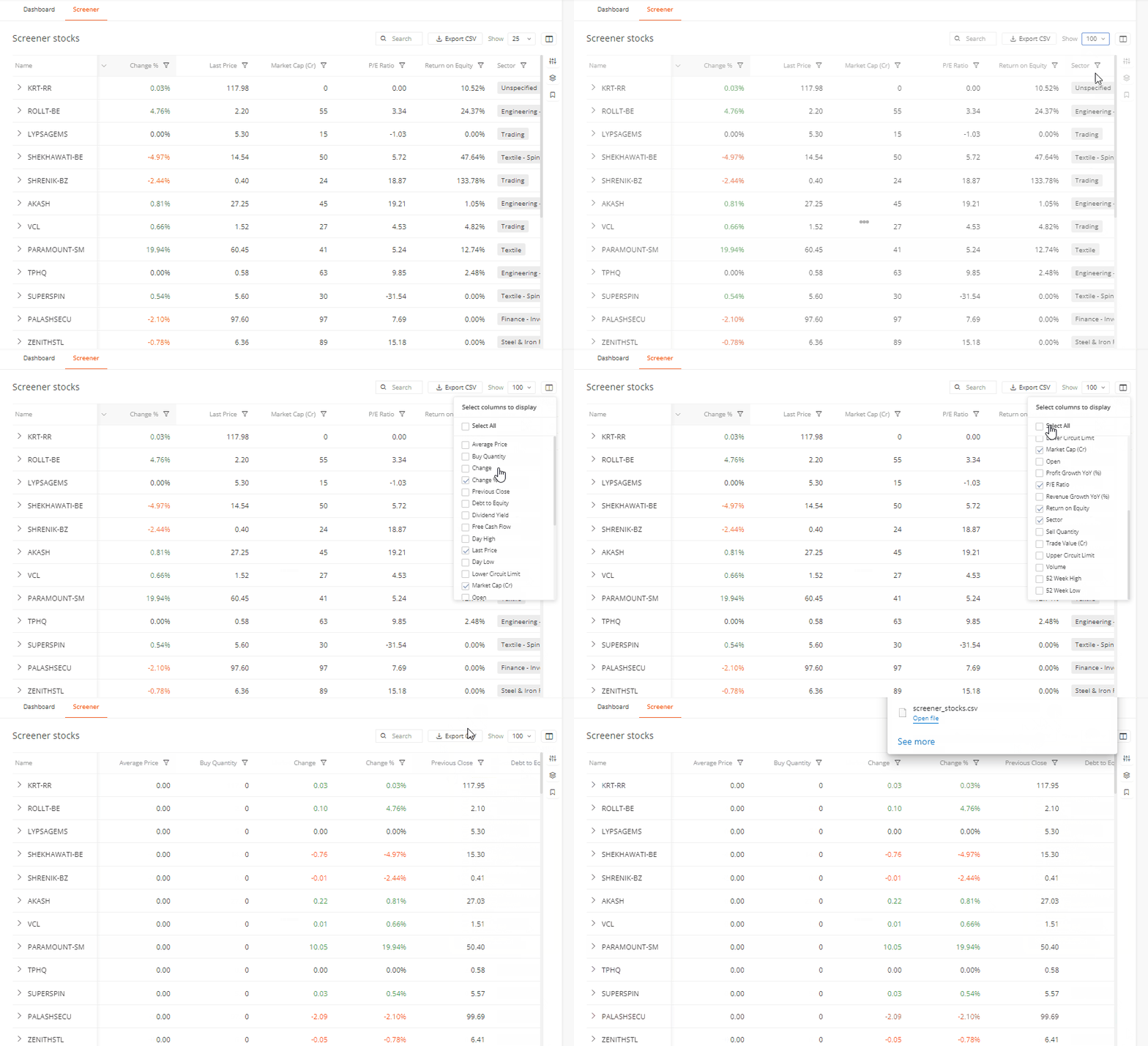
You can choose which columns appear in the results table using the column selector (the grid icon at the top right of the table). Available columns include Average Price, Buy/Sell Quantity, Change, Change %, Previous Close, Debt to Equity, Dividend Yield, Free Cash Flow, Day High/Low, Last Price, Lower/Upper Circuit Limit, Market Cap, Open, P/E Ratio, Profit Growth YoY, Revenue Growth YoY, Return on Equity, Sector, Trade Value, Volume, 52 Week High/Low.
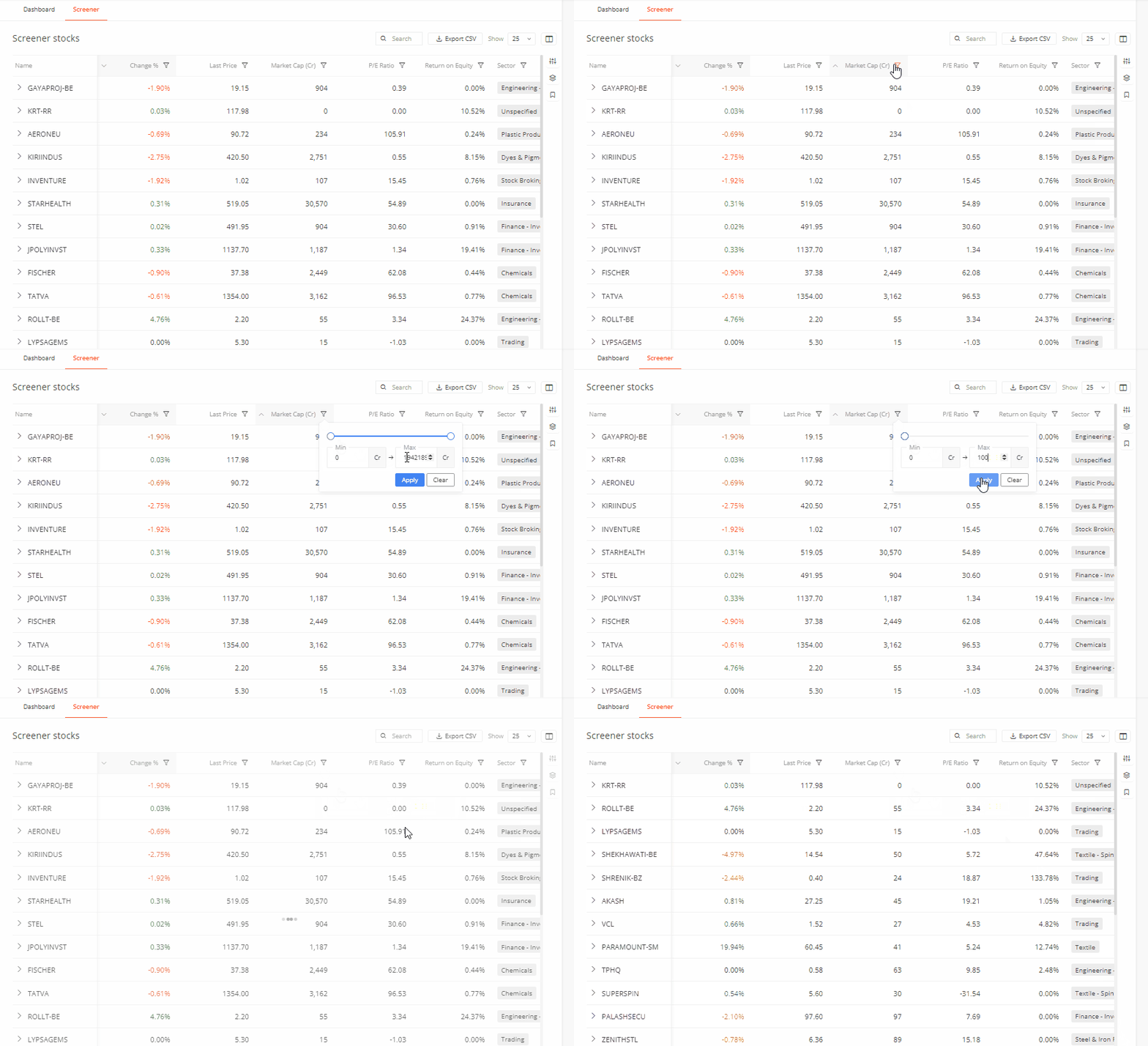
You can also filter directly from any column header; click the filter icon on a column to set a min/max range for that data point without opening the full filters panel.
Other controls on the results table:
- Export CSV — download the full results
- Show — choose how many instruments to display per page (25, 50, etc.)
- Pagination — navigate across multiple pages of results
Screener preview on the Dashboard
The left section of the Kite Dashboard now shows a screener preview of Top Gainers from Nifty 500 by default. You can switch to any other preset (Top Losers, High Volatility, 52W High Breakout, and more) using the dropdown on the Dashboard itself, without opening the full Screener tab. Click the → arrow to go to the full Screener page.
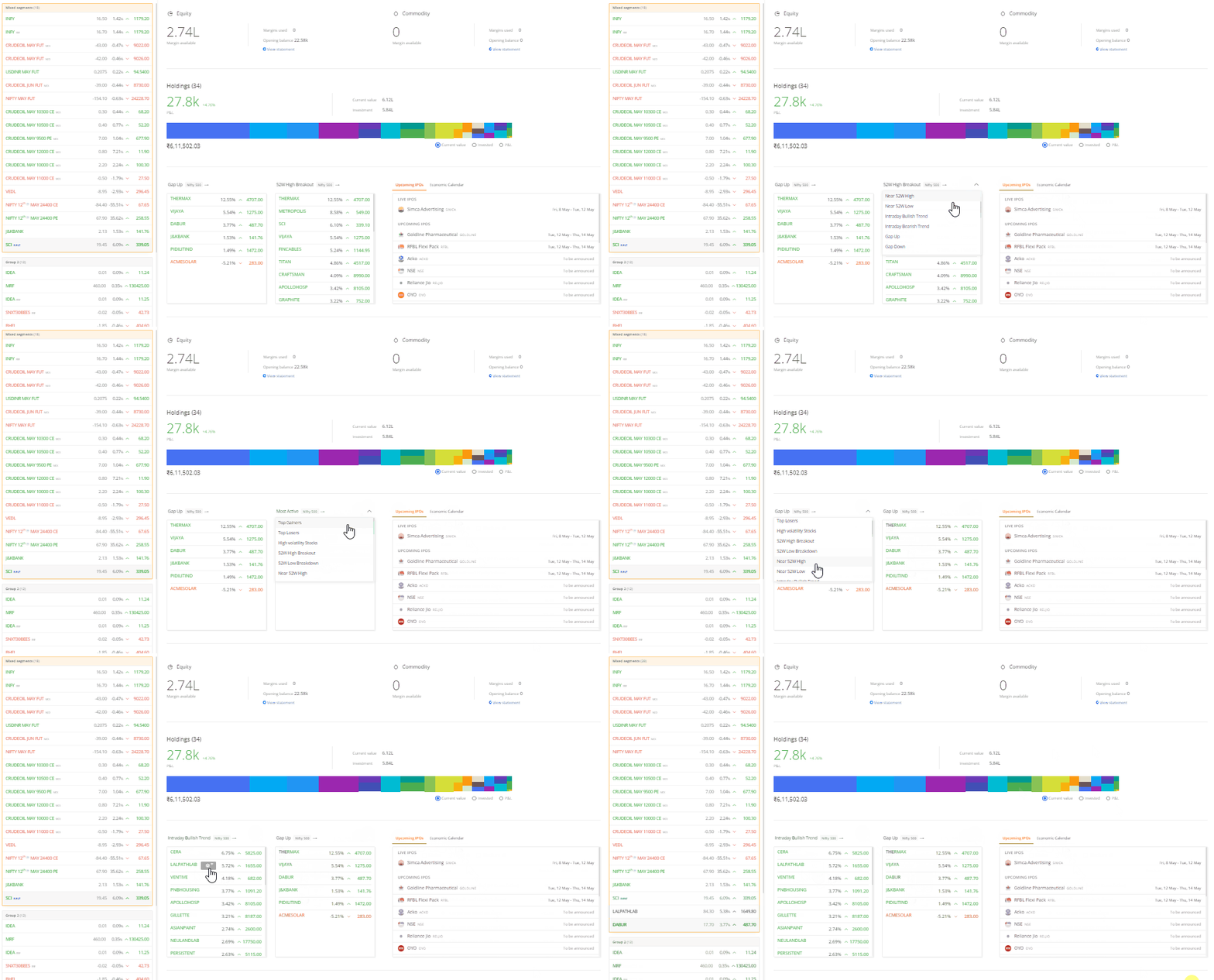
Hovering over any stock in the Dashboard preview shows a quick add to MarketWatch option.
The right section of the Dashboard also has two new tabs:
- Upcoming IPOs — live and upcoming IPOs with open/close dates
- Economic Calendar — upcoming macro events for India and global markets, filterable by High and Medium impact
The Screener is accessible at kite-beta.zerodha.com. Give it a try and share your feedback — bugs, presets you’d like to see, or anything that feels off. Drop your comments below. This feedback will directly shape what we refine before the production release.