Any plans to introduce TP & SL prices along with entry prices? Some brokers allow this.
This will be implemented in the next phase.
if trailing SL hit and order get triggered it will be sell at market price ?
The updated version now supports both Limit and Market orders for GTT. You can choose your order type when creating the GTT. If you select Market, the triggered order will be placed with market protection.
if I only place single triggered order and premium go up and triggered price is also keeps trailing I can get maximum profit. give option to select only stop loss with trailing.
also give option to exit position from GTT modify order window.
when gtt info is open, chart or other widget is also going out of focus.
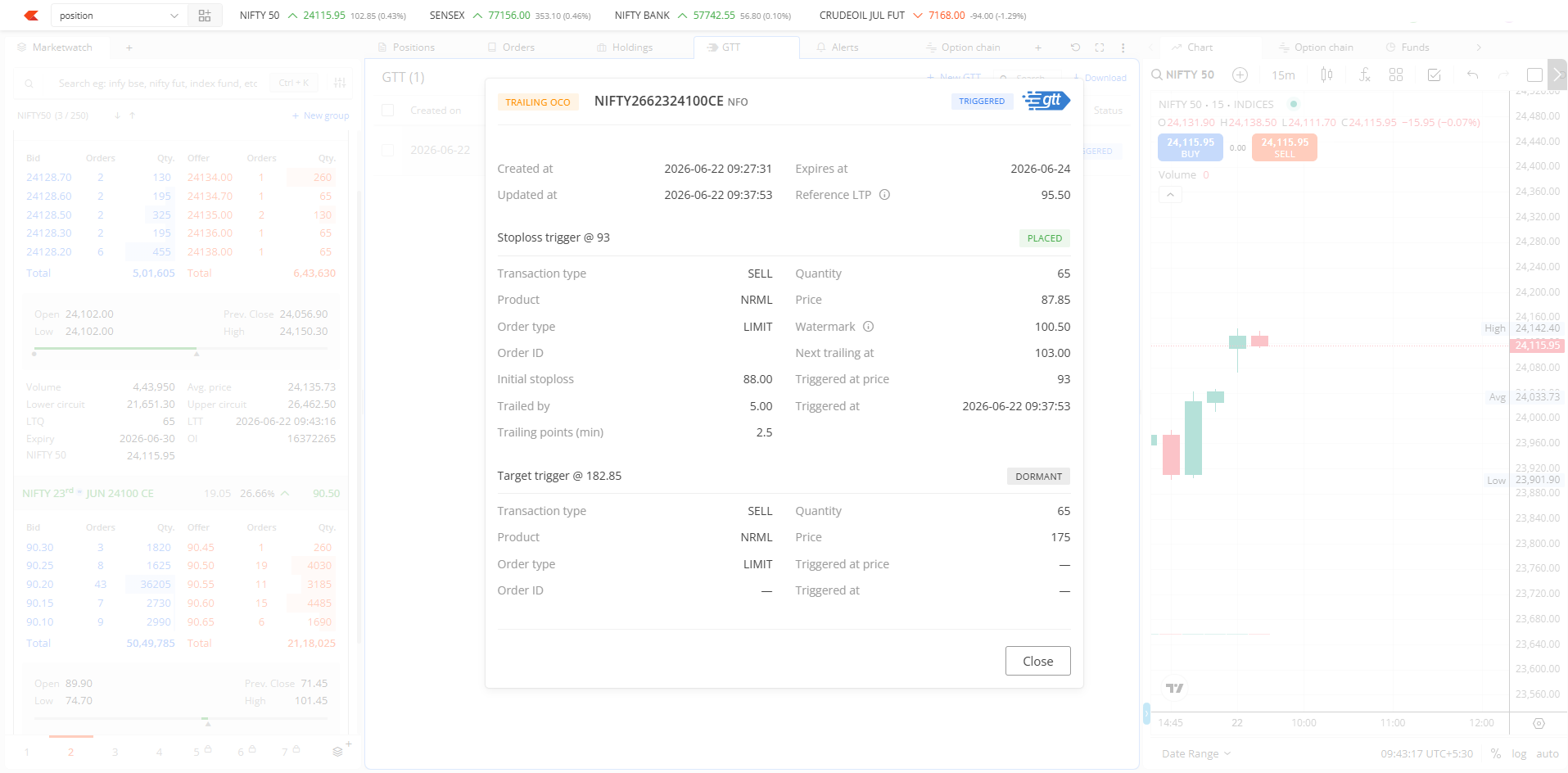
is this feature available in this release?
is this feature available in this release?
Trailing SL can also be placed on a single leg along with OCO.
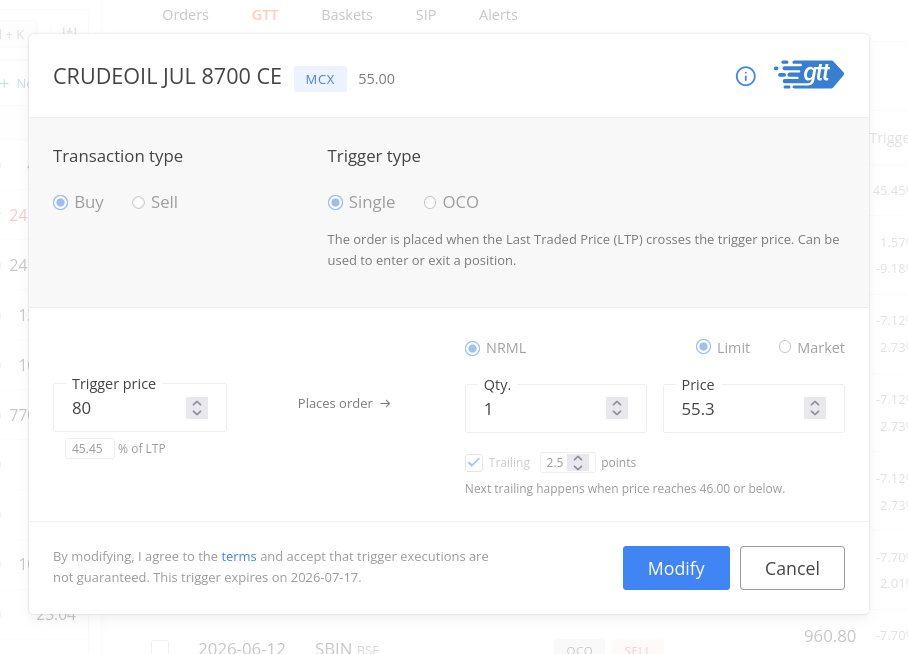
The GTT modify window is designed specifically for adjusting GTT parameters like price, quantity, order type, and trigger conditions. Position exits, on the other hand, require a different interaction model and order placement flow. For consistency across the platform, we’ve kept position closing as a dedicated action in the Positions interface rather than embedding it in various order windows. This is why the order book also doesn’t include a direct position exit option except for Cover Order.
When the GTT info modal opens, it’s designed to capture your full focus and block interaction with other background elements. This is standard modal functionality. We can close the info modal by clicking on close or pressing the escape key.
Currently, GTTs operate independently of your position state. Once a GTT is created and triggered at the exchange, it places an order regardless of whether your original position still exists. The system doesn’t actively monitor your positions to auto-cancel GTTs or prevent orders from being placed after you’ve exited.
This is in our list of things to do. For now, you’ll need to manually cancel GTTs when you exit a position to avoid this situation.
Great! Now waiting for Target trailing.
We are excited to announce the rollout of Trailing Stop Loss on the Kite app. This feature is currently in beta and will be available in the live environment in the coming days.
In addition to Trailing Stop Loss and the new support for Market Orders with Market Protection, we have redesigned the GTT interface to provide a cleaner and more efficient trading experience. Here is a summary of the improvements:
-
Optimized GTT Order Window: We have moved the Product and Order type selection to the top of the window. Preferences selected here will now automatically apply to both legs of an OCO GTT order, streamlining the setup process.
-
Refreshed GTT Bottom Sheet: To reduce clutter, we have updated the order details view. Essential information such as Product/Order type, timestamps, Reference LTP, and Expiry is now displayed at the top. More granular details regarding Stop Loss and Target are collapsed by default and can be expanded only when needed to review them (e.g., Quantity, Price, Trailing Points, and Watermark).
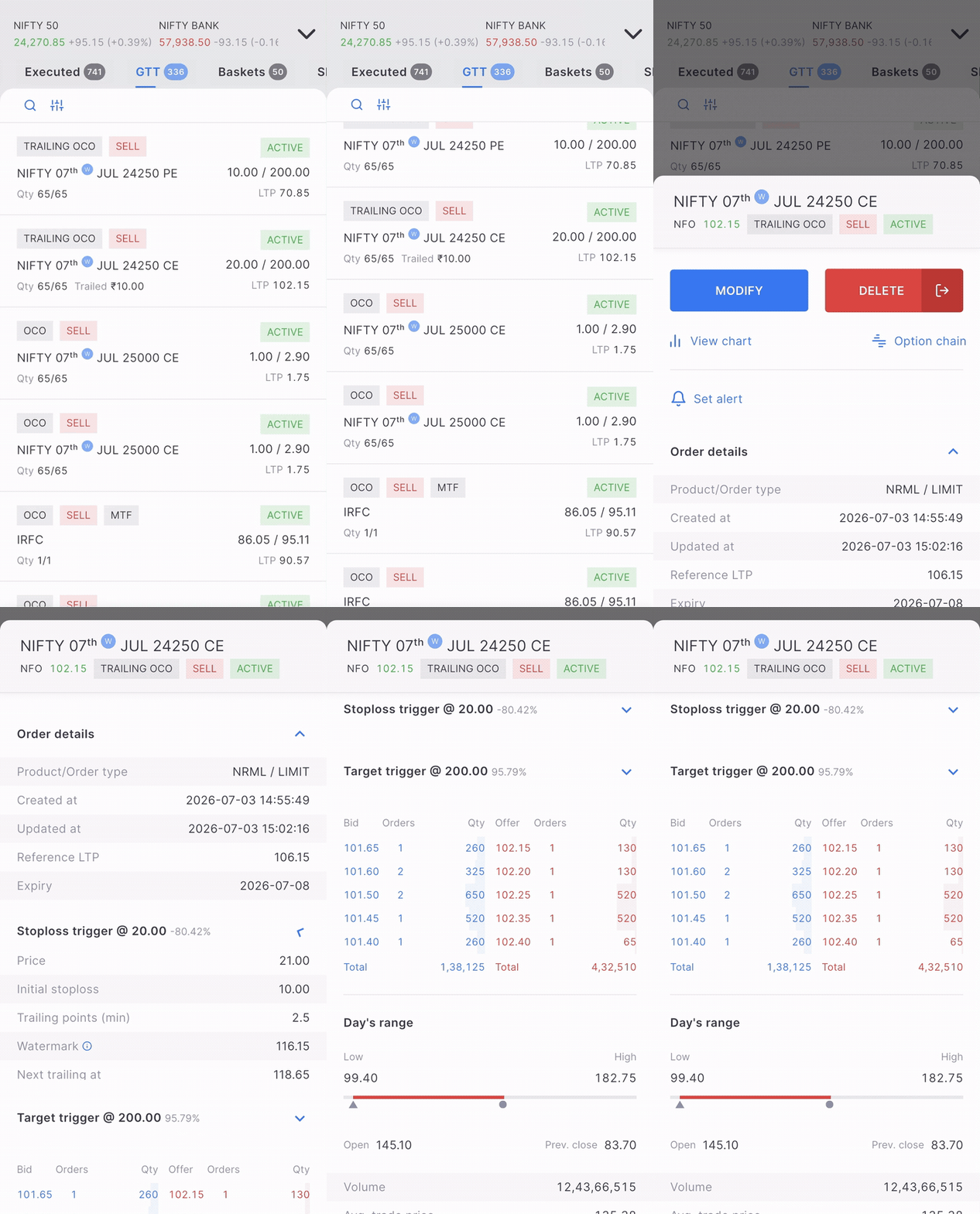

1 Like
Trailing SL is really helpful thanks for doing it.
Cant we enhance it to include trailing based on moving average?
I believe that is best way of trailing the position, it will help to ride the trend unless the reversal is confirmed
May not be possible anytime soon, but if can code a bit you can use APIs to do that.
1 Like
since this update the charts are behaving weird on android.
when i open a chart most of the time the chart is stale chart for a previous script opened previously. have to refresh the chart in order to get to the one i am expecting to see. This is quite annoying.
No changes were made to the chart in the recent release. Please DM me the client ID to assist with this.
@Arockiya_Raja
Allow way to temporarily pausing the target .
if i have GTT with TSL and target, and if i want to pause or disable the target i either have to move the target far far away or delete the GTT and create a new one.
add a way for the user to manually pause the target leg (useful during sudden spikes), and user can re enable the leg with necessary adjustment to the target price without having to delete the sl/target GTT.
while target leg is paused the TSL leg will function as expected trailing the SL, and keeping the gains.
This will complicate system, again system need to check LTP and target to enable target, incase if paused target is below LTP for buy main leg.
That should be easy enough check don’t you think?
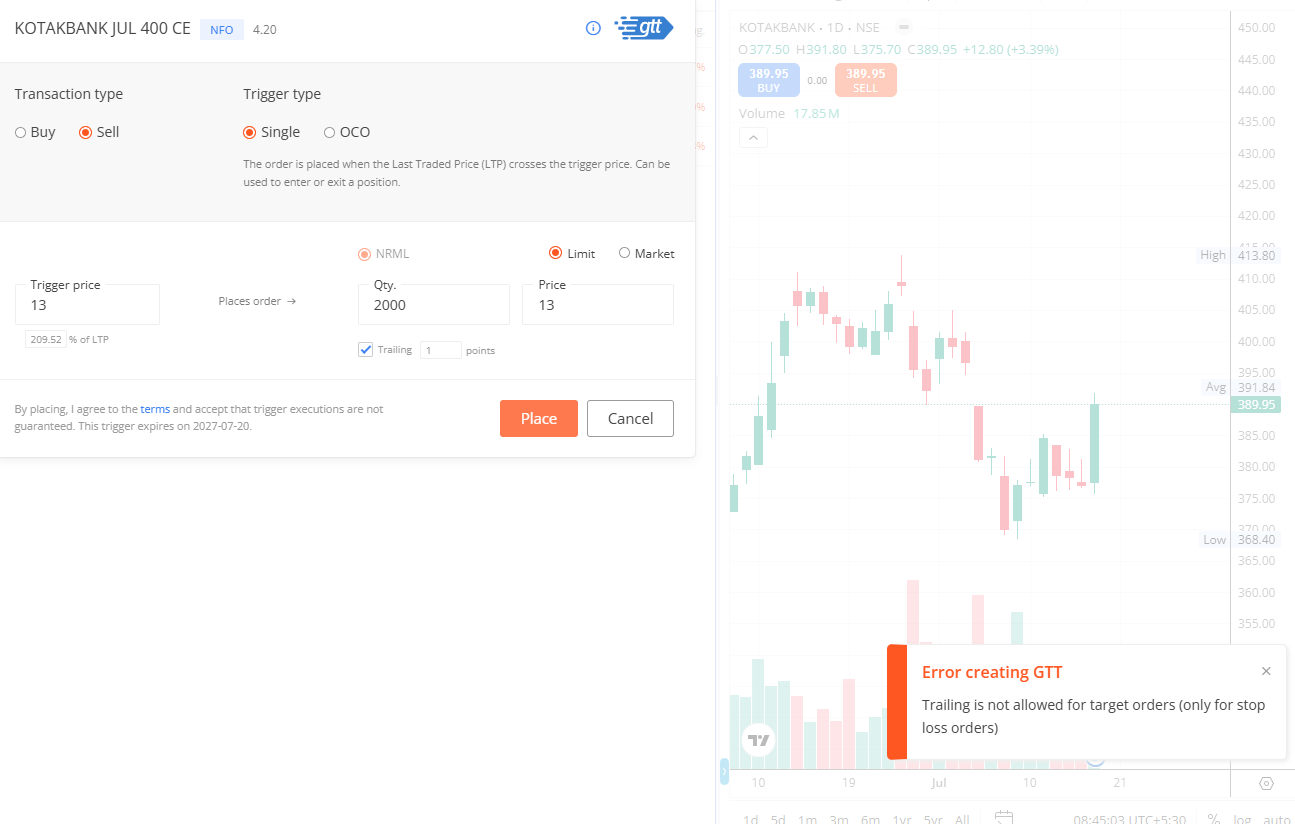
As the rejection says, it seems you are placing a target GTT. Trailing is applicable only for Stop Loss, but not for the target.
Can you implement this. It will help when market is open gap up.