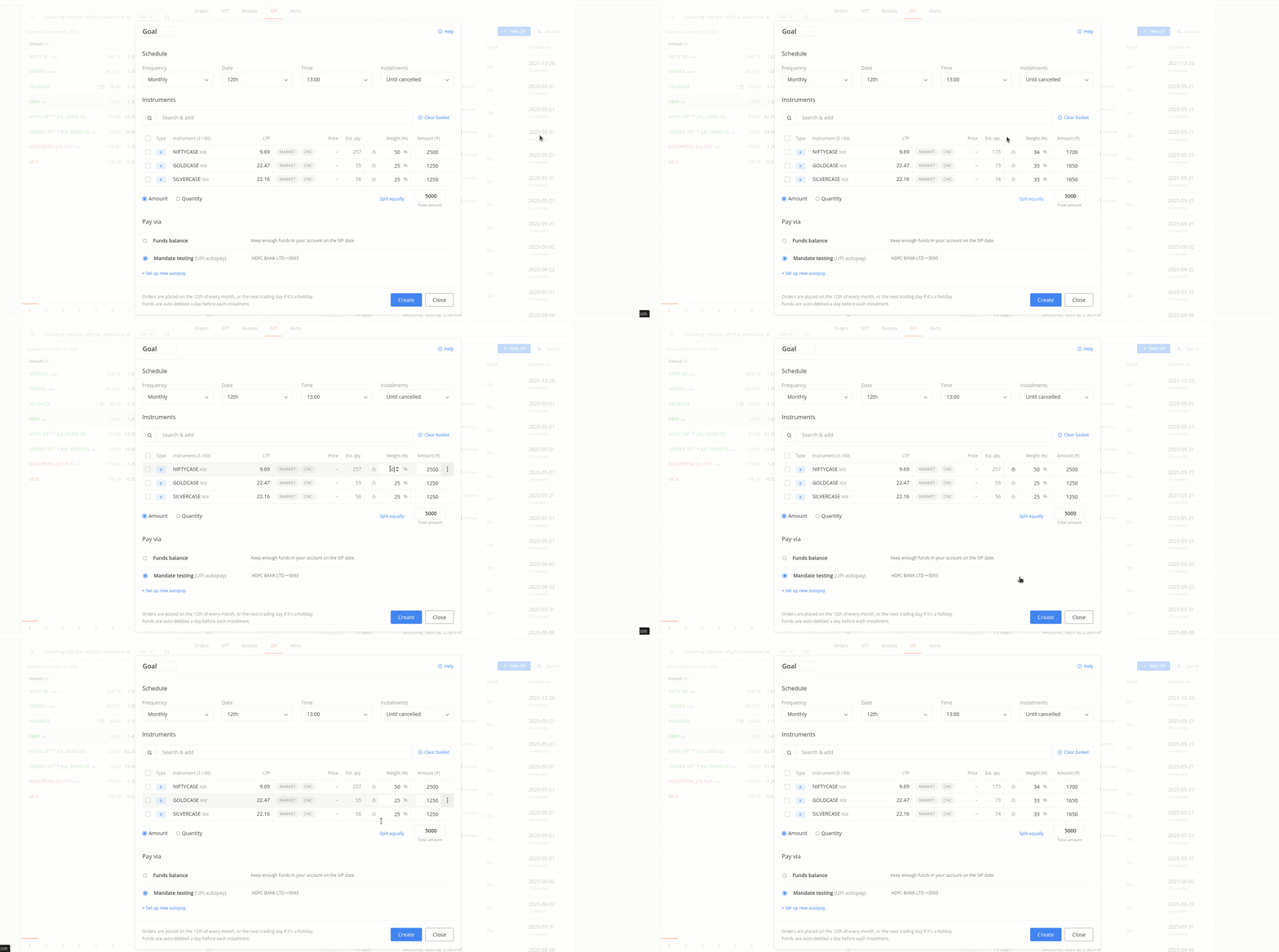
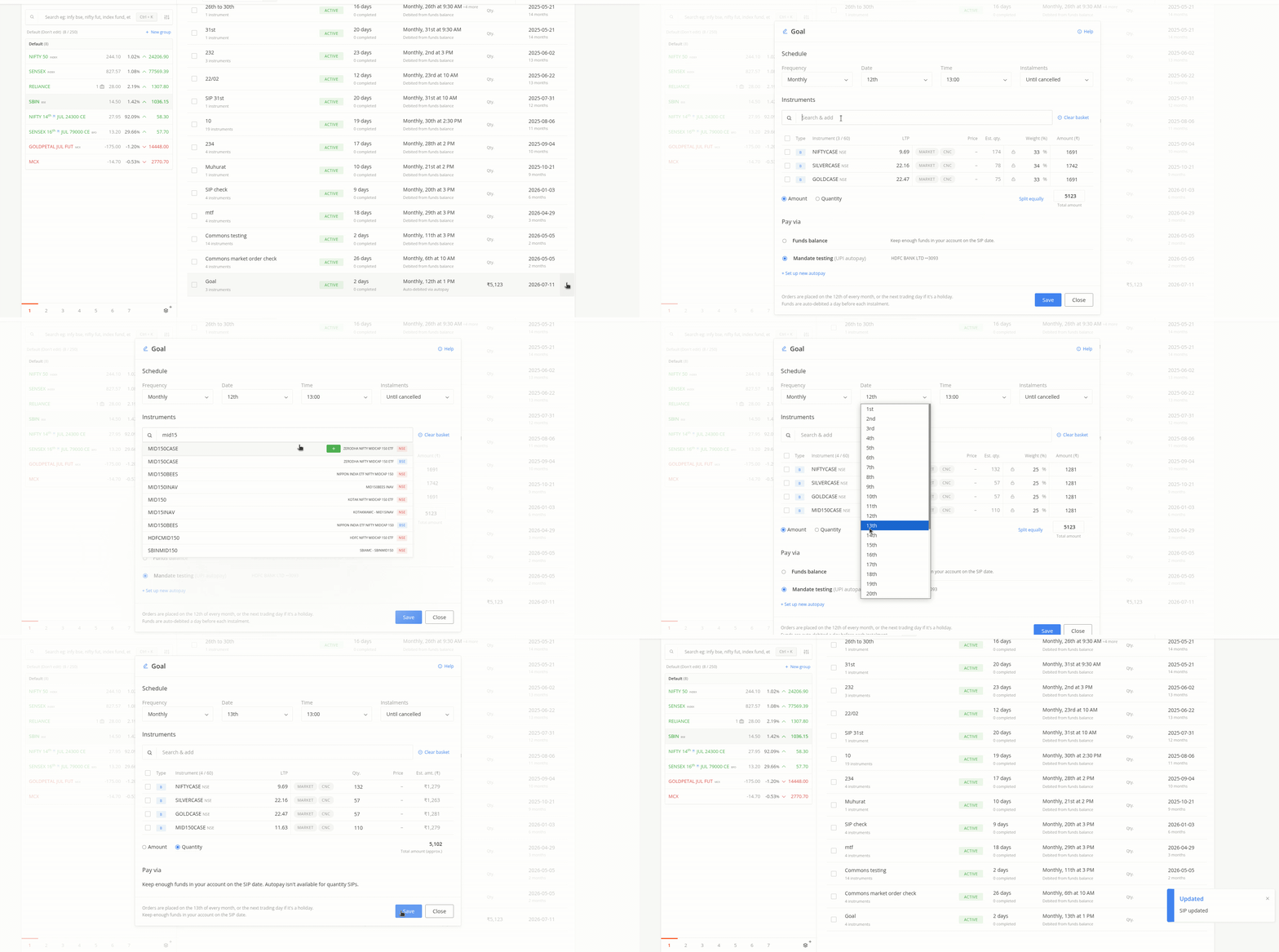
The Stock SIP on Kite has been updated to offer a more streamlined, intuitive experience, featuring a simplified creation process and new investment options.
Process Improvements
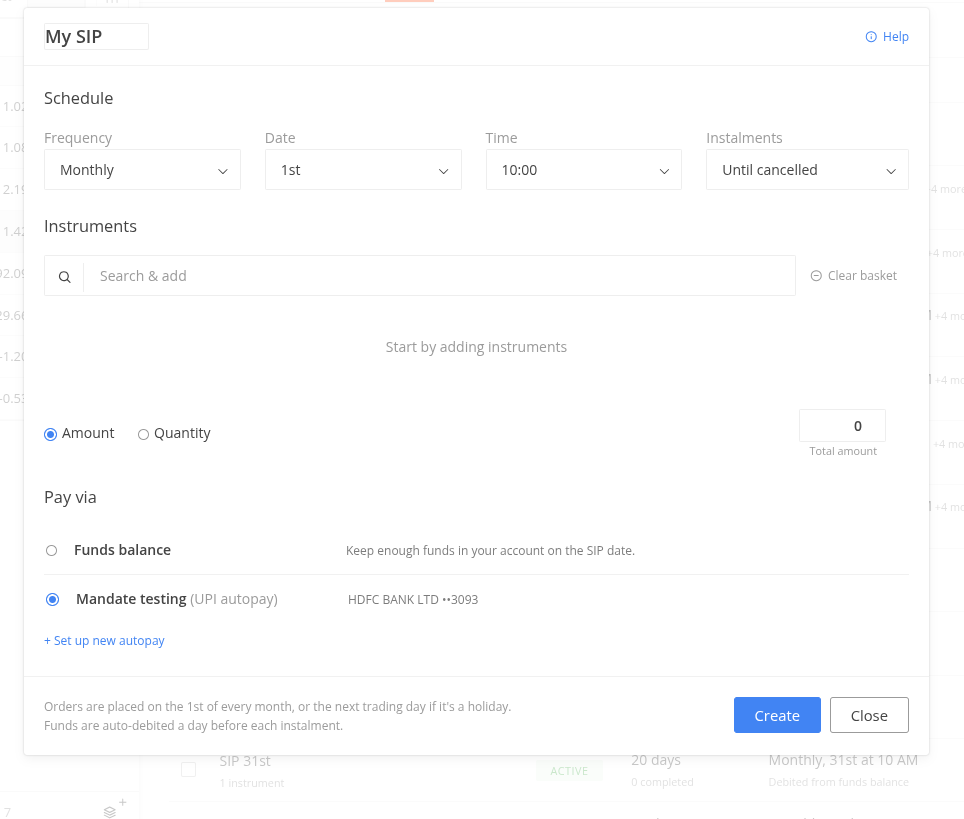
The requirement to create a basket before starting a SIP has been removed. The updated process allows for the direct addition of instruments upon initiating a new SIP, eliminating additional steps.
Creation and Setup of Stock SIP
Initiation: Access via Orders > SIP > Click on New SIP,
or
via Marketwatch > More Options > Start SIP.
The default name, “My SIP,” can be customized.
Scheduling: Frequencies include Monthly, Weekly, and Daily. Users may define the number of instalments (Until Cancelled, 6, 12, 24, 36, or custom).
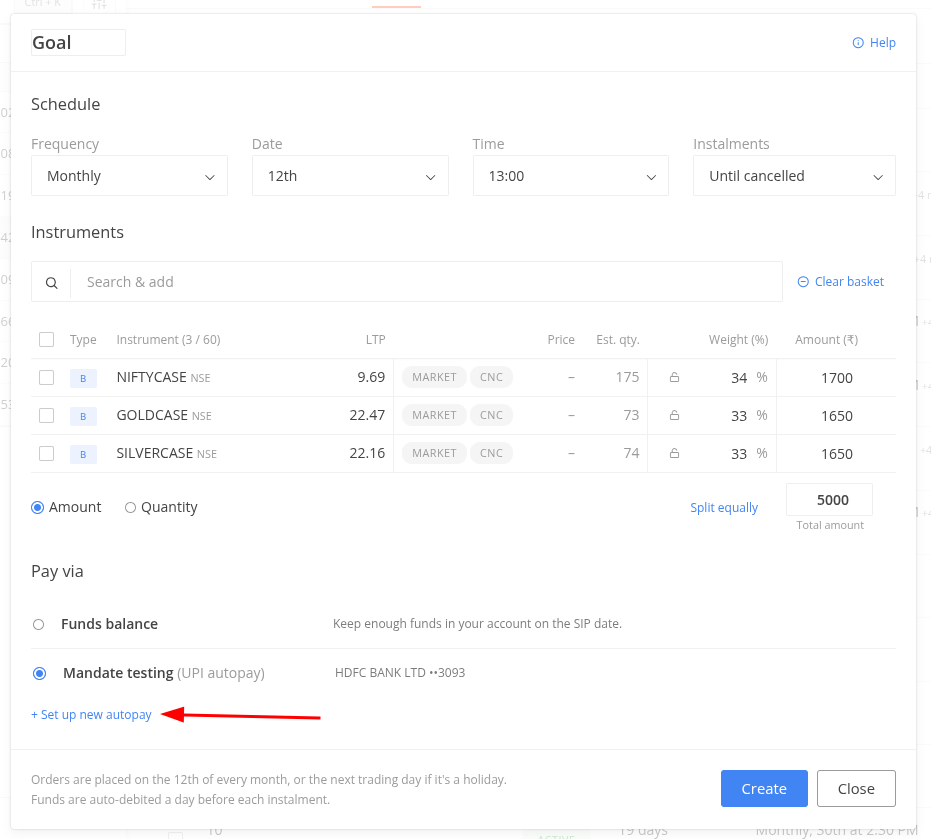
Amount-based SIPs: Selecting this mode automatically assigns the quantity based on the investment amount. Estimated quantities and amounts are displayed, and total amounts or individual instrument weights can be customized. There is a ‘Split equally’ option to automatically distribute the total investment amount evenly across all stocks in your basket. Additionally, the ‘Lock’ feature allows to freeze the weightage of specific instruments, ensuring those allocations remain unchanged even if the overall investment amount is adjusted.
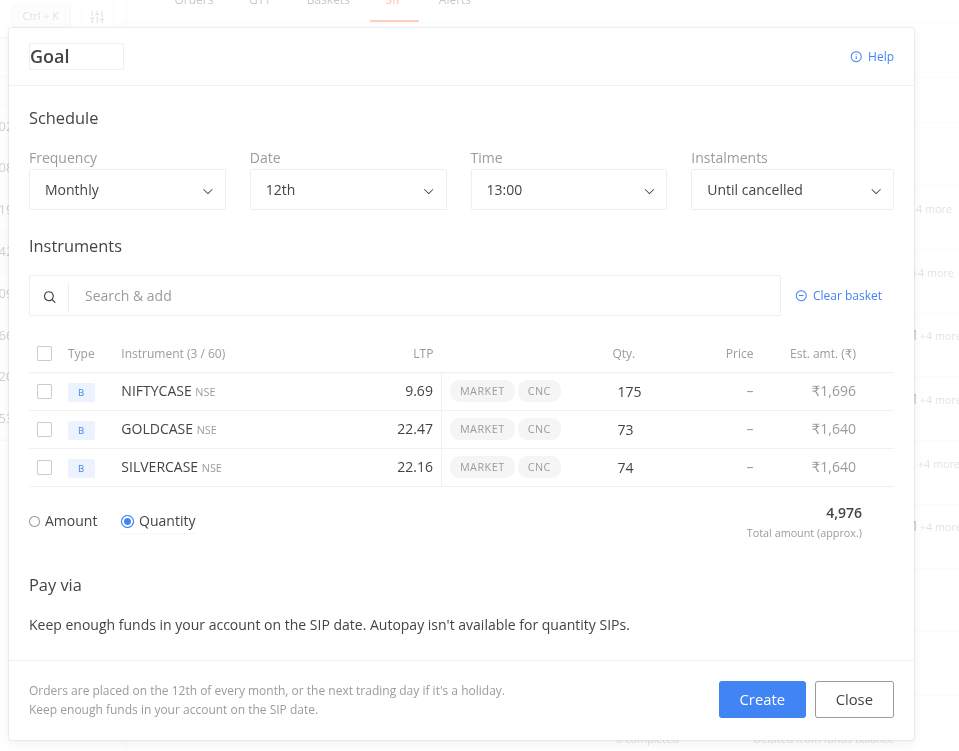
Quantity-based SIPs: This mode allows setting up SIP based on stock quantities.
SIPs can be modified by selecting the specific SIP or choosing “Edit” from the options menu. Modifications can be made to frequency, date, time, number of installments, or payment modes. Price and quantity adjustments are managed within the order window for specific instruments.
Additionally, options to Pause, Resume, Skip the next installment, or delete the SIP are available in the options menu.
Important Considerations
Autopay Mandate: Enabling the amount-based investment mode requires the configuration of an Autopay mandate. Autopay debits occur one day before each instalment.
Amount Defaults: Amount-based SIPs default to a total of Rs. 5,000, which is fully customizable.
Execution: Market orders with market protection are applied by default. The order type can be switched to Limit, but the execution is not guaranteed. Daily SIPs are executed between Monday and Friday. Monthly SIPs falling on a trading holiday are executed on the next available trading day.
Instalments: Once the selected number of instalments is reached, the SIP status updates to “Completed.”
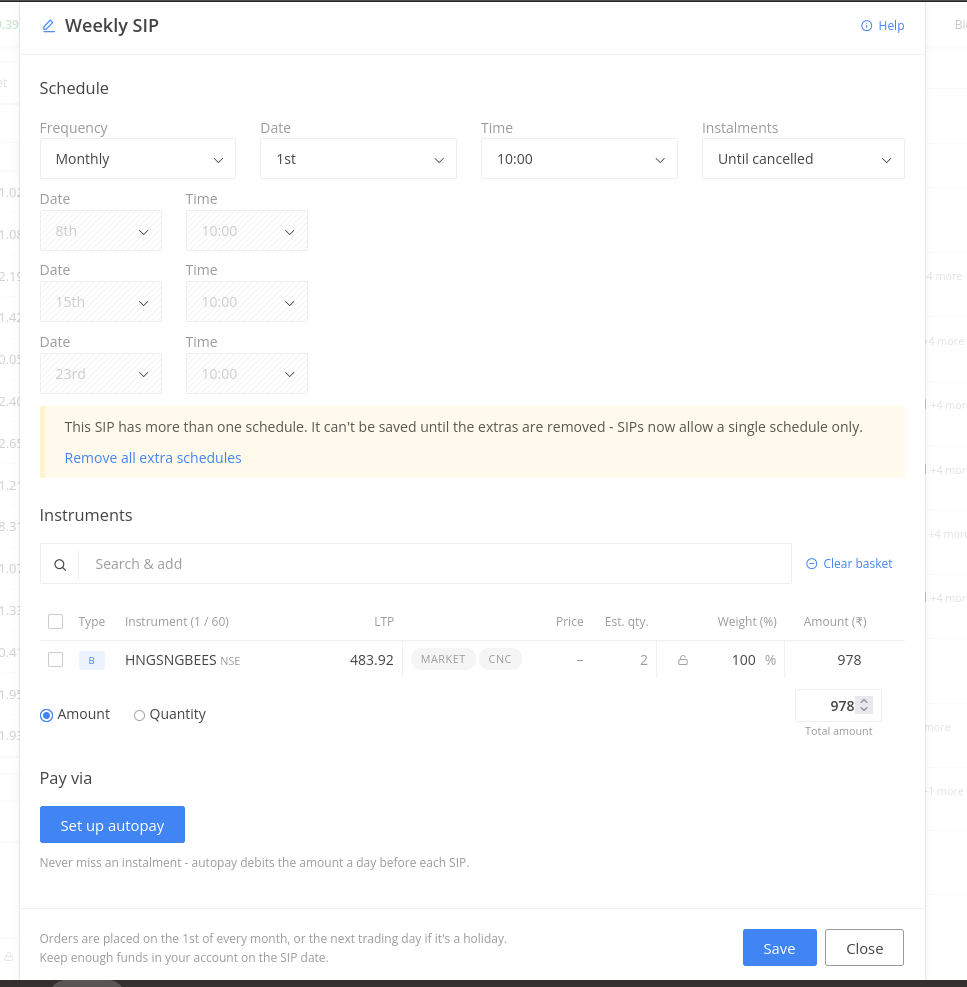
Legacy SIPs: SIPs created before this update remain unaffected and will continue to execute according to their original schedule. However, modifications are not permitted for existing SIPs with multiple schedules. To make changes, any extra schedules must be removed first.
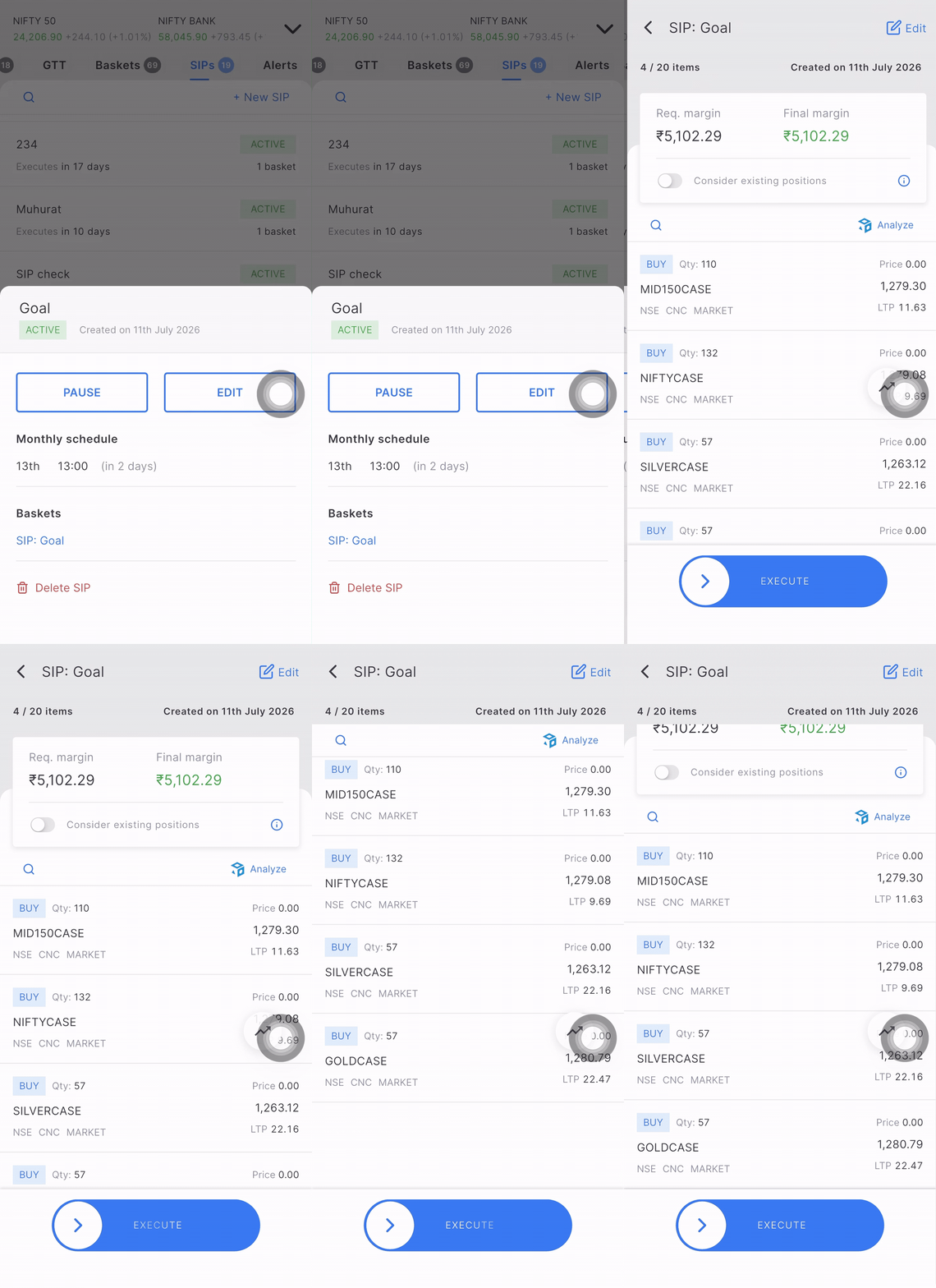
Availability and Transition: This feature is currently available on Kite Web and will be introduced to the mobile app shortly. During this rollout, SIPs created on the Web open a basket view when accessed. Please note that during this transition, modifications are permitted for Monthly SIPs but not for Daily or Weekly SIPs.
@DhanushK@siva@nithin_kumrr
Kindly bring it on mobile app as soon as possible don’t delay it for something like 1.5 years as it is in case of TFC on TV charts in mobile.
Also any update on TFC on mobile.
And one suggestion bring any update only once it is ready for both web as well as mobile app.
This is in the final stages. This should be available soon in a couple of weeks.
Web deployments are instant; we can push changes to the live environment and make them available to all users. If any issues arise, reverting is straightforward.
In contrast, app releases require a version update and can only be rolled out in phases. Additionally, the underlying architecture for the same feature can differ between web and app platforms.
Happy To See this Update, I excited as I am a always long term stock sip invester but sad to see that Autopay Isn’t available for quantity based SIP, Still have to manage with bank mandates and those charges of insufficient balance😭. You can do that As Upstox Already Implemented this two years ago so you can pls bring the feature too
I do weekly SIP’s and kept getting tired of remembering to add funds manually, added reminders but to many times the SIP would fail due to lack of sufficient funds.
The streamlined SIP process and autopay mandate is a game-changer for me.
Quoting @nithin 's tweet with all the details below. :
A lot of Zerodha customers don’t know that you can set up SIPs for stocks and ETFs, just like mutual funds. SIPs are probably the easiest way to bring some discipline to investing.
We’ve had Stock SIPs on Kite for a while, but the process of setting one up could have been better.
We’ve now introduced an all-new Stock SIP flow on Kite web. You can add stocks or ETFs while creating an SIP, choose between quantity-based and amount-based SIPs, and allocate the investment amount across multiple stocks or ETFs.
For example, say you want to invest ₹10,000 every month in the Nifty TOP100CASE ETF. You can simply create an amount-based SIP for ₹10,000 and set the schedule. Or, if you want to invest across multiple stocks or ETFs, you can add them to the same SIP and decide how the ₹10,000 should be split between them.
For amount-based SIPs, you can also automate funding using UPI Autopay.
The funds are debited from your bank account one day before the scheduled SIP date and credited to your trading account. When the SIP gets fired, the funds for the orders placed get utilized from your trading account.
I created an amount SIP and set the pay via option to UPI AutoPay. The order was rejected because it did not account for STT charges. I had to edit the quantity manually to adjust for STT charges.