We’re introducing the MCX Info Widget — a one-stop destination for all the essential information about the commodity contract being traded. Whether it’s Gold, Crude Oil, or any other MCX commodity, this widget ensures users have all the critical contract details (lot size, expiry rules, settlement method, and timelines) available in one place. No more navigating to multiple sections; everything is now consolidated right here, providing users with complete information and enabling them to make informed decisions.
To access this, click on any MCX scrip in your watchlist and select “Info” from the context menu.
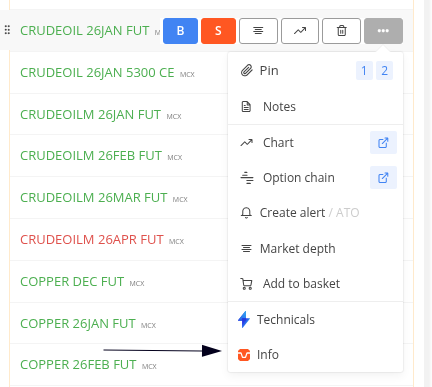
Here’s what you’ll find:
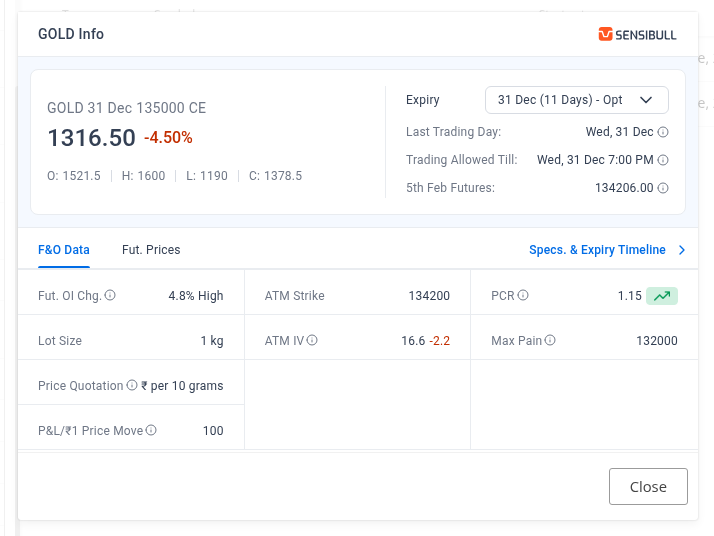
Key Dates
Expiry is when the contract expires, while Last Trading Day is the final day you can trade, and typically both are same but these can sometimes differ (for example, when there’s an unplanned holiday on expiry). Trading Allowed Until shows the exact time until which you can trade that contract at Zerodha. For physically settled commodities, this is typically before the tender period begins.
F&O Data
For the selected expiry, you get quick access to:
- Futures OI % Change — Change in open interest
- Lot Size — Number of units you’re trading
- ATM Strike & ATM IV — At-the-money strike price and implied volatility
- PCR (Put-Call Ratio) — Market sentiment indicator
- Max Pain — The strike price where the most options contracts expire worthless, causing maximum financial loss for buyers
- P&L/₹1 Price Move — Profit or loss for every ₹1 movement in the underlying price
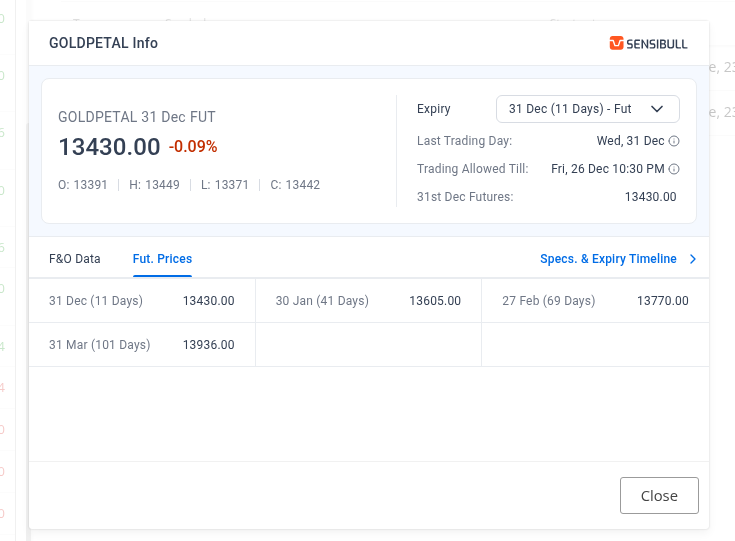
Futures Prices
Compare futures prices across current month, next month, and far month expiries in one view.
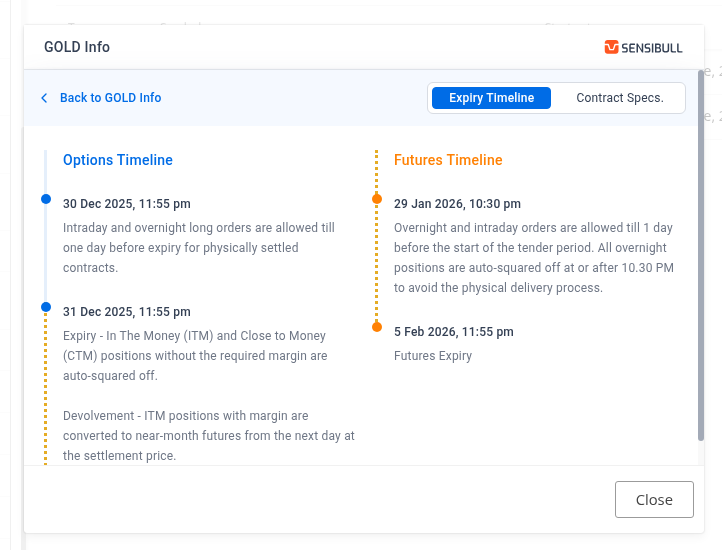
Specs & Expiry Timeline
This section helps you understand what happens as expiry approaches, the last day for overnight orders, intraday-only periods, ITM/CTM expiry behaviour, auto square-off timings, and the devolvement process.
For physically settled contracts (like Gold Mini), you’ll see how positions are squared off before the delivery window since Zerodha doesn’t support physical delivery. For cash-settled contracts (like Crude Oil), the timeline is simpler as contracts settle in cash.
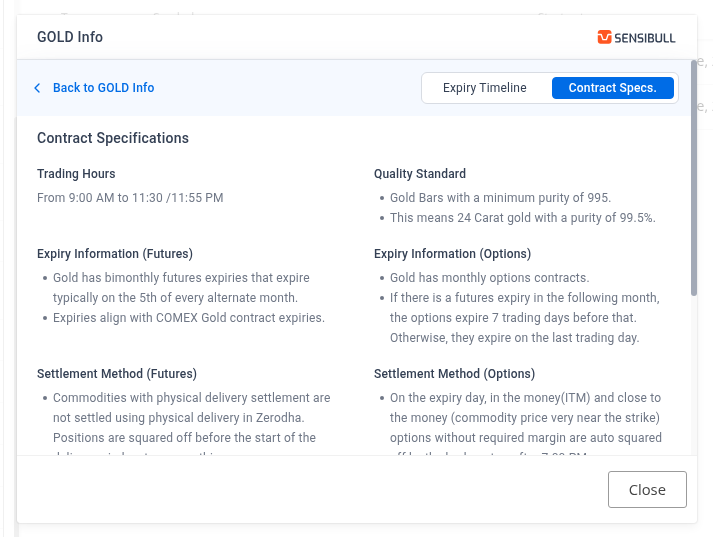
Contract Specifications
This section provides a complete understanding of the commodity itself:
- Trading Hours — Market timing for the commodity
- Quality Standard — The grade or purity specification (e.g., 995 purity gold bars, Light Sweet Crude Oil)
- Pricing Method — How the commodity is priced (e.g., Ex-Warehouse Ahmedabad price for Gold, NYMEX reference rate for Crude Oil)
- Settlement Method — Whether physical or cash settled, and the exact process followed
Note
-
Currently available only on Kite web. App support will be added in an upcoming version.
-
This widget is not yet supported for agricultural commodities, index commodities, and STEELREBAR.