Im not able to get the results for the below scanner. Is anything I’m missing here ?? can anyone help me out or is this scanner not working??
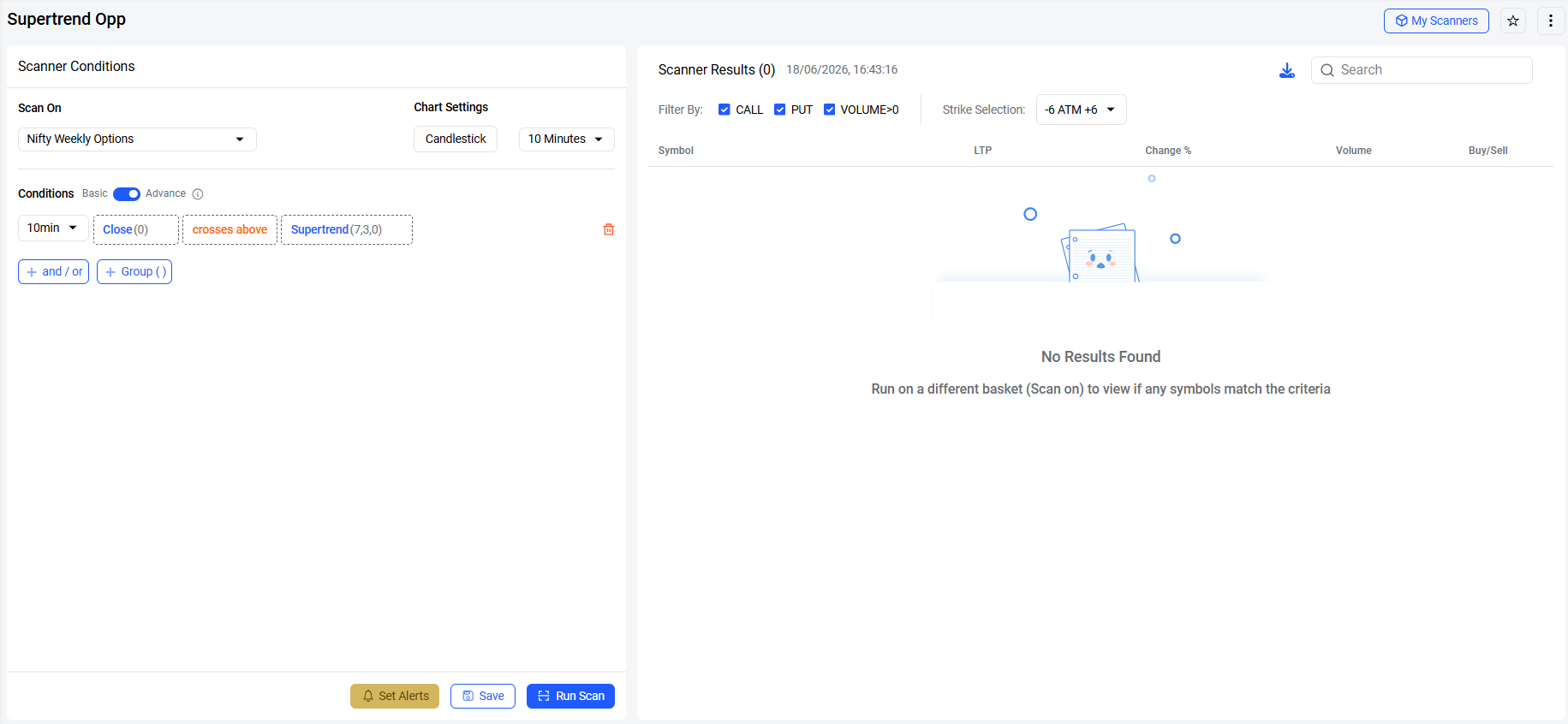
Based on the screenshot shared, the scanner is using the Crosses Above condition, which generally generates fewer matches as it looks only for fresh crossover events. Additionally, the strike selection is restricted to -6 ATM to +6 ATM, which further narrows the number of instruments being scanned.
To increase the likelihood of getting results, you may consider using the Higher Than condition instead of Crosses Above, or expand the strike selection to Show All so that a broader range of contracts is included in the scan.
1 Like
I changed the strike selection from the menu and now I’m able to see the results. Thanks team
I was noticing the same issue for a while and after changing the strikes to show all it worked eventually