Y’day i got to know of Streak.
Today tried Papertrade - with Trial SL’S…
The Trial SL’S are not working. I Tried both with points & percentage.
Kindly look into it.
Regards,
Y’day i got to know of Streak.
Today tried Papertrade - with Trial SL’S…
The Trial SL’S are not working. I Tried both with points & percentage.
Kindly look into it.
Regards,
Hi @zdfan, We have not encountered any such issues today, and there have been no similar reports from other users.
To investigate the issue further, we request that you send the strategy details and the order log to [email protected].
Thanks and regards.
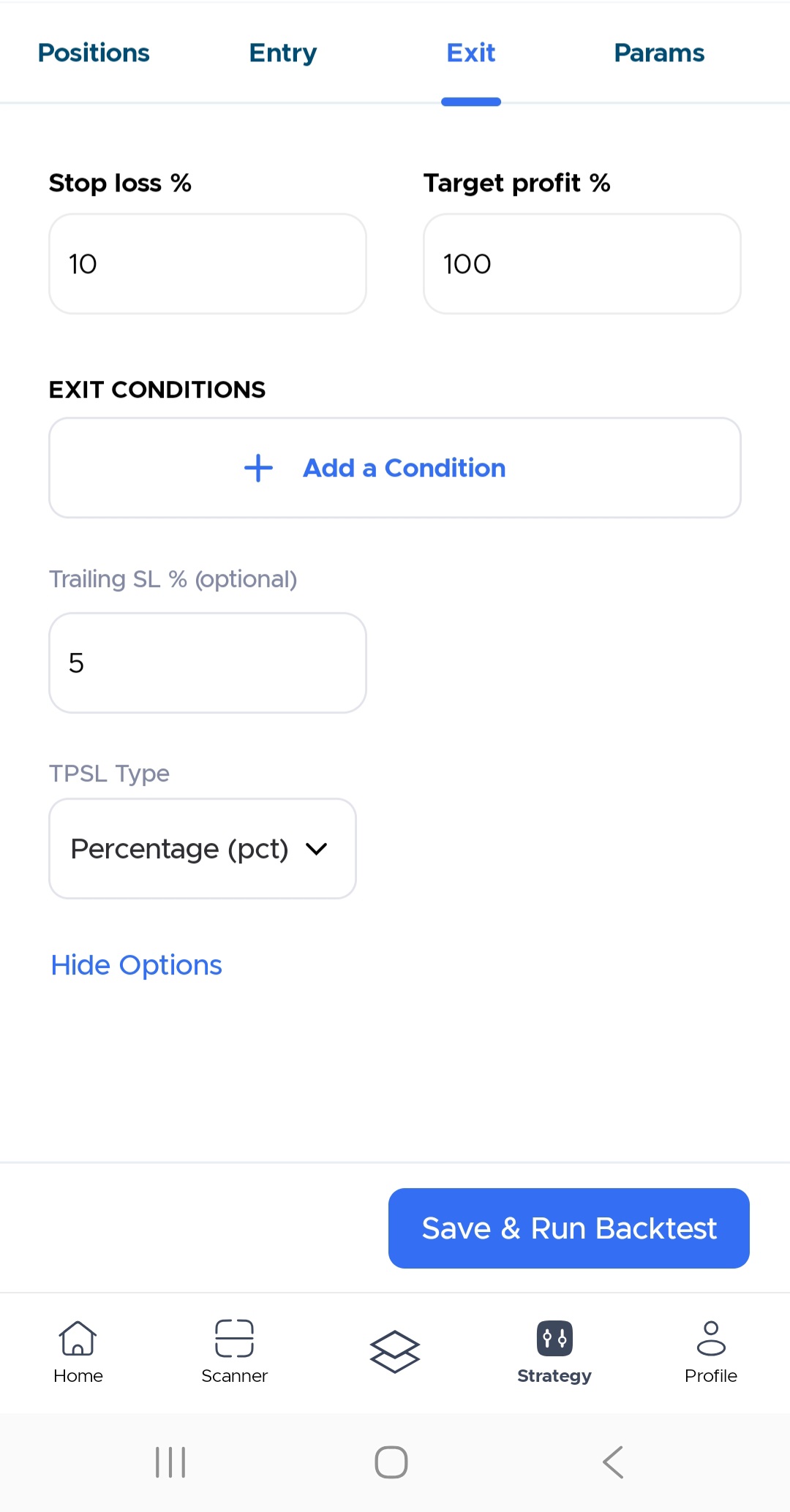
Yes, the TSL is set from the exit condition page. However, we tried replicating the issue from our end by deploying a strategy using Trailing Stop Loss (TSL), and it worked fine for us.
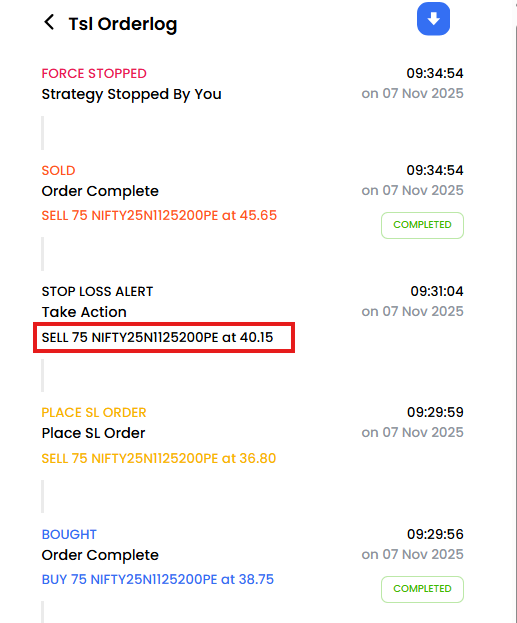
You can refer to the screenshots below in our test, the initial stop loss was placed at 36.81, but the stop-loss order was later triggered at 40.15. This happened because the price initially moved in our favour, causing the trailing stop loss to shift closer to the breakeven point, as expected.
Let us explain how TSL works on Streak with an example.
If you are entering a Long position in your strategy and select the target profit (TP) as 100%, Stoploss (SL) as 10 %, and Trailing Stoploss (TSL) as 5 %. Then, every time the position moves up by 5 % which is the assigned value for TSL, the SL will be revised by 5%.
So if your entry is at 100 then, the initial stop loss is 100-10= 90. Now as the selected TSL is 5 %, then if the price moves by 5 % i.e. if it goes to the 105 levels then the stop loss will be revised to 90+5=95. Similarly, with each 5 points movement in your trade direction, the stop loss will trail by 5 points, until your profit level is reached or the trailing stop loss is hit.
You can also refer the YT video on TSL:

Hope this clarifies the doubts.
@Streak Thanks for sharing the video.
It will be helpful, if you add expressions such as BUY/sell,add/or and turned positive/turned negative …
Simpler words make Platform, easier to work with