If I change the time period of the chart from 5 min to 15 min, and then go to the positions tab and back to the chart tab again, it reverts to the 5 min time frame. Please check it.
If 15 minutes is set as your default timeframe, Kite should load the chart in the 15-minute timeframe when you return to it.
If Auto-save is enabled, changes such as the timeframe selection are automatically saved after the chart remains unchanged for about 10 seconds. If you switch to another tab before the changes are saved, the chart may revert to the previously saved timeframe (for example, 5 minutes). Waiting for around 10 seconds before switching tabs should allow the updated timeframe to be retained.
You can right-click on charts and enable Auto-save.
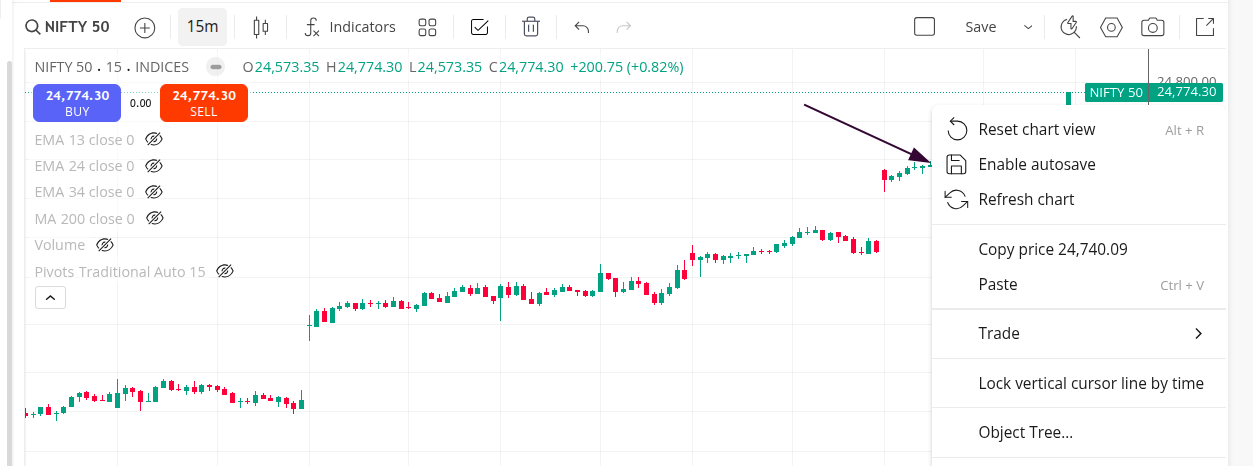
If you’re still facing the same issue even after enabling Auto-save and waiting for the changes to sync, you can DM me your ID will get this checked.
Thanks for your quick response. My chart screen is different from yours. There is no save button. Also, the right-click menu is different. It is the default right-click menu on Firefox. Please tell me how to enable the save button on my screen.
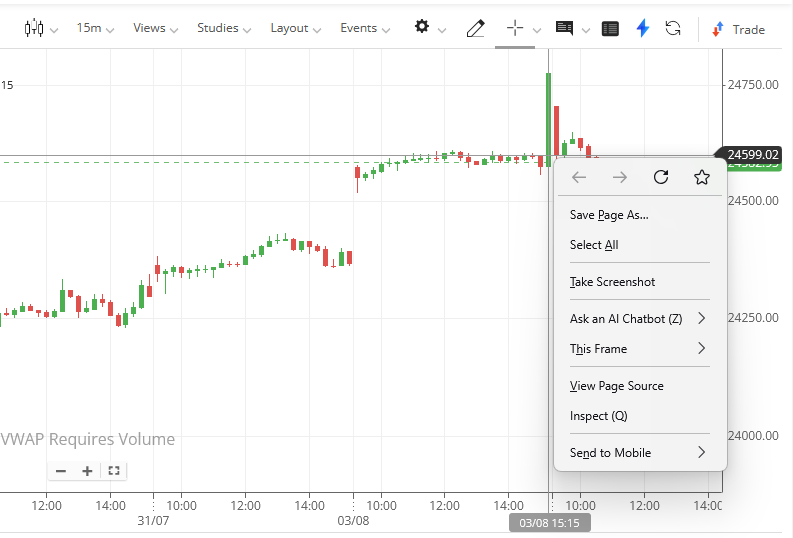
In settings somewhere, you can change which chart tool you want to use, such as TradingView or ChartInk. You can look for it in settings and change it from there.
Thank you. I found TradingView charts and the problem is solved.
1 Like