Terminal Mode Lag / Hanging Issue
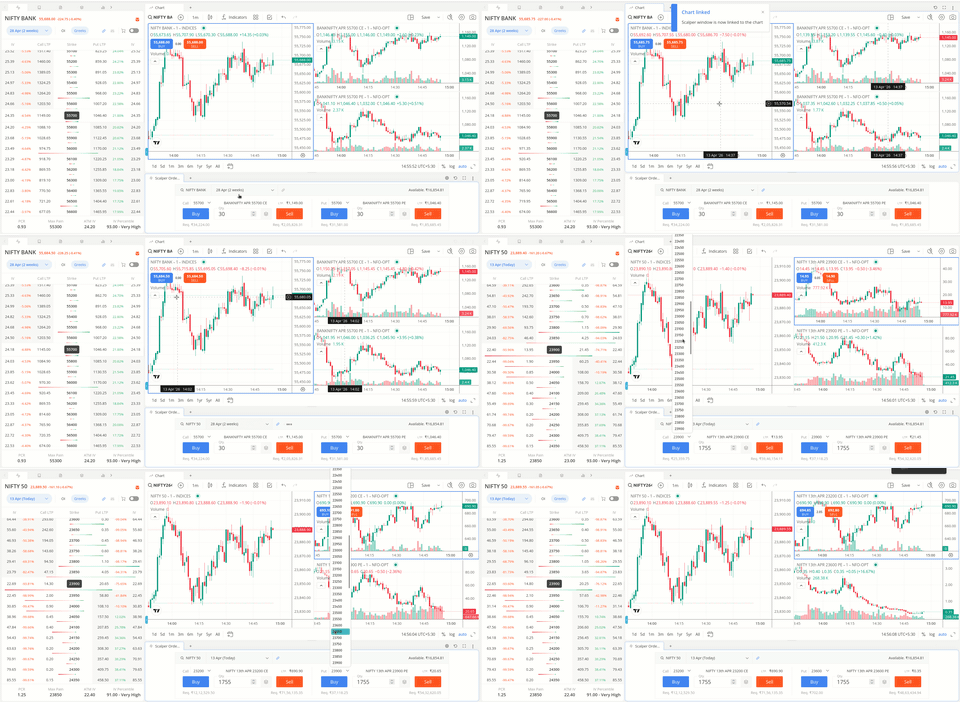
Despite having a stable 100 Mbps internet connection, the terminal frequently lags and hangs, especially when using a scalper layout with multiple charts and option data.
This appears to be a performance/rendering issue rather than a network problem.
Kindly clarify:
Recommended system configuration for smooth Terminal Mode usage
Any performance optimization settings (e.g., reduced data load, layout limits, performance mode)
Whether this is a known issue currently under resolution
Greeks Visibility in Option Widget
When enabling Greeks in the Option Widget, only Implied Volatility (IV) is visible for strike prices. Other Greeks like Delta are not displayed.
Please guide:
How to enable Delta and other Greeks
Whether additional settings, column configuration, or subscription is required
Strike Price Mismatch (Critical Issue)
The strike price selected/viewed on the chart does not match with the strike shown in the Scalper Order Widget.
This leads to manual rechecking and increases the risk of incorrect order execution during fast scalping trades.
Kindly clarify:
Is there a way to sync chart strike selection with the order widget ?
Any setting to ensure both chart and order panel reflect the same strike automatically
Whether this is a known issue or limitation
These issues are significantly impacting my intraday options scalping workflow.
We have noticed that in certain combinations, there is an increase in the consumption of resources. An optimization of the widgets and workspaces is underway and is expected to be released soon. This should be fine then.
To view the entire option chain and other Greeks, one needs to increase the size of the option chain widget or maximize it.
There is a link to chart option available in the order window that automatically switches the instrument when it’s changed in the order window. In the scalper workspace, when the Strikes are switched in the Call and Put window, the CE and PE charts are switched accordingly.