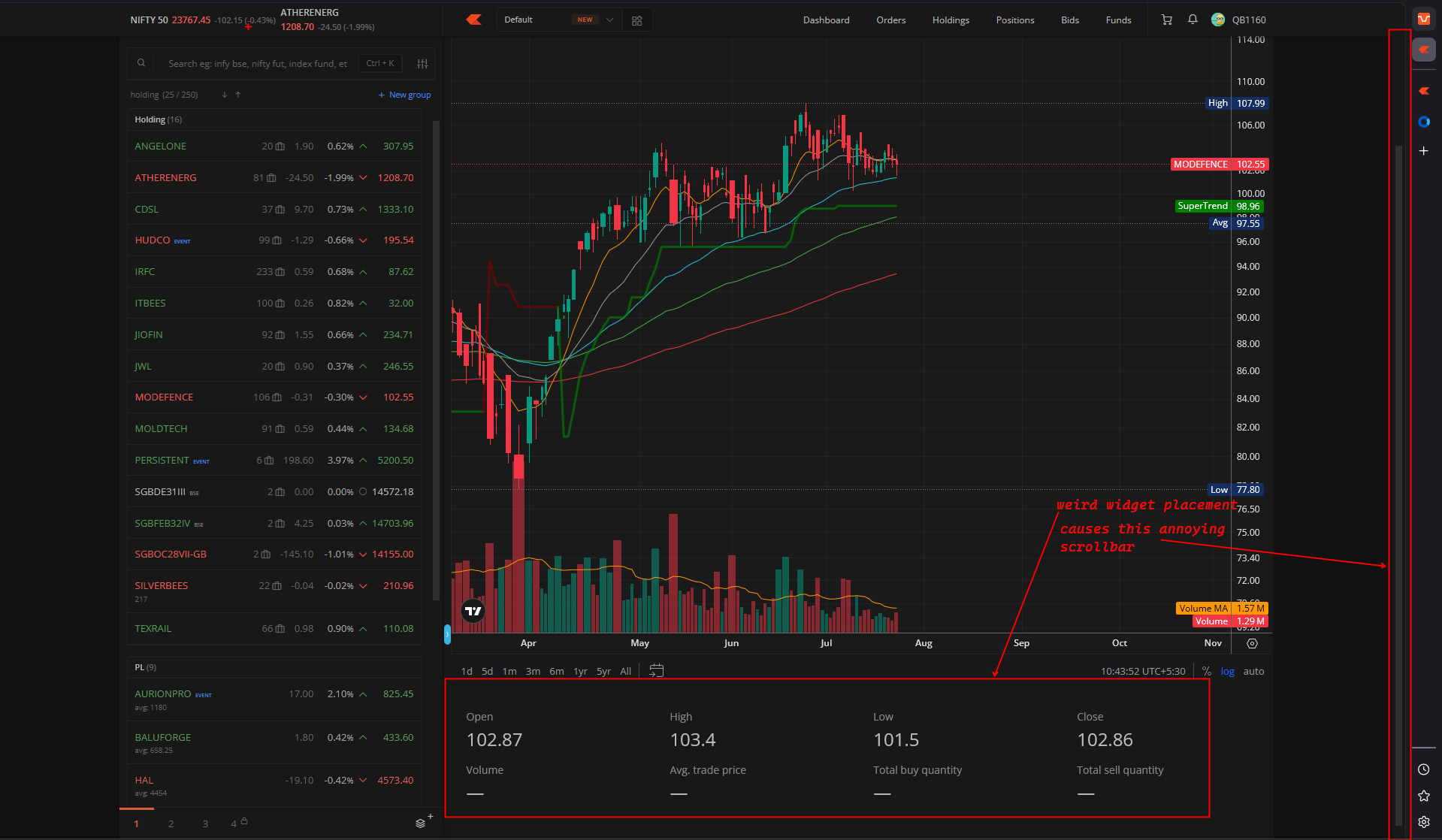
@Arockiya_Raja this placement of OHLC is very weird, this causes the annoying scrollbar. i am trying to zoom the chart and the entire chart moves to show this widget.
change the placement of this widget, there is a lot of empty space on the sides, or remove the widget altogether. take a user poll from the user see if the widget is being used by users
If the cursor is on top of the chart, mouse scrolling will zoom in/out the chart; if the cursor is out of that, it will work like a page scrolling.
I get that part, however the placement of the ohlc values below the chart is something peculiar.
When would someone scroll the page to look at these values?
IMO the blank space on right of the chart may be a better suited for such information, and it will stay always visible, and it will avoid my frustration of scrolling accidentally too.
1 Like
This right-side space is visible only on a high-resolution screen, and we cannot use it for certain functions, which may lead to inconsistencies.
If you would like to utilise both the right and left sides of the empty space, please explore the terminal mode feature, which can be customised to meet your requirements.
We will discuss the removal of that section from the bottom of the chart.
I have a terminal workspace which i setup for this, the terminal mode is great, however, to be honest i like the original kite interface better than the one i put together.
@Arockiya_Raja, ever so often if i am on the price scale (TV charts) and use the laptop touchpad to expand/contract the price range using 2 finger gesture the price range expand/contract and along with it the page is also scrolled.
It is fine at our end. Could you help with the video recording in DM to assist with this?