Yes, we are working on it, initially we will do for positions.
2 Likes
When can we expect?
Chart tick by tick data is delayed slowly accumulating by a minute of delay or so. While the ask/bid on the top left is displayed correctly. Only facing this issue today.
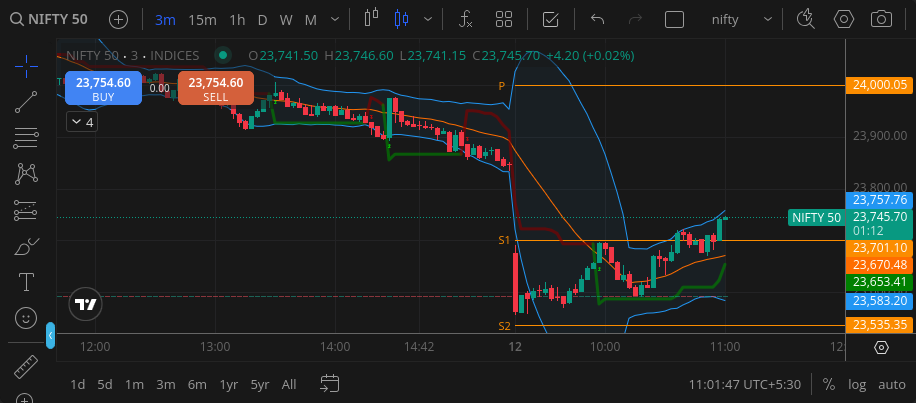
Note 23754 on the top left and 23745 on the tick. Tick is still moving(with new data and not stagnant) giving the illusion the data is current, but it’s either old data or ghost data.
Hi @Arockiya_Raja I have suggestion related to chart pop up from watchlist when we specifically click on chart.
Why don’t we use the whole raw for chart popping as if I click anywhere on the raw chart should pop up instead of specific chart button.
many a times the delete button is just next to chart and I end up deleting the script instead of viewing the chart and of course many other will also be facing the issue.
Also can we introduce up and down arrow key to navigate the watchlist instead of mouse click.
That should not happen. If you notice it again, please share a video recording over DM along with your client ID so we can investigate.
Earlier, the dark theme on the mobile app didn’t make the TradingView chart fully black. But with the recent update, the chart now turns black as well. Previously, this was better for some users who preferred having the app in dark mode while keeping the chart background white.
Terminal Mode: Now Live on Kite
Terminal Mode has moved from beta to the main Kite platform. Thanks to everyone who tried it out and shared feedback during beta; several improvements have been made after the beta.
What’s New:
Option Chain Linking:
Option chain can now be linked with charts for seamless navigation.
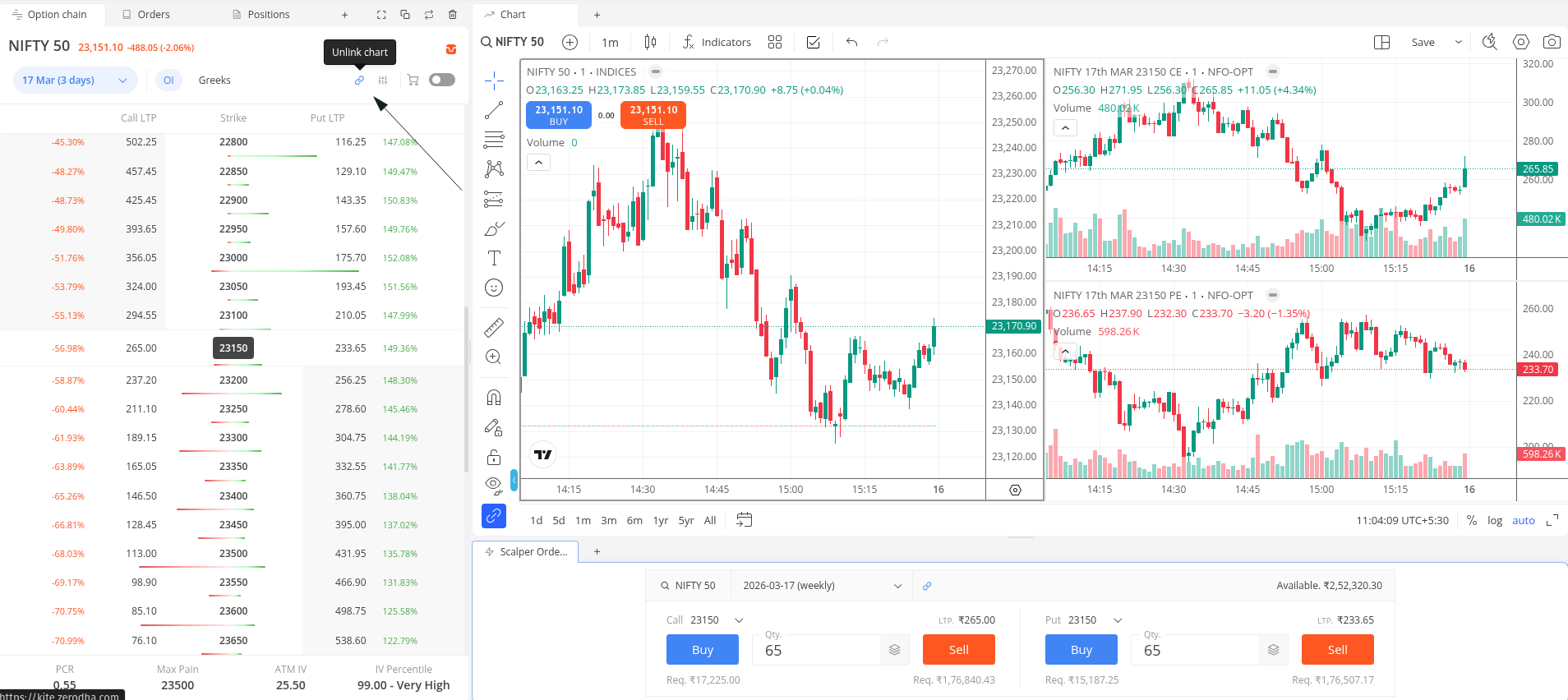
Chart Layout Saving:
Chart settings can now be saved as layouts and pinned to respective chart tabs. You can use different layouts as default preferences across multiple tabs. These layouts are stored on the server (unlike the default workspace, which stores locally), with increased storage limits. Currently, the default workspace template, layouts, and preferences are not visible in terminal mode; eventually, this will be synced and available across.
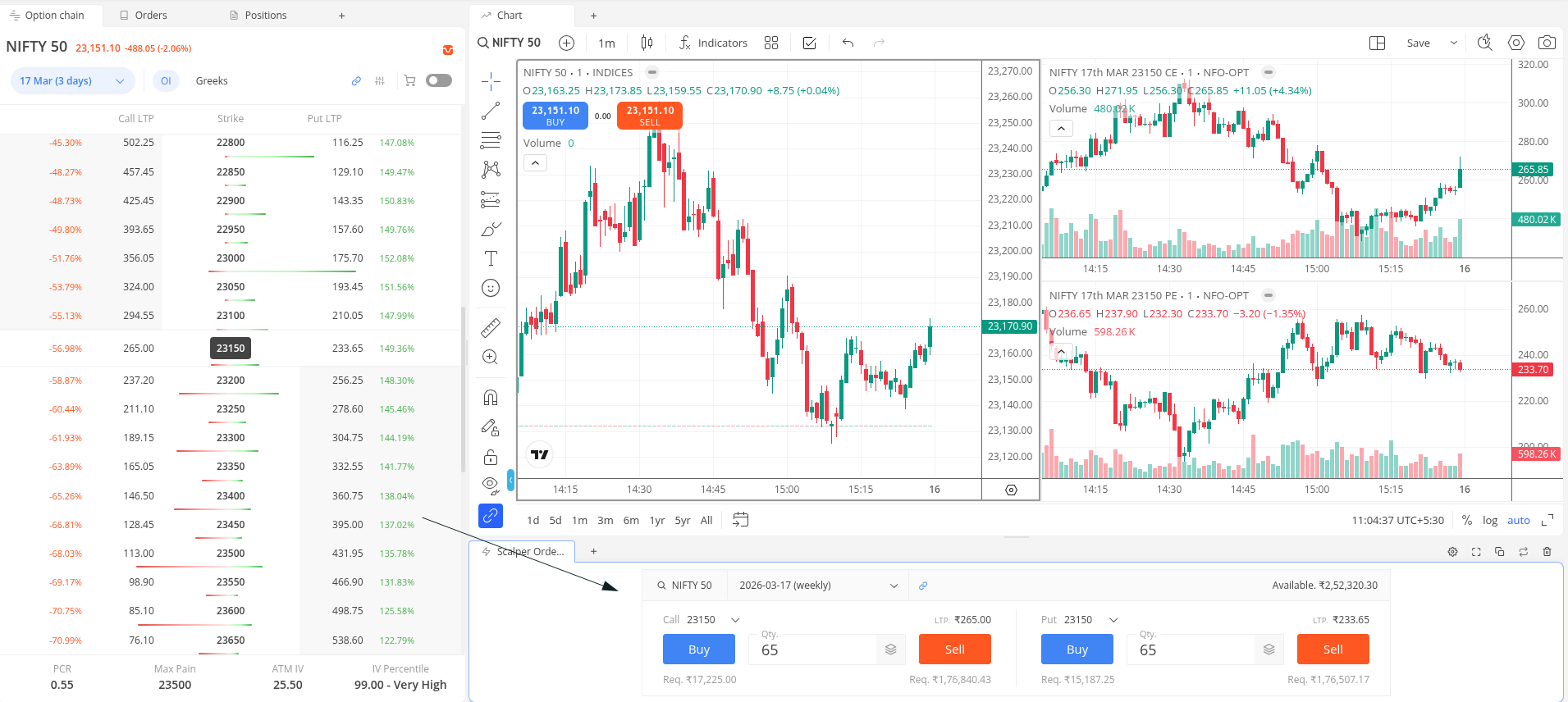
Scalper Order Window:
Designed only for options trading. Strike and spot switching made easier for the order window and synced charts. Changing the call strike from the order window updates the strike on the 2nd chart window, and changing the put strike updates the 3rd chart window. The 1st chart shows the spot.
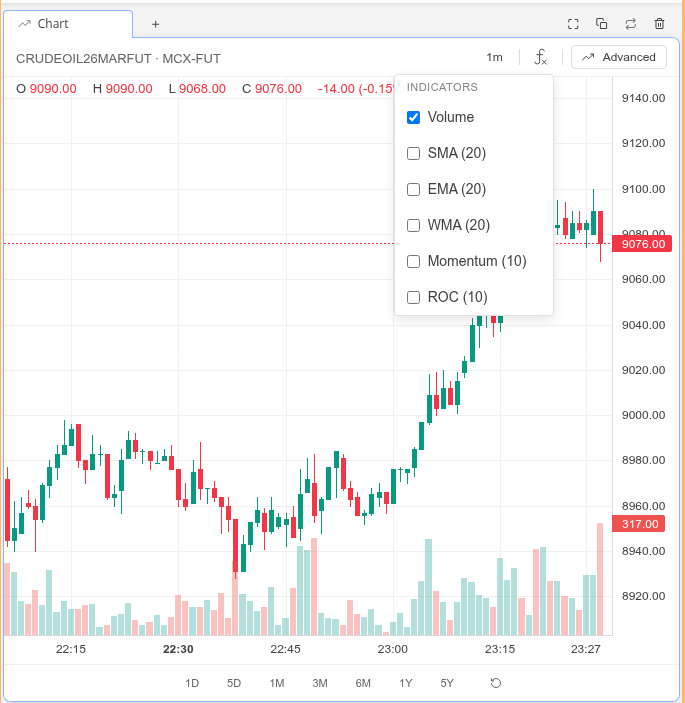
Lite Chart:
A minimal chart option for users who don’t use indicators and drawings much and prefer price data speed over features. Data loads almost instantly.
Holdings Page:
Day’s P&L (absolute value) now shows in the bottom summary.
Market Timings Widget:
New widget to track market session timings.
Fixes:
- Storage limit error messaging corrected
- Required margin loading issue resolved
- Basket order window size reduced for a compact look
- World clock widget timings corrected
- Chart candle forming issue when working on another tab
In Progress:
- Scalper workspace experience enhancements
- Mac context menu and shortcut key fixes
- Expiry handling for option chain, order window, and market depth widgets (auto-switch to active instrument when current one expires)
- OI analysis widget (ready, will be integrated in next patch)
- Few lite chart fixes
5 Likes
Thanks for the update!  @Arockiya_Raja. I particularly liked
  the scalping-workspace.
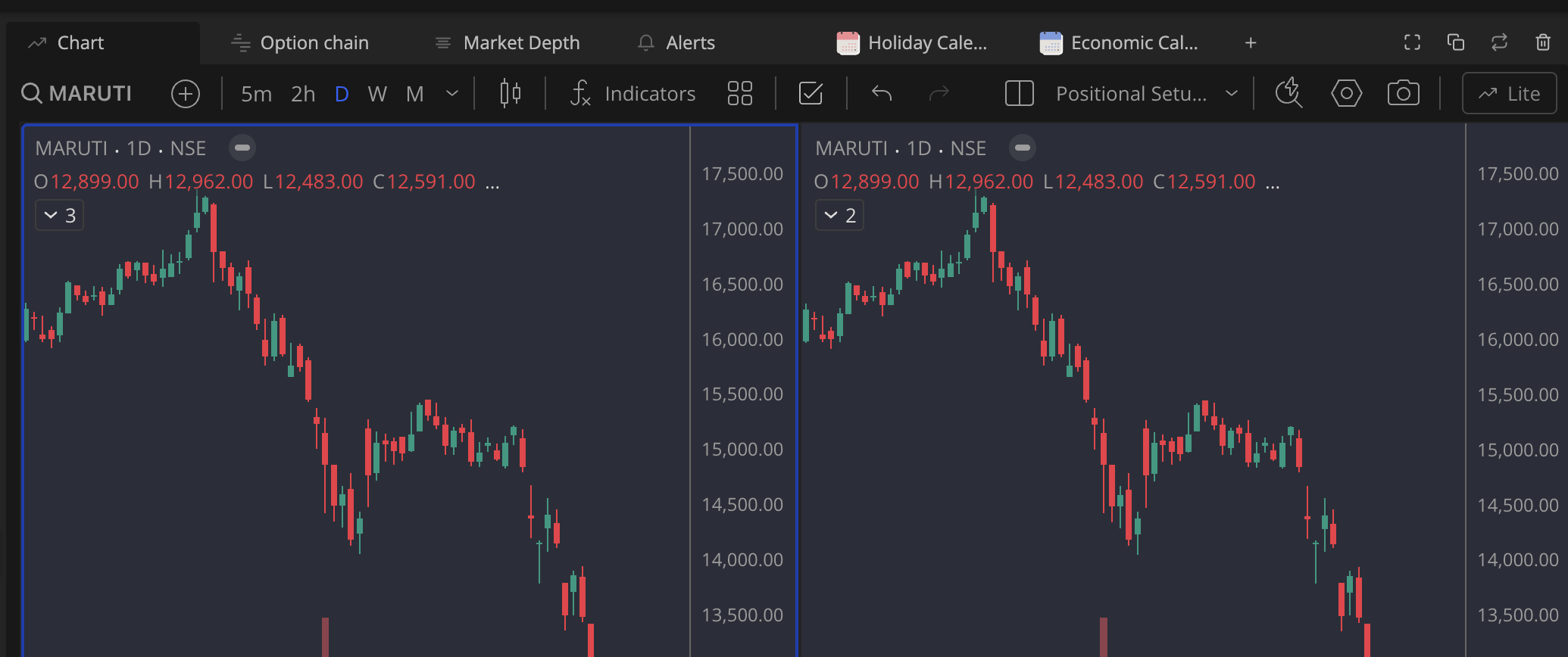
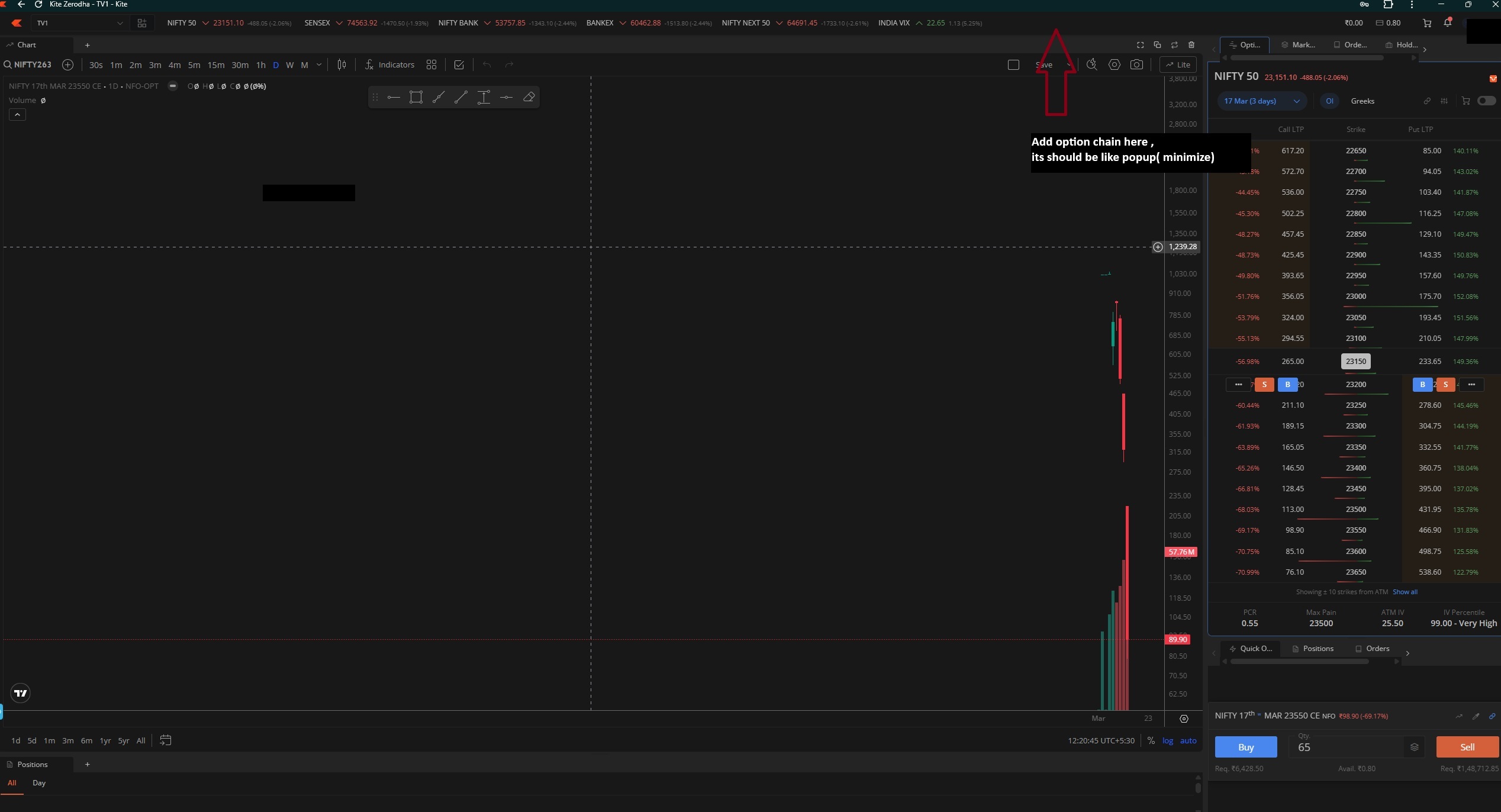
In Trade-workspace if we arrange the widgets as shown in the image option chain and market-depth are not linking to charts. will there be any update?
1 Like
emm, Keeping these widgets on the same panel. Noted as feedback. No plan for this at the moment, but we will check the feasibility.
This helps when switching between light and dark mode, as the chart theme also changes automatically. You can select the next shade in the colour panel, and it will be saved.
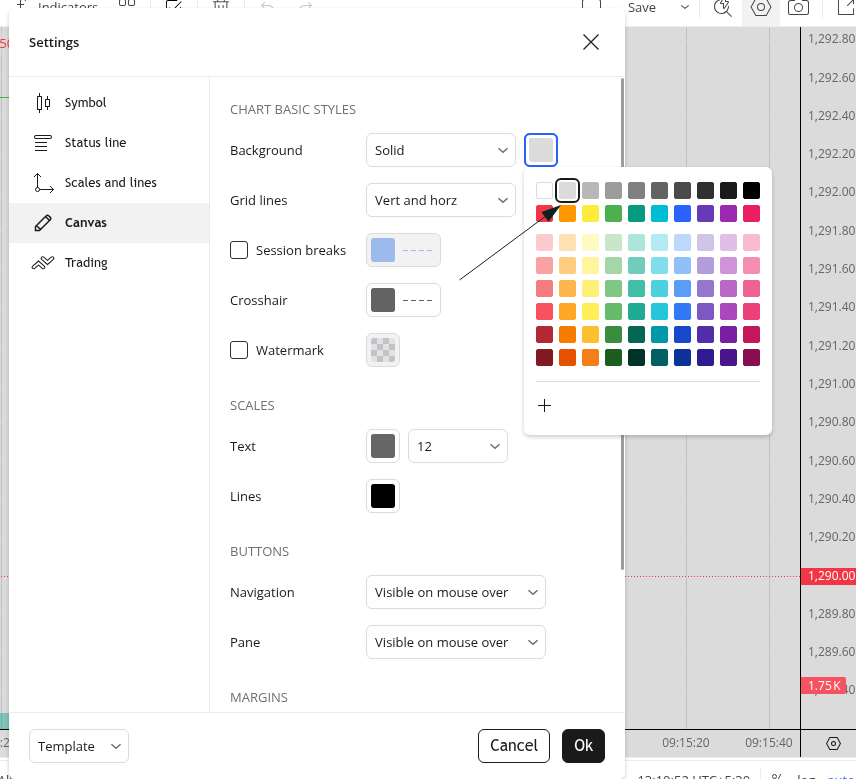
Setting a limit is necessary, and it will be higher than the current one. Drawings can be saved on the server for hundreds of instruments. We will check if there is a way to avoid manual intervention for deleting old drawings.
2 Likes
Finally, a terminal that actually keeps up with my workflow.
1 Like
Refresh button has been not provided for refresh of chart, which was requested. Every time doing refresh of complete browser will not work. This is basic option which is required
1 Like
Linking chart and option chain in Default-workspace is the core theme and you brought it that way and it was appreciated.
if i place option chain on right and chart on left side, i have to scroll the option chain left and right to look at OI data. which was not the case in default-workspace.
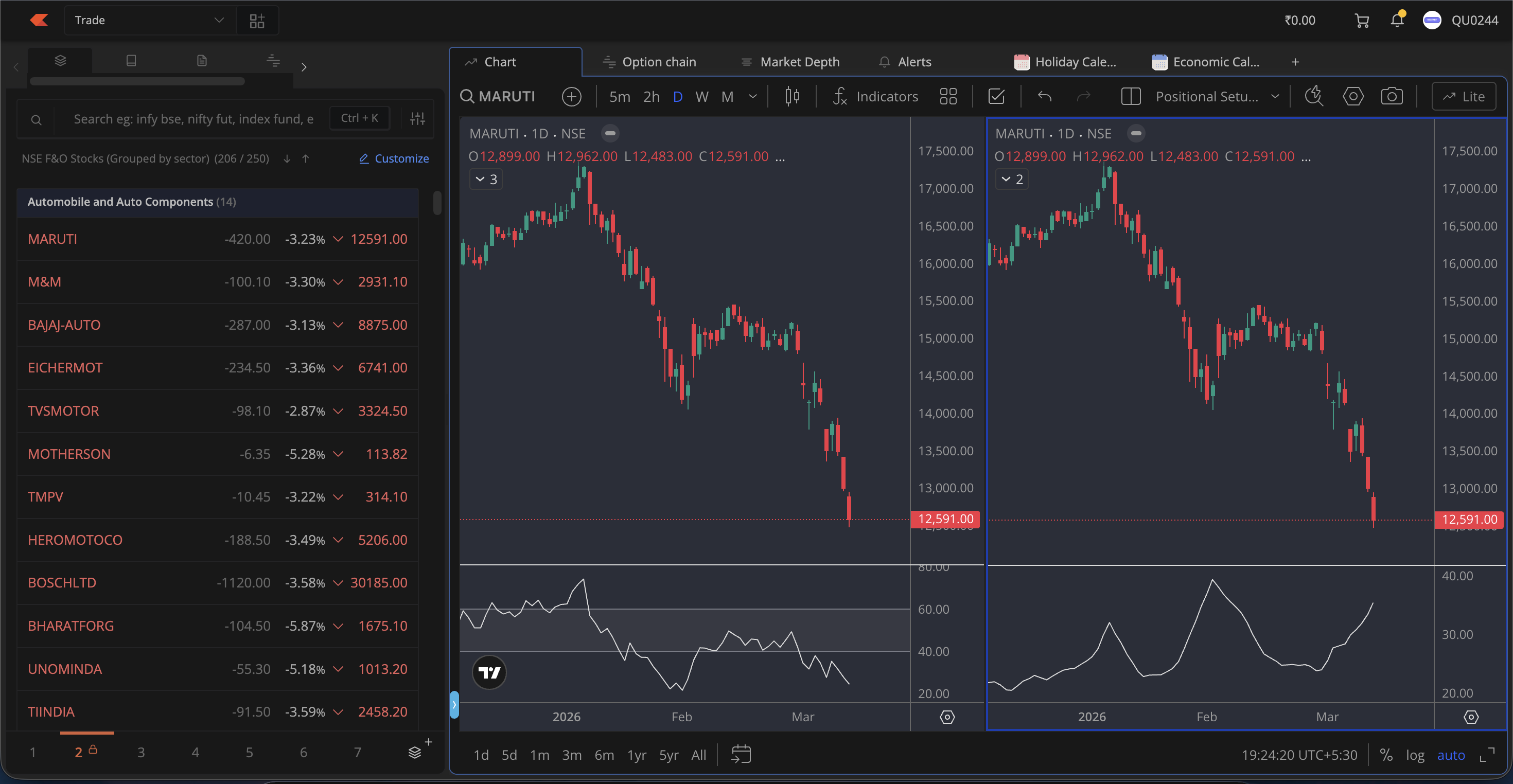
suggestion: if i click chart symbol in market watch chart should be opened, option chain should be linked, if you bring OI analysis widget (ready, will be integrated in next patch) that can be linked, market depth can also be linked. with just one click we can analyse all the parameters of a stock. i have attached my trade-workspace screenshot for reference.
1 Like
please add shot cut for chart loading with up arrow and down arrow keys for chart loading from market watch
1 Like
Previously, when we loaded a chart and move to another tab, the title used to show the stock name and price and was updating as well. Now it just says the workspace name at all times. Could you please revert this if possible? This is very useful for people multitasking.
2 Likes
Is ChartIQ still not supported in terminal mode ?
Daily Scrip-wise PnL Amount Column Missing in Terminal Mode Holdings Tab / Widget.
After the introduction of terminal mode in Kite, I noticed that the Daily Scrip-wise PnL amount column has disappeared from the Holdings tab/widget. Earlier, this was a useful metric to quickly track day‑wise profit/loss in absolute terms.
- Is this removal intentional for design simplification?
- Is there any way to tweak settings or switch views to bring back the Daily PnL amount column?
- If not, can Zerodha consider re‑introducing it, since many users rely on this figure for intraday monitoring?
Would appreciate clarification from the Zerodha team or other users who found workarounds.
This is visible when the widget size is increased.
1 Like