Auto save activates every 10 seconds. As you switch between tabs before the 10 seconds lapse, the new instrument is not saved in the layout. Your feedback has been noted.
We’ll allow installation as a PWA app, but not as a separate .exe application.
Is there any option to drag OR move UP & DOWN watchlists for Pre-Listed Watchlists? I don’t see that, but if I want to do manually then it will not get updated automatically.
can you get that feature of moving sector wise & stocks wise in that sector to move UP & Down in the same pre-listed watchlists
E.g. I want IT sector at top of the watchlists and FMCG sector at the bottom (1. IT Sector watchlist 2 Fin Serv 3 Infra 4 FMCG like this). In that also I want Wipro at top of IT Sector watchlists & KPITT at the bottom of the watchlists. (Arrange the specific stocks in sequence from top to bottom & vice-versa in the same sector panel)
Currently when i added watchlists, first is Auto & Last is textile likewise if i want textile 1st and auto last in the same watchlist sequence
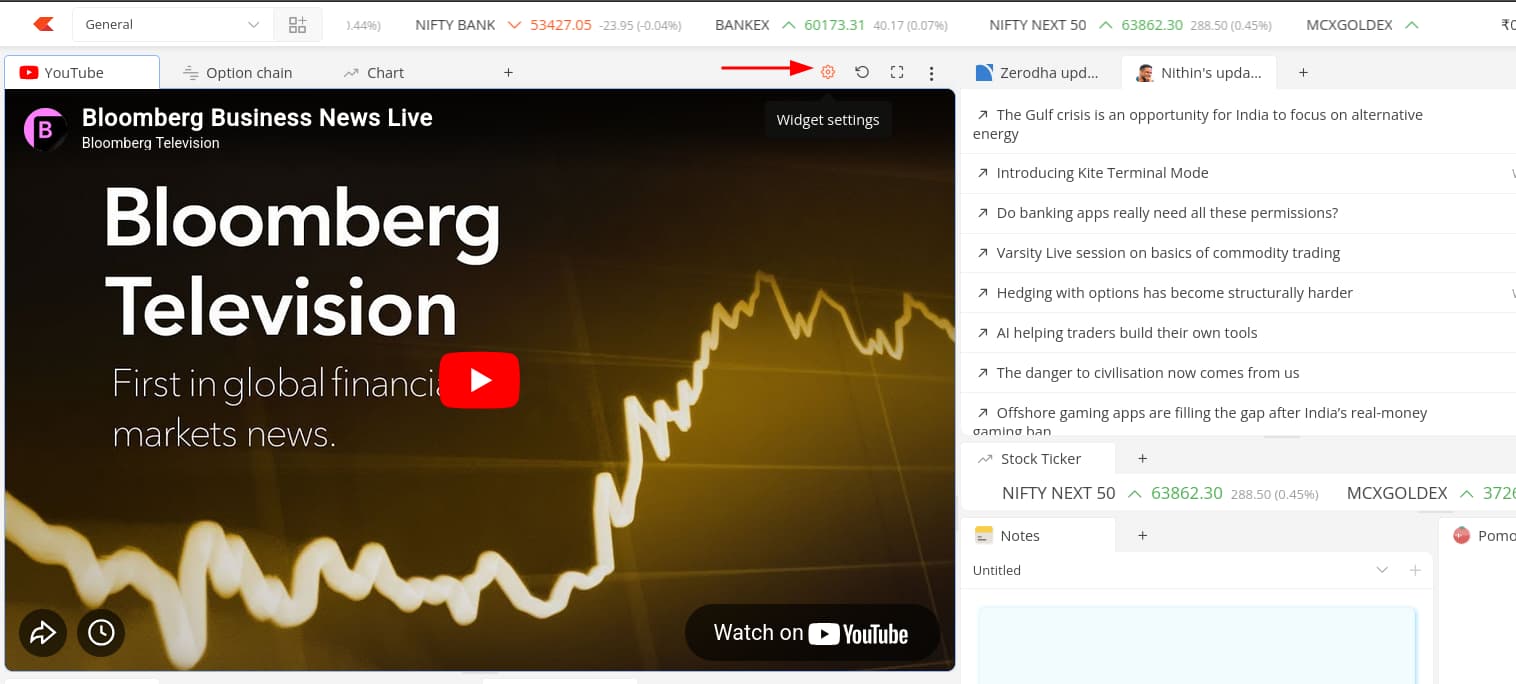
Currently, the search option is not available in the YouTube widget. You can only embed it by copying the URL from YouTube and pasting it after clicking the settings in the widget.
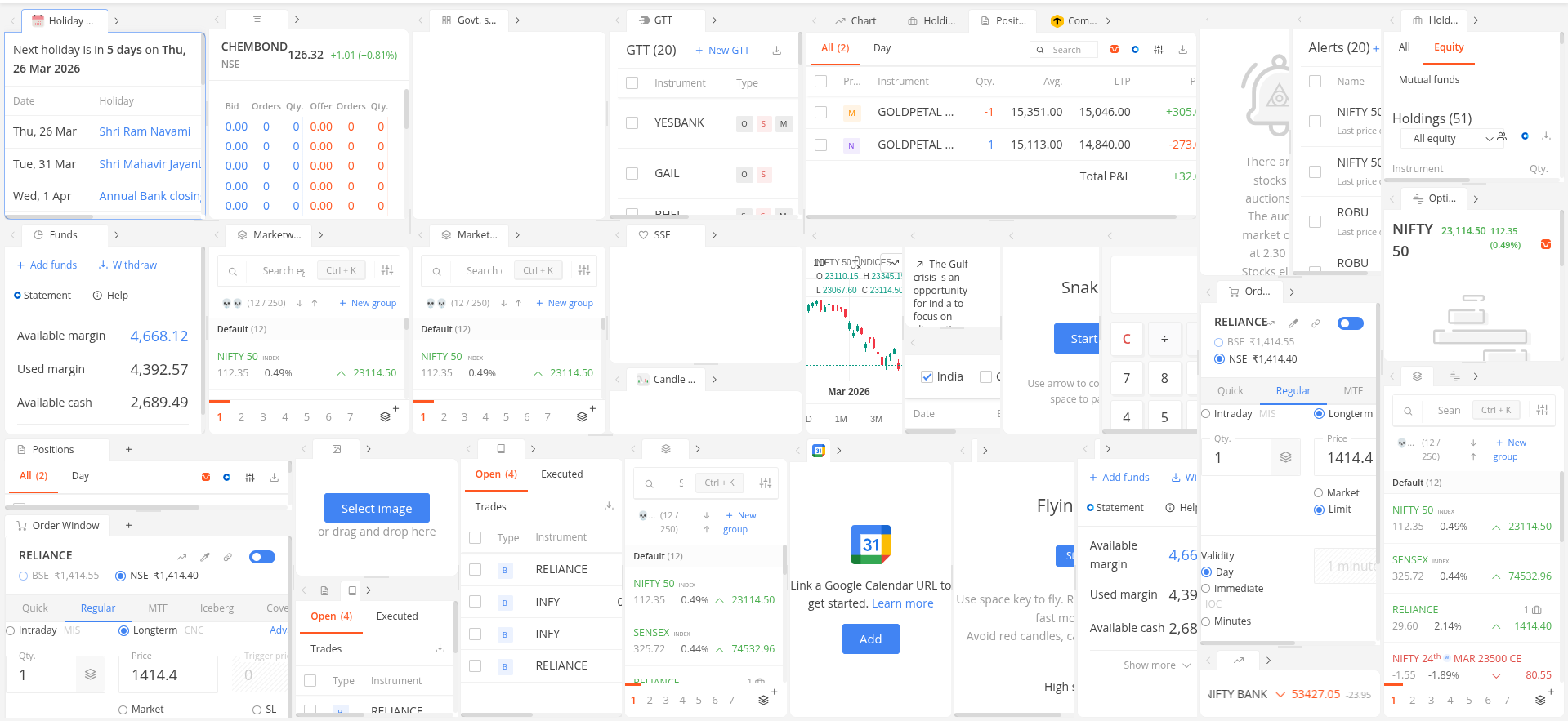
There are no limitations on widgets per workspace, so it really comes down to how much you want on screen at once. Here’s a screenshot from a workspace where we specifically tested this out.
TradingView chart data can be refreshed by right-clicking the chart and selecting Refresh. This works across both the Default and Terminal workspaces, eliminating the need to reload the entire page just to refresh a chart.
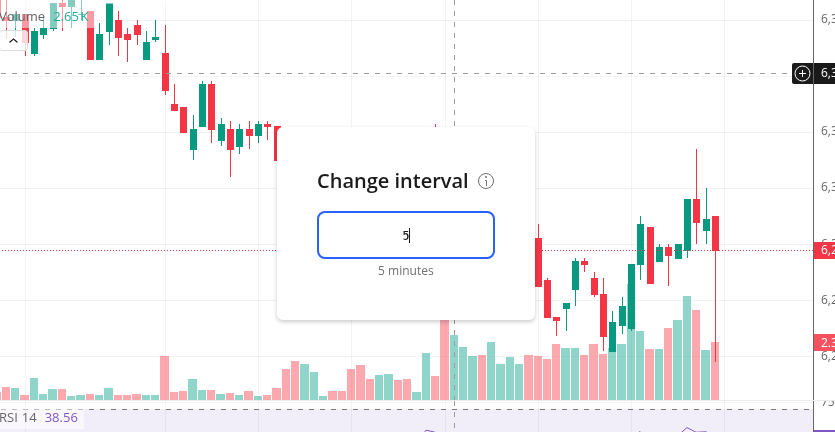
Switching chart timeframes is now faster. Instead of manually opening the interval window and selecting a timeframe, simply type the interval directly — the interval dialogue opens automatically. For example: 1 for 1 Minute, 1H for 1 Hour, 1D for 1 Day, 1W for 1 Week, and 1M for 1 Month.
If someone is used to typing the strike price directly to search for an option contract, they need to type “N 21400” instead of “21400” because pressing the number directly will now open the change interval window.
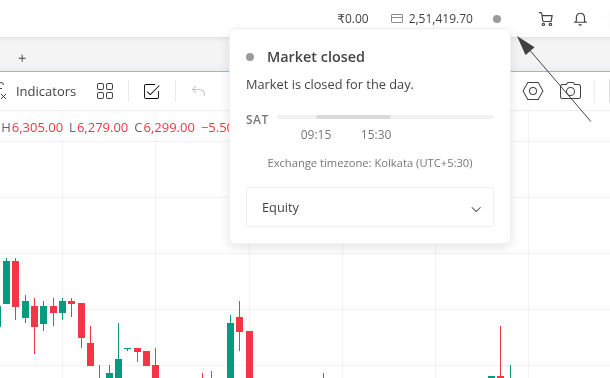
Market Status Indicator in Header
Terminal workspaces now display a market open/closed status indicator in the header, showing the current market status and timing for the selected segment from the dropdown.
Some performance improvements have also been implemented with this.
Chart loading has become insanely fast over the past few weeks, not sure if everyone’s noticing. Please add a way to access the fundamental widget in Terminal mode or the default old mode.
Thanks, Similar way , please provide an option to add clock on top side and also need an option say based on settings say 15 Min/1hour/4Hour candle close need to get sound or some message
How to sync widgets, say if I have watchlist, chart 1, chart 2, and chart 3. If I click one of the scrip on watchlist/holding/position window, it should open chart in all 3 chart locations.
How to use Terminal layouts in multi monitor setup?