One of our most-requested features is here. You can now invest in US stocks and ETFs directly from your Zerodha account. It’s in public beta on kite-beta.zerodha.com, and we’d love your feedback as we refine it before the full rollout.
We’ve partnered with Viewtrade (a US Broker-dealer), in association with BSE (INX-GA), which has a presence in GIFT-IFSCA and is regulated there as per the Global Access Provider regulations.
How to enable your US account
-
Click Enable US stocks.
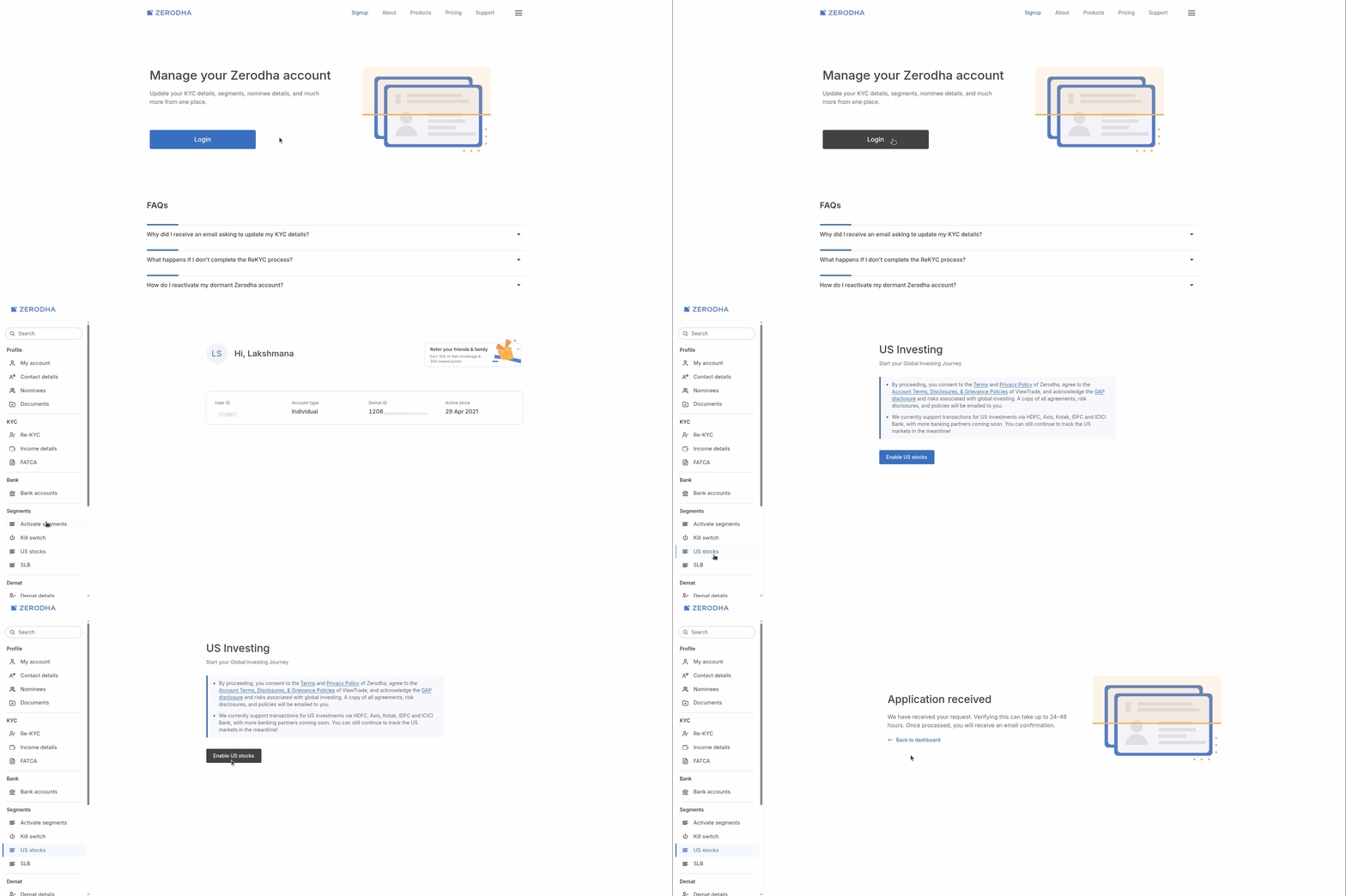
No additional documents are required. Since this is a beta, we’re enabling accounts in batches. Once you place the request, you’ll be added to the queue and notified when your account is active.
Eligibility:
-
Individual accounts of Indian residents only. NRI, minor and non-individual accounts (HUF, corporate, etc.) are not supported.
-
Your account must be active. Dormant accounts need to be reactivated first.
-
Aadhaar-based KYC is mandatory. If you opened your account offline or a long time ago, you’ll be asked to complete a quick re-KYC through Aadhaar.
-
Your name and date of birth must match Income Tax Department (PAN) records. If they don’t, complete re-KYC or a name change first.
-
A signature must be on record. For some older accounts, it isn’t. The re-KYC flow will ask you to submit one.
Supported banks
Adding funds is currently supported from HDFC Bank, ICICI Bank, Axis Bank, Kotak Mahindra Bank and IDFC FIRST Bank. More banks are coming soon.
-
The supported bank can be any of your linked accounts: primary, secondary or tertiary.
-
If none of your linked banks is supported, you can still enable the account and track US markets. To add funds, first add a supported bank account.
What you can access
4,000+ US-listed stocks and ETFs across categories:
-
Stocks of large US-listed companies, including technology, AI, semiconductor and cloud computing businesses.
-
Index ETFs tracking benchmarks such as the S&P 500 and Nasdaq-100.
-
Sector and thematic ETFs.
With fractional shares, you can start investing in eligible stocks and ETFs with as little as USD 1. We’ll keep expanding the list and are also exploring additional geographies and UCITS ETFs.
Adding US stocks to your watchlist
-
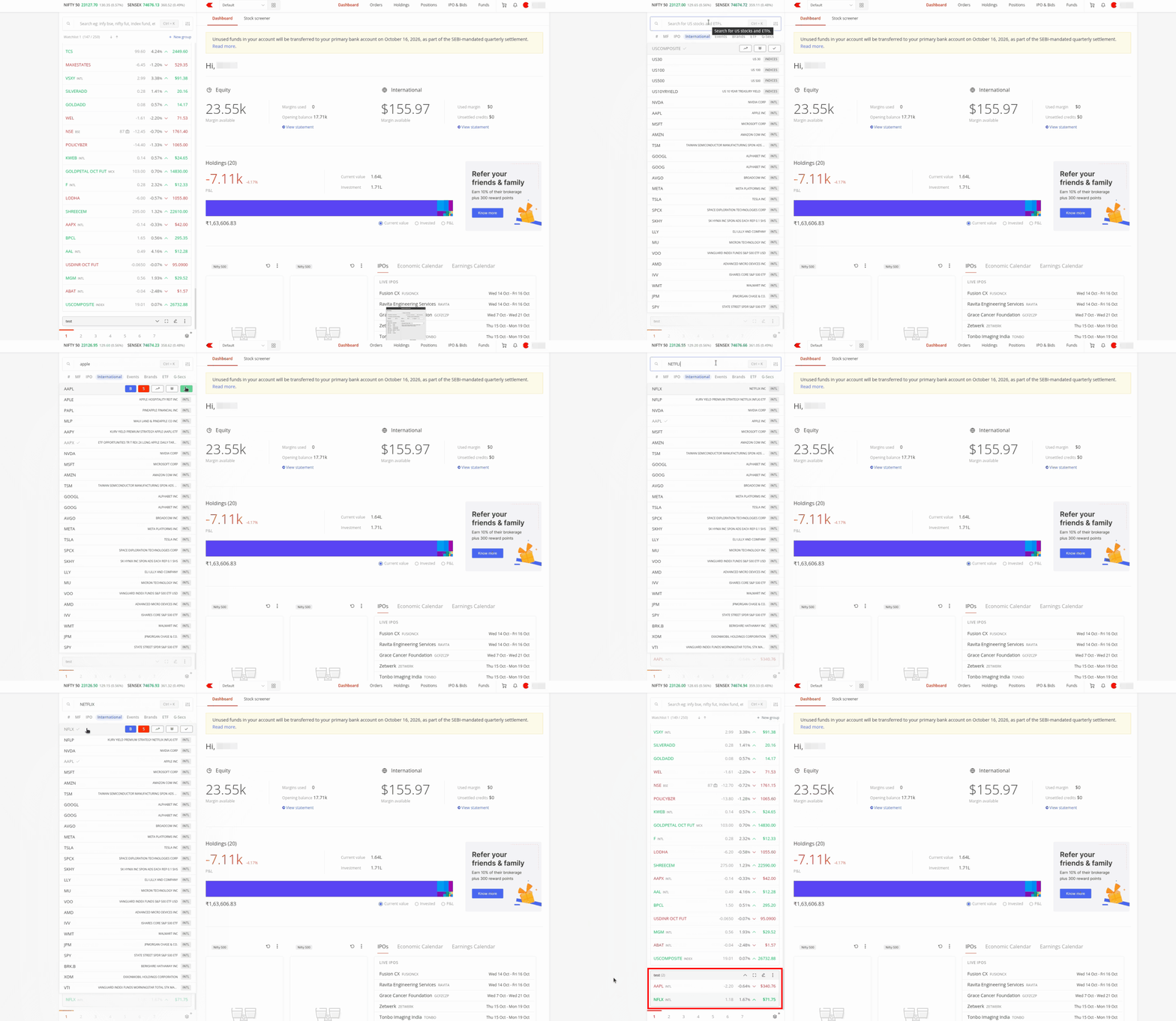
Open the International tab in MarketWatch search, find the stock, and click +.
-
The order window, chart and fundamentals can be opened from the watchlist.
Market hours (IST)
| Session | Until Fri, 30 Oct | From Mon, 2 Nov |
|---|---|---|
| Pre-market | 1:30 PM – 7:00 PM | 2:30 PM – 8:00 PM |
| Regular | 7:00 PM – 1:30 AM | 8:00 PM – 2:30 AM |
| Post-market | 1:30 AM – 5:30 AM | 2:30 AM – 6:30 AM |
Orders are executed only during the regular session. Orders placed outside regular hours are stored as after-market orders (AMO) and sent at the next regular open. Pre- and post-market prices appear in MarketWatch, but charts show only regular-session data.
Adding funds
Adding funds for US investing is an outward remittance under RBI’s Liberalised Remittance Scheme (LRS), not a regular fund transfer. These transfers go through additional regulatory checks by the bank, so they take longer than adding funds for Indian markets.
-
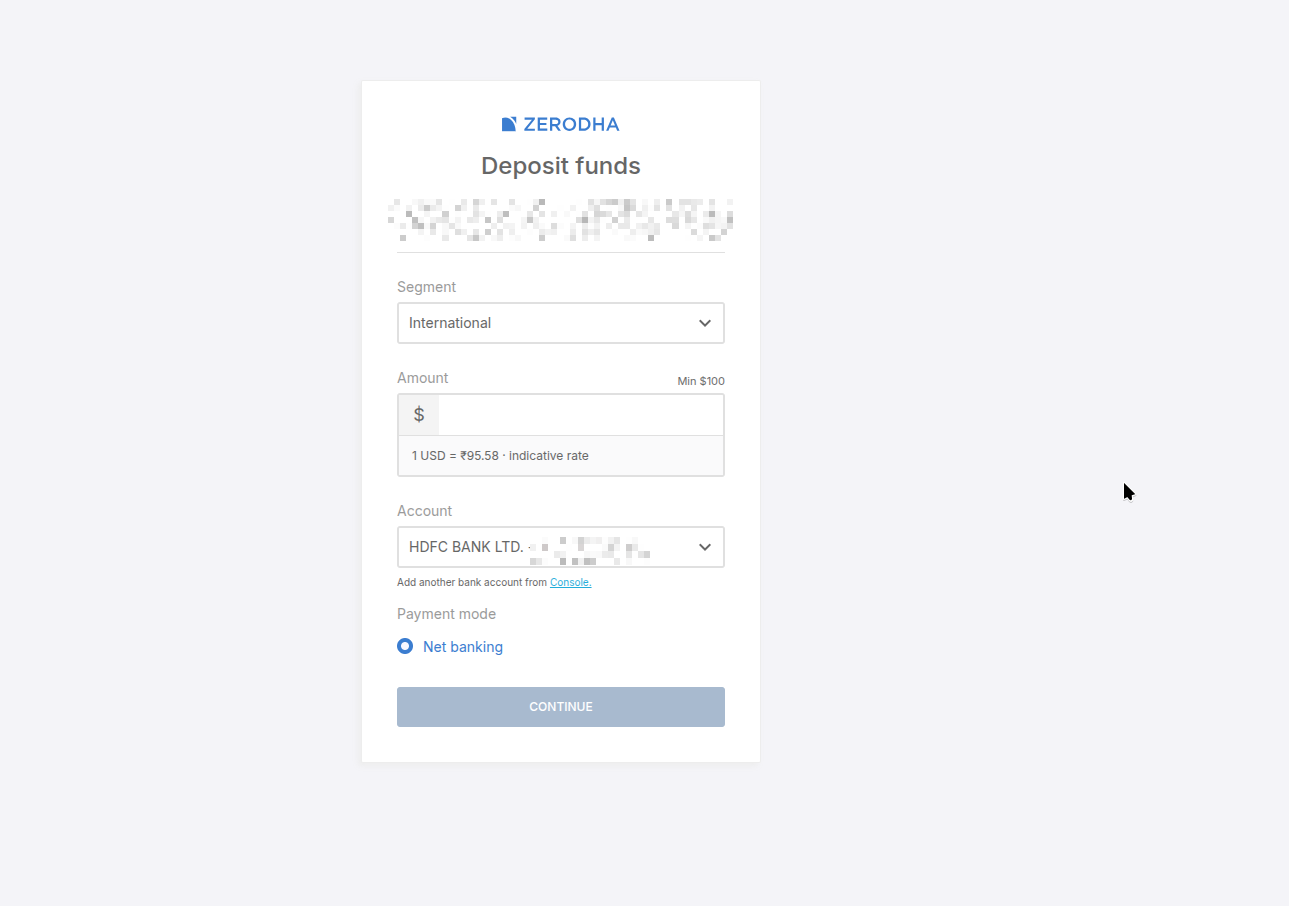
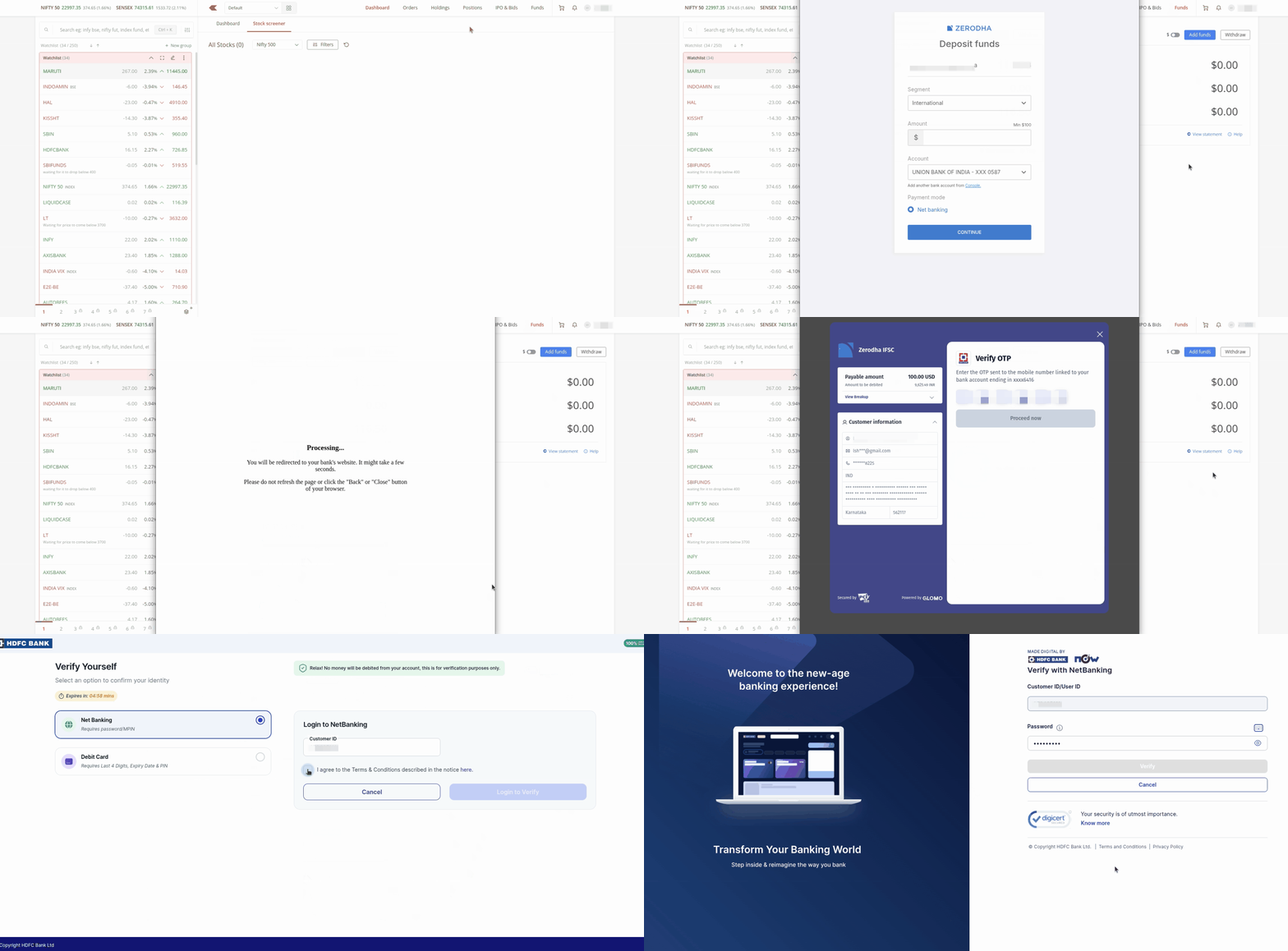
Add funds from the Funds section on Kite. Enter the amount in USD, then complete the bank transfer.
-
Minimum transfer: USD 50 for your first transfer, USD 100 from the second transfer onwards.
-
Timelines:
-
Transferred before 2:30 PM: may be reflected the same day or take up to 2 business days.
-
Transferred after 2:30 PM: may be reflected the next day or take up to 3 business days.
-
-
You’ll get a notification when the amount is debited from your bank, and again when it’s available in your US trading account.
-
The Funds page shows the cash available for fresh purchases. More details will be added soon.
-
Currency conversion charges: (GST chargeable amount)
-
Up to ₹25,000: ₹45
-
₹25,001 to ₹1,00,000: 0.18% of the amount
-
₹1,00,001 to ₹10,00,000: 0.09% of the amount
-
Above ₹10,00,000: 0.018% of the amount
-
-
TCS: your bank collects Tax Collected at Source (TCS) of 20% on LRS remittances for investment once your total remittances cross ₹10 lakh in a financial year. The ₹10 lakh limit applies across all banks and LRS purposes, not just transfers to Zerodha. TCS is not an additional cost: it appears in Form 26AS/AIS and can be claimed as a credit or refund when you file your ITR.
Placing orders
-
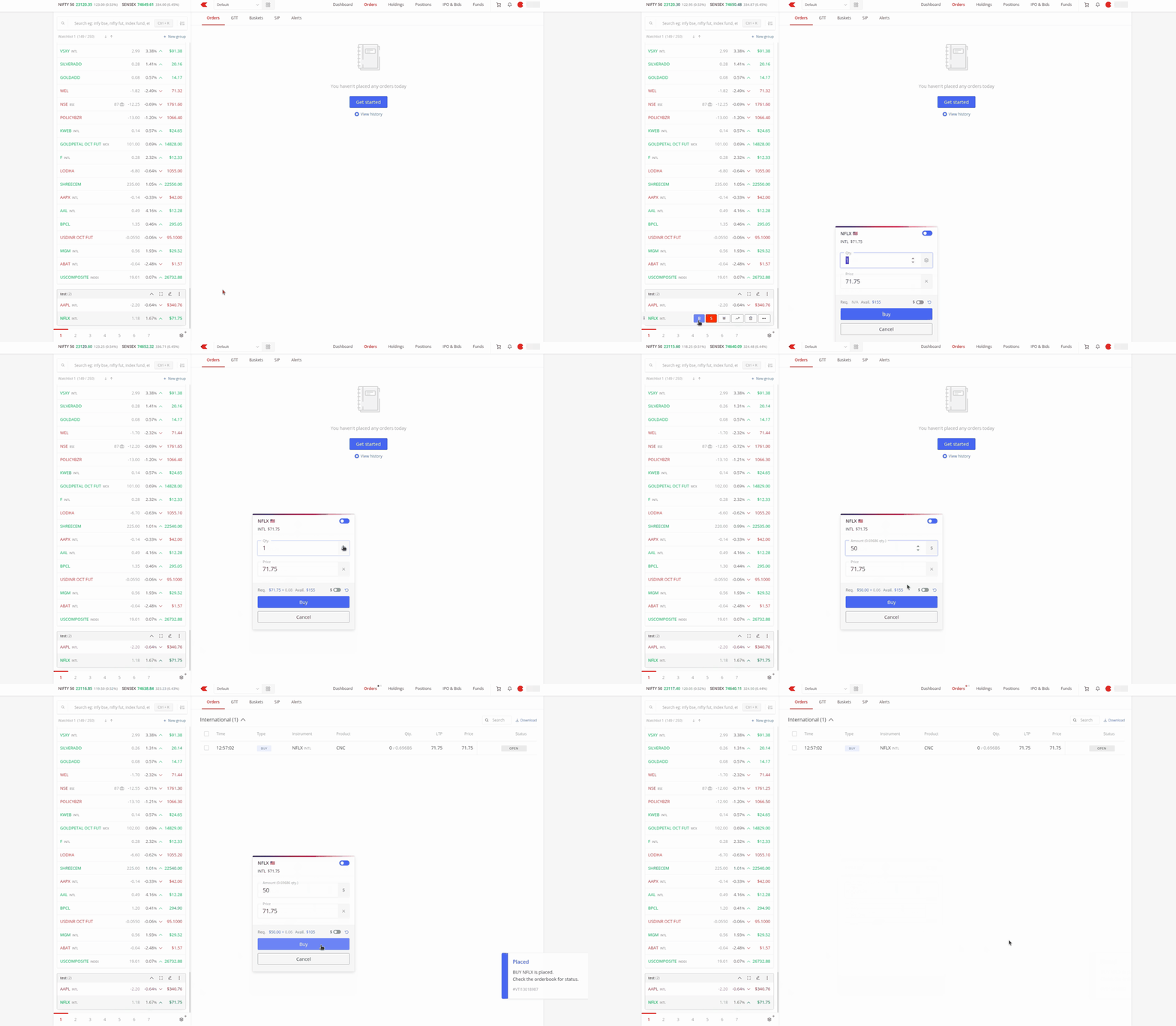
Amount-based: enter how much you want to invest (e.g. $100) instead of calculating shares.
-
Quantity-based: enter the number of shares.
-
Both are available as market and limit orders.
-
Fractional shares: buy a part of a share in eligible stocks and ETFs. Not all instruments support fractional quantities. For those, orders must be in whole shares.
-
Modifying orders:
-
Whole-share orders can be modified.
-
Fractional orders can’t be modified. Cancel the order and place a new one.
-
Good to know: two rules work differently from Indian markets.
-
An identical order placed within 30 seconds of the previous one is rejected to prevent accidental duplicates.
-
You can’t place a sell order while a buy order in the same stock is open. This would be a self-trade. Cancel the open buy order, or wait for it to execute before selling.
-
On the ex-date of a reverse split or a name/symbol change, selling that stock is not allowed at present. We’re looking into whether this can be improved.
Holdings, charts and market data
-
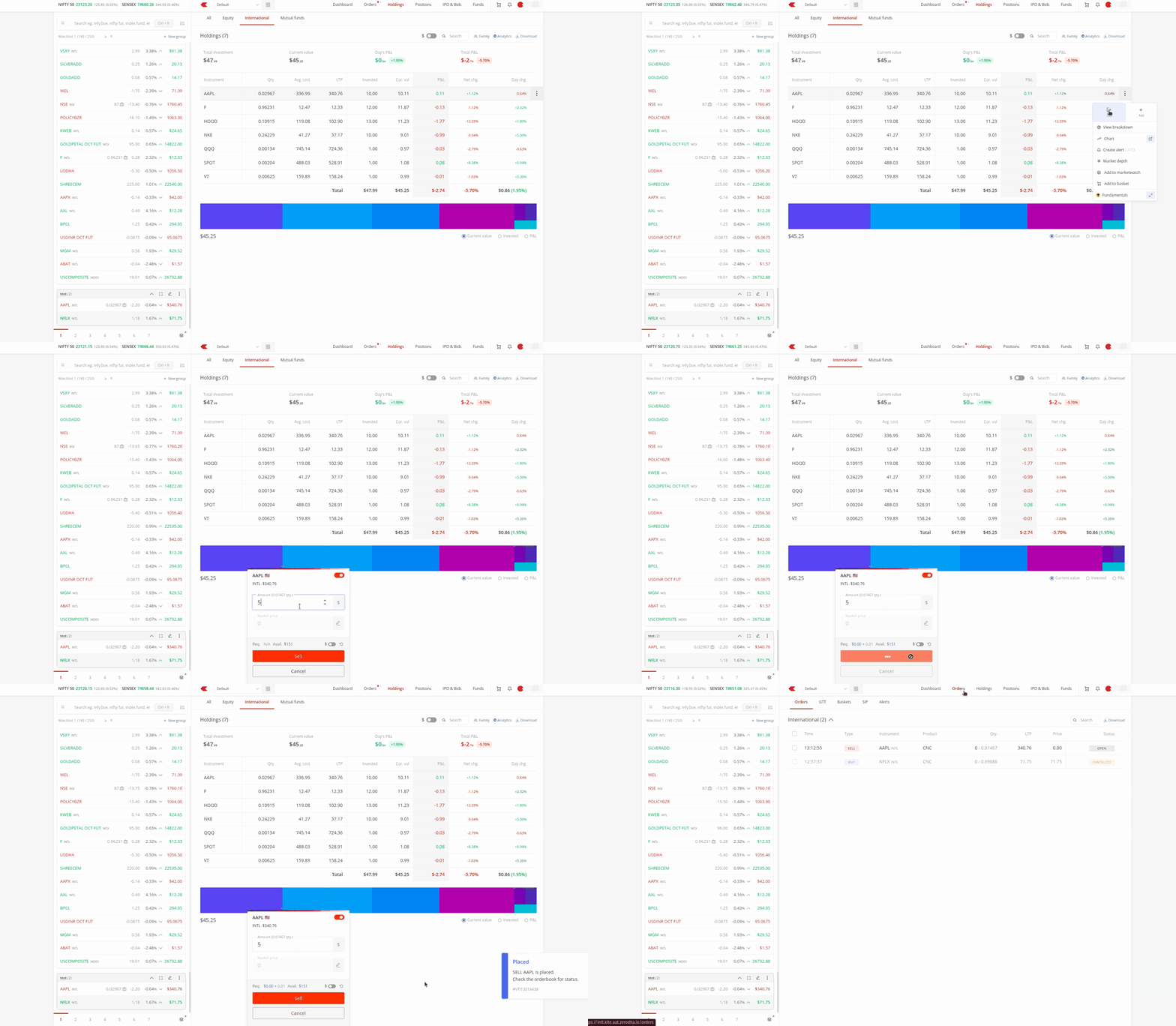
Holdings: executed US orders appear directly in International Holdings. There’s no separate Positions view.
-
You can see quantity, average price, current value and P&L.
-
A USD ↔ INR toggle switches the view’s currency.
-
- Charts: TradingView and ChartIQ, with multiple timeframes and indicators.

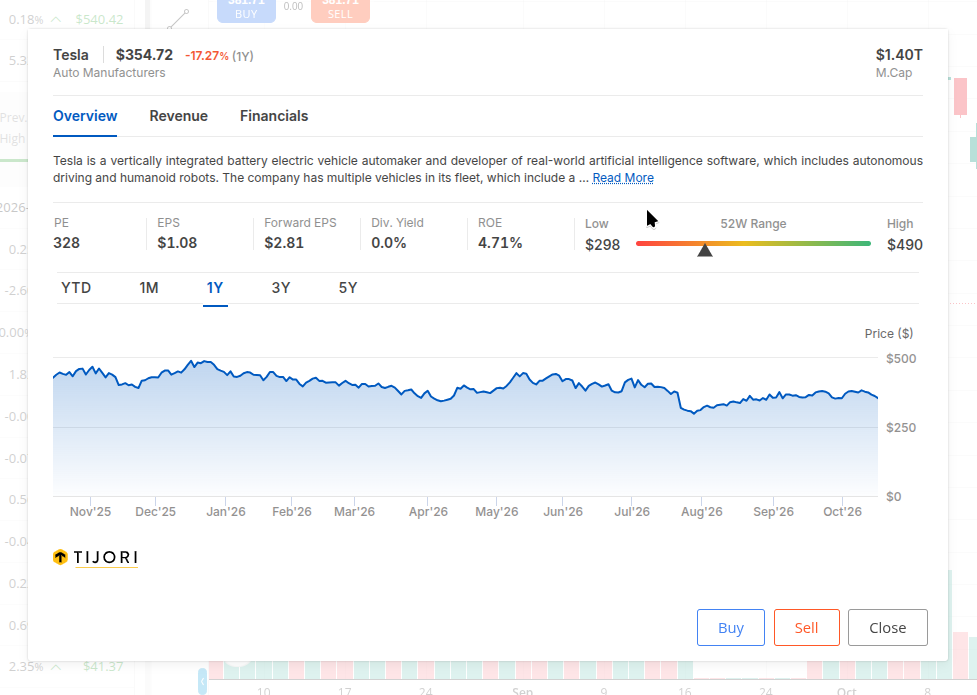
- Fundamentals: valuation ratios, revenue breakdown and key financials.
-
Market depth: real-time OHLC, volume and last traded time. Bid/ask levels aren’t available at present.
-
Dashboard: US funds appear next to your equity funds.
Withdrawals, reports and statements
Withdrawals, tradebook, and ledger for US investments will be available on Console within 2 days.
Charges
| Category | Rate | side |
|---|---|---|
| Brokerage rate | 0.10% (Minimum $0.01, Maximum $10) | Buy/Sell |
| IGST | 18% | on brokerage amount |
| SEC Fees | 0.00206% | Multiplied by sell trade value |
| FINRA Fees | 0.0195% | Multiplied by sell quantity |
| IFSCA Turnover Fee | 0.005% | Multiplied by trade value (Buy & Sell) |
Coming soon
GTT, price alerts, basket orders and SIPs for US stocks.
FAQs
1. Can I use my Kite trading balance to invest in US stocks?
No. US investments are funded through LRS, so money must go directly from your supported bank account to your US account. To use your Kite balance, withdraw it to your bank first, then add funds for US investing.
2. Can I buy and sell on the same day (or BTST)?
You can buy and sell using your own funds.
3. What is the settlement cycle for US stocks?
Trades settle in one business day (T+1) after execution.
4. Can I trade futures and options, short sell, or use margin?
No. Derivatives and margin/leverage trading are not permitted for resident Indians investing under LRS.
5. I searched for a Bitcoin ETF, and it isn’t showing up. Why are some ETFs unavailable?
Crypto-linked products and leveraged and inverse ETFs aren’t available at the moment. We’re seeking clarity on these categories and will provide an update as we get more clarity.
6. Will dividends be credited to my bank account?
No. Dividends are credited in USD to your US trading account, after US withholding tax (generally 25%). You can reinvest them or withdraw them to your bank.
7. Are my investments protected if the US broker fails?
Your US holdings are protected by SIPC (Securities Investor Protection Corporation) for up to USD 5,00,000 if the US broker-dealer fails.
8. How much can I invest?
Under LRS, you can remit up to USD 2,50,000 per financial year. This limit applies across all banks and purposes, not just Zerodha.
Try it out and share your feedback in this thread.