Introducing Grouping and Filter of positions on Kite-beta.zerodha.com

We have introduced a new feature on the Kite web positions page: Grouping and Filtering of Positions.
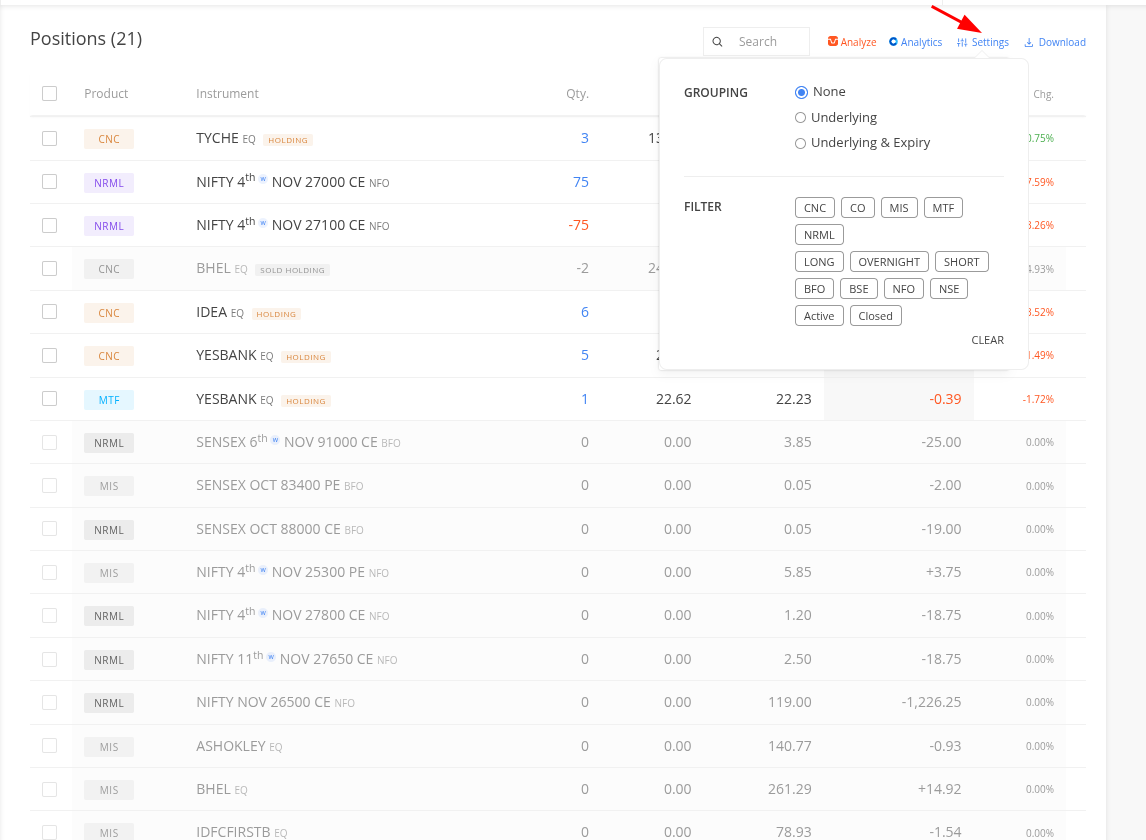
Currently, all positions are displayed in a single table and can only be sorted in ascending or descending order. This enhancement enables users to organise and monitor their positions based on underlying instruments and expiry dates, allowing for more effective P&L tracking.

Grouping Options:

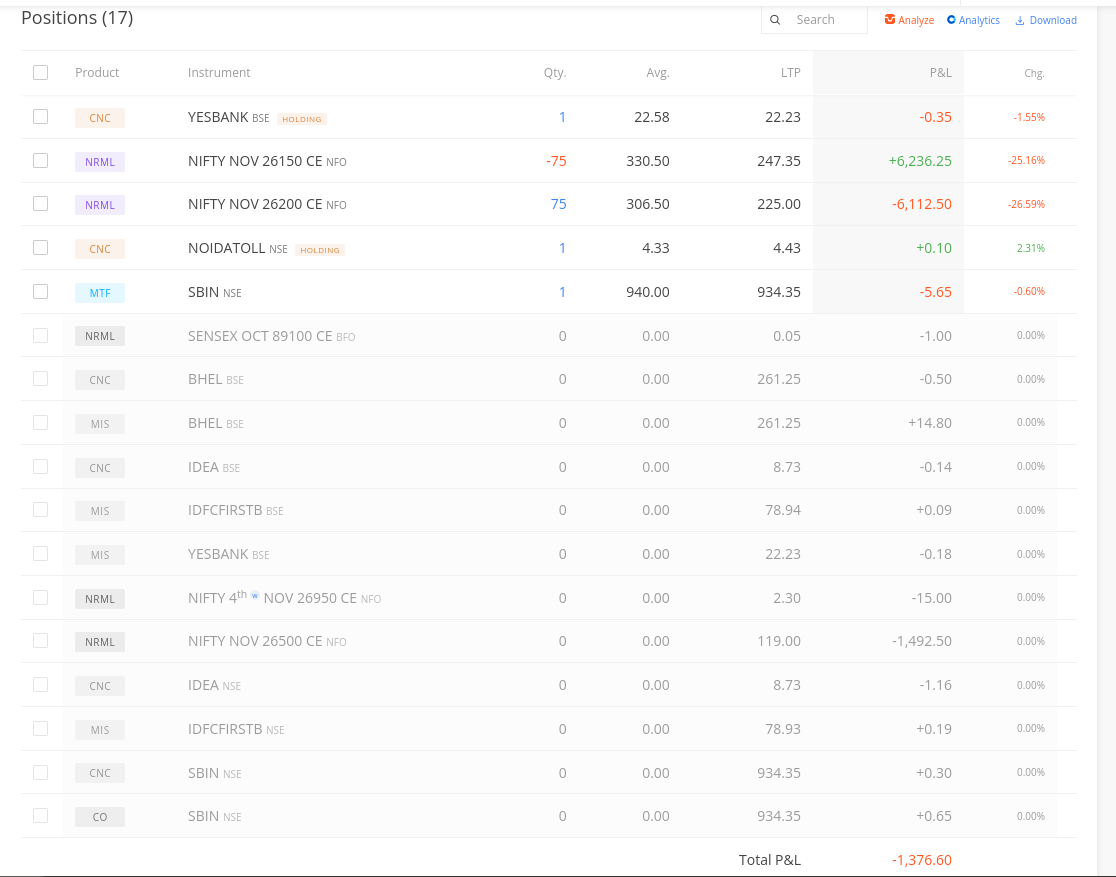
  1. None: This is the default view where all positions are displayed together (similar to current functionality), with the combined P&L shown at the bottom.
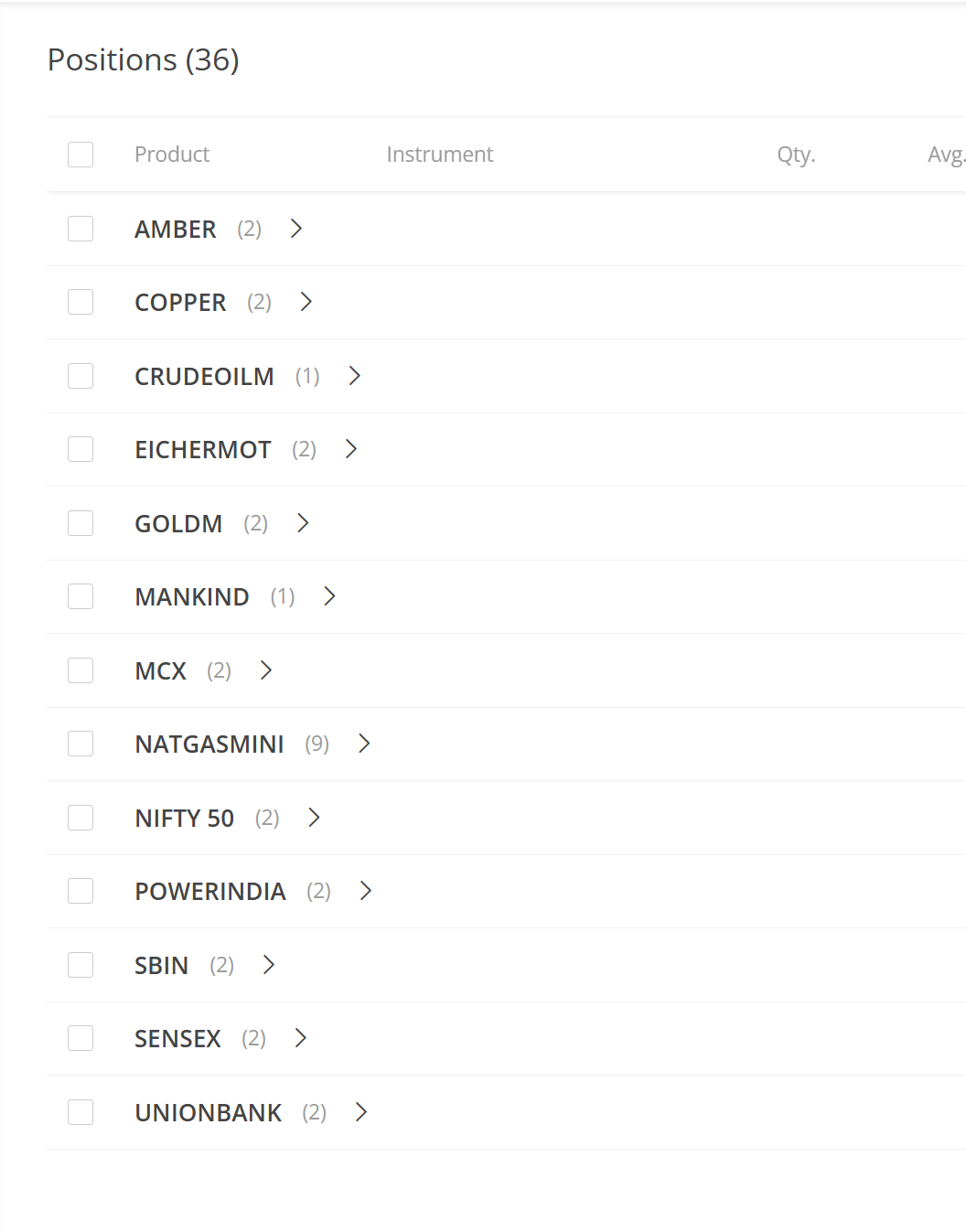
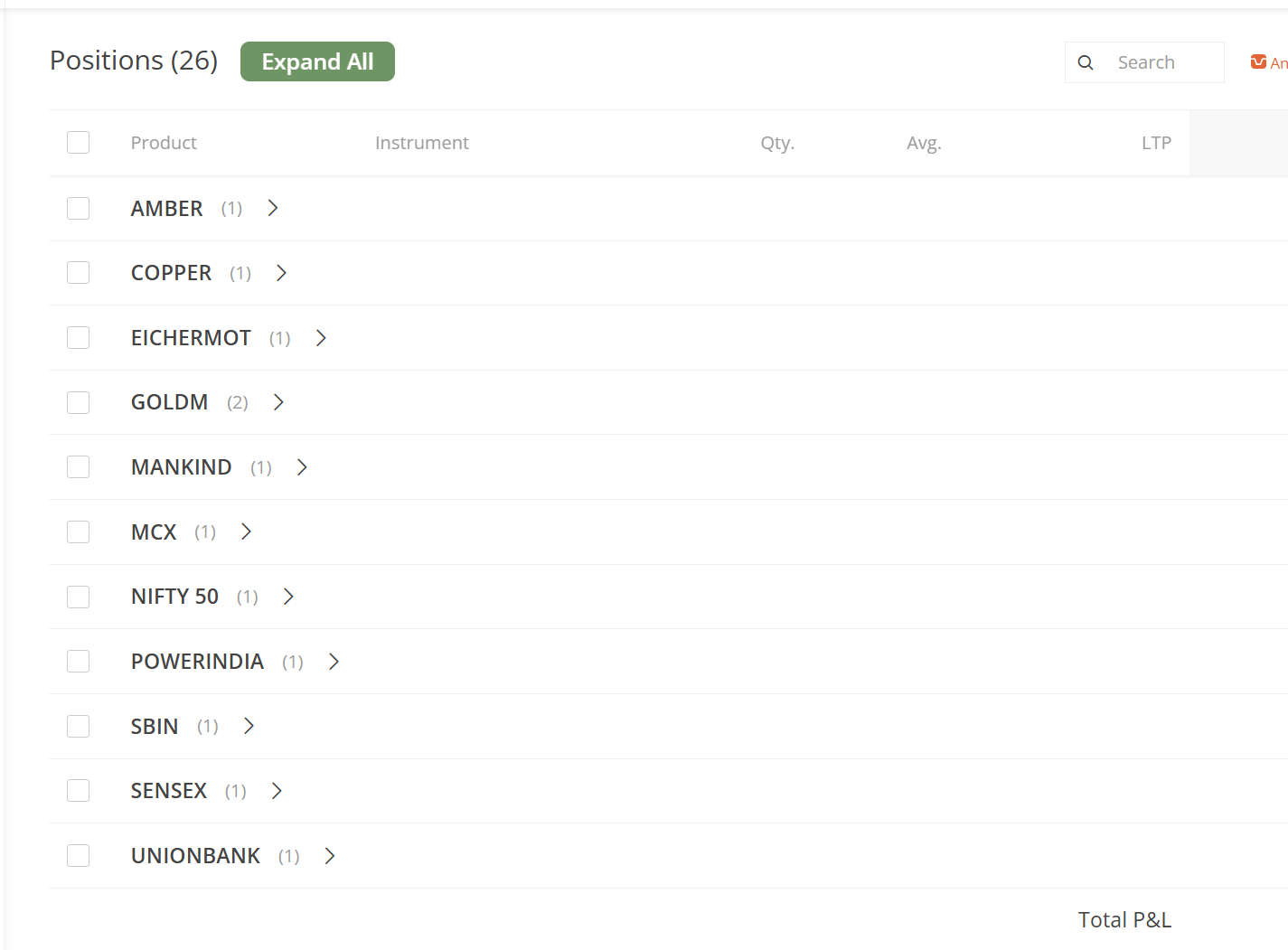
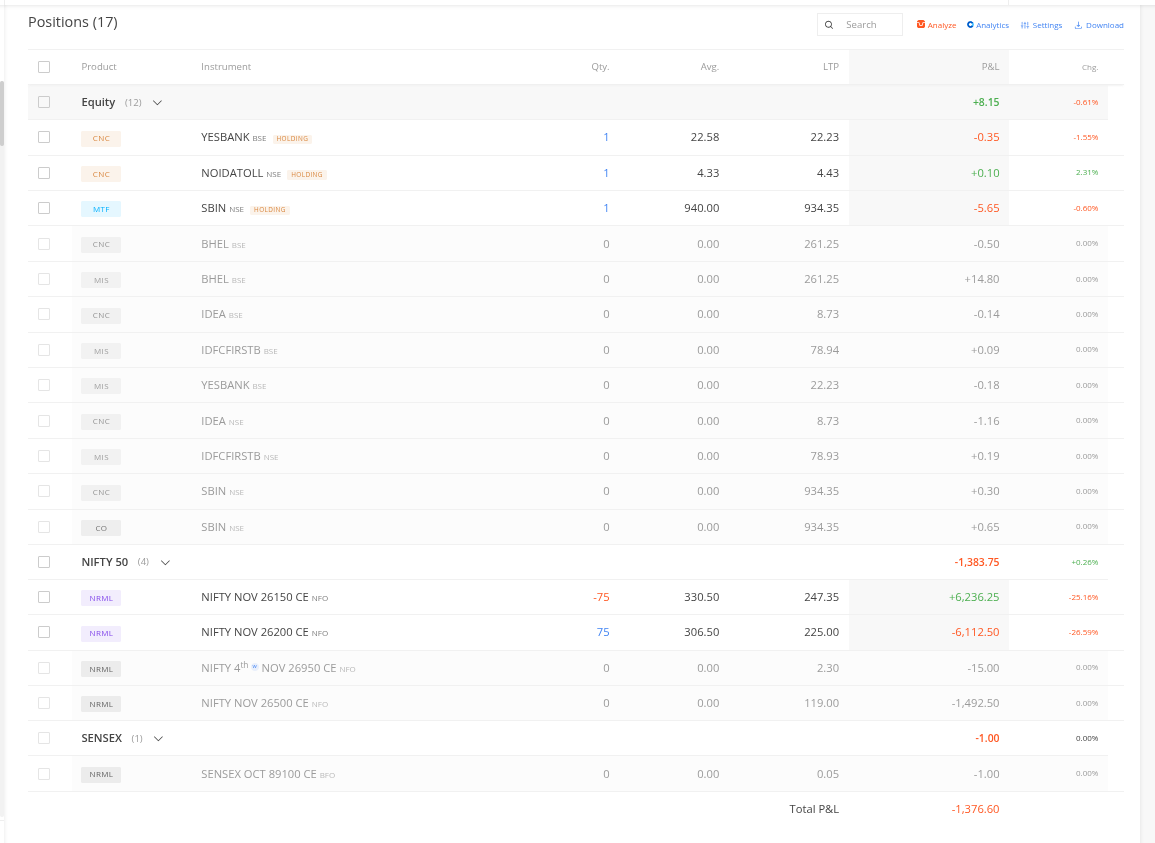
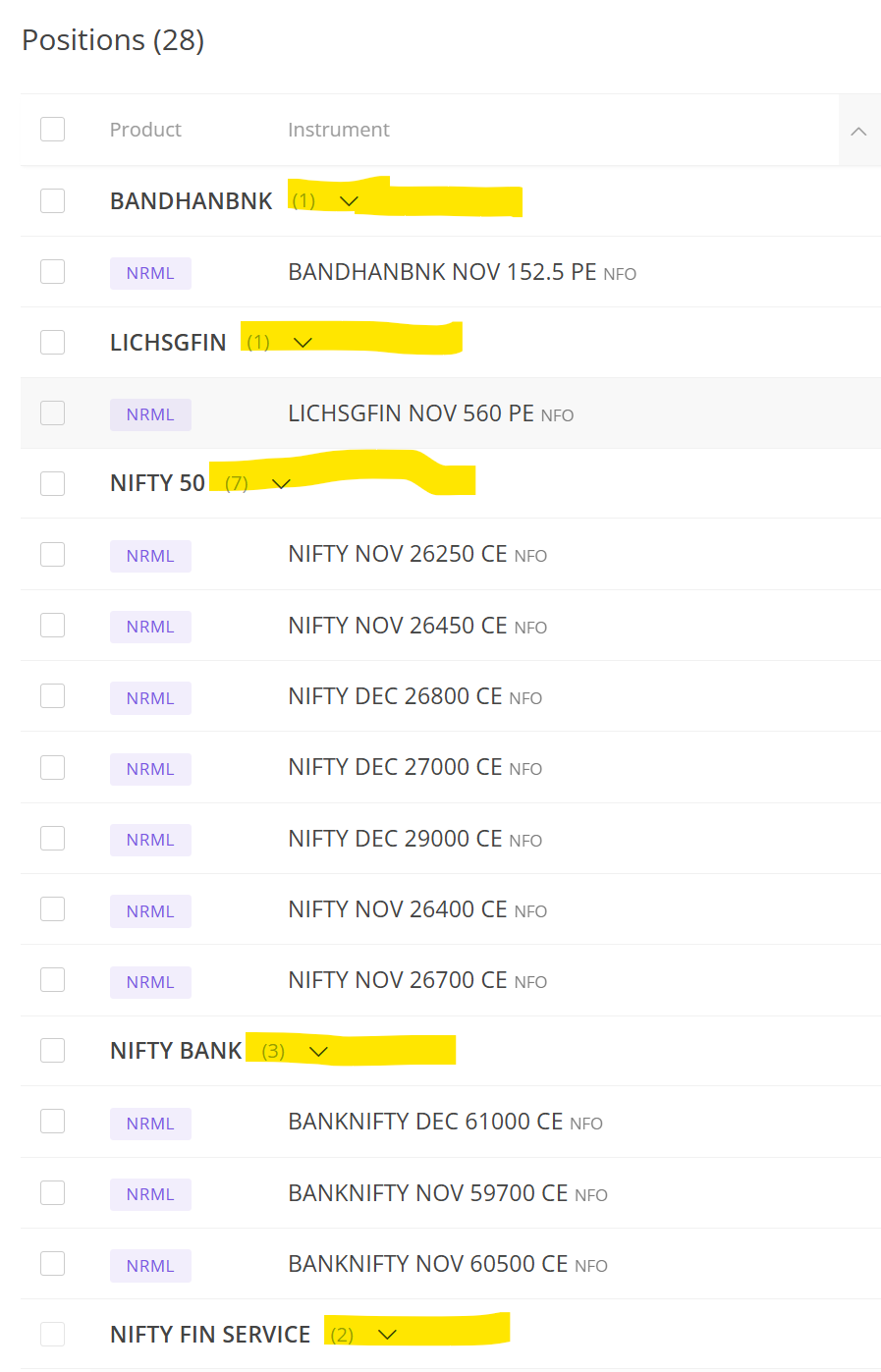
  1. Underlying: Positions are segregated by their underlying instrument and displayed as groups. For example, all NIFTY contracts across different expiries are grouped under “NIFTY 50,” with the corresponding P&L displayed for the group.
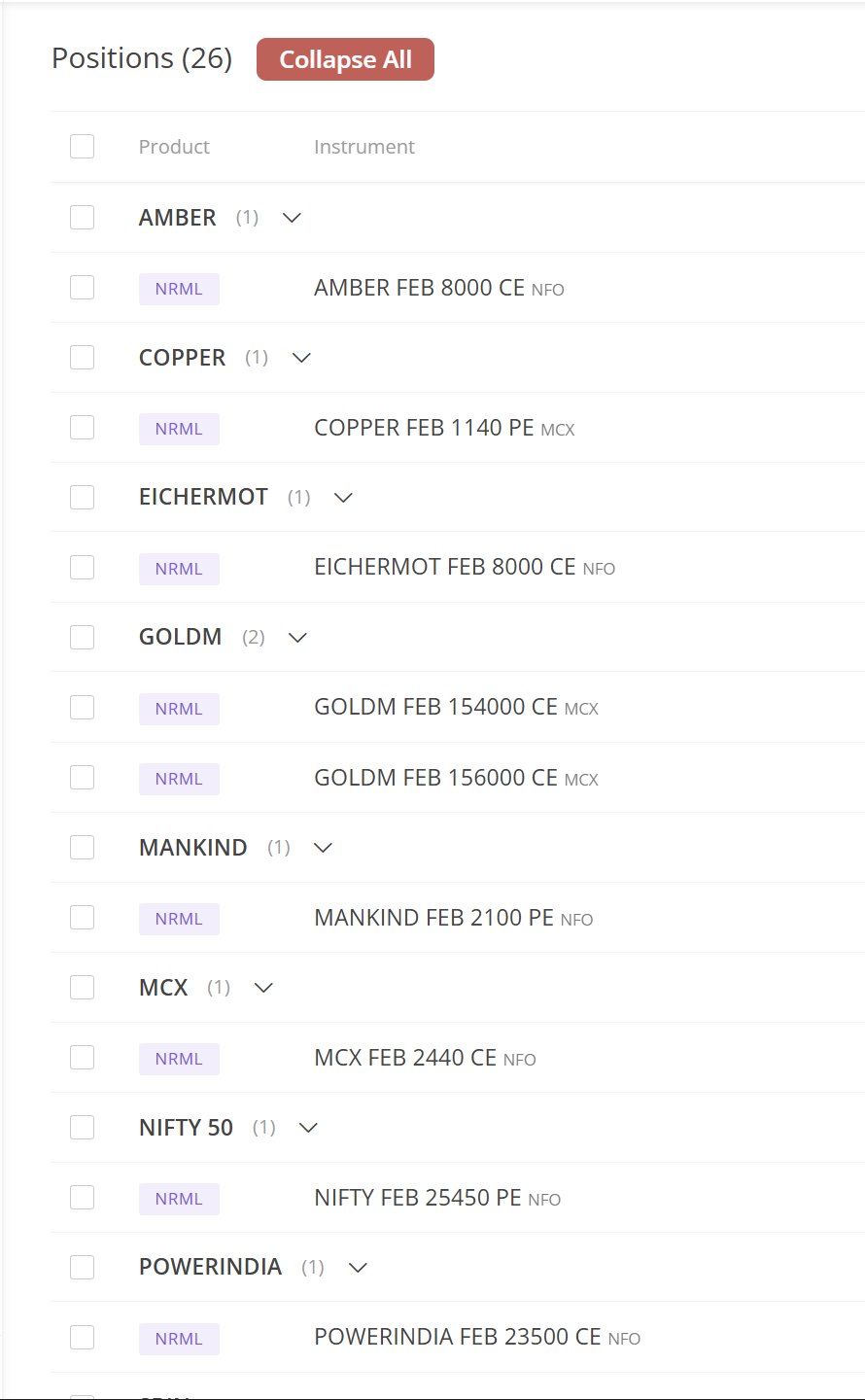
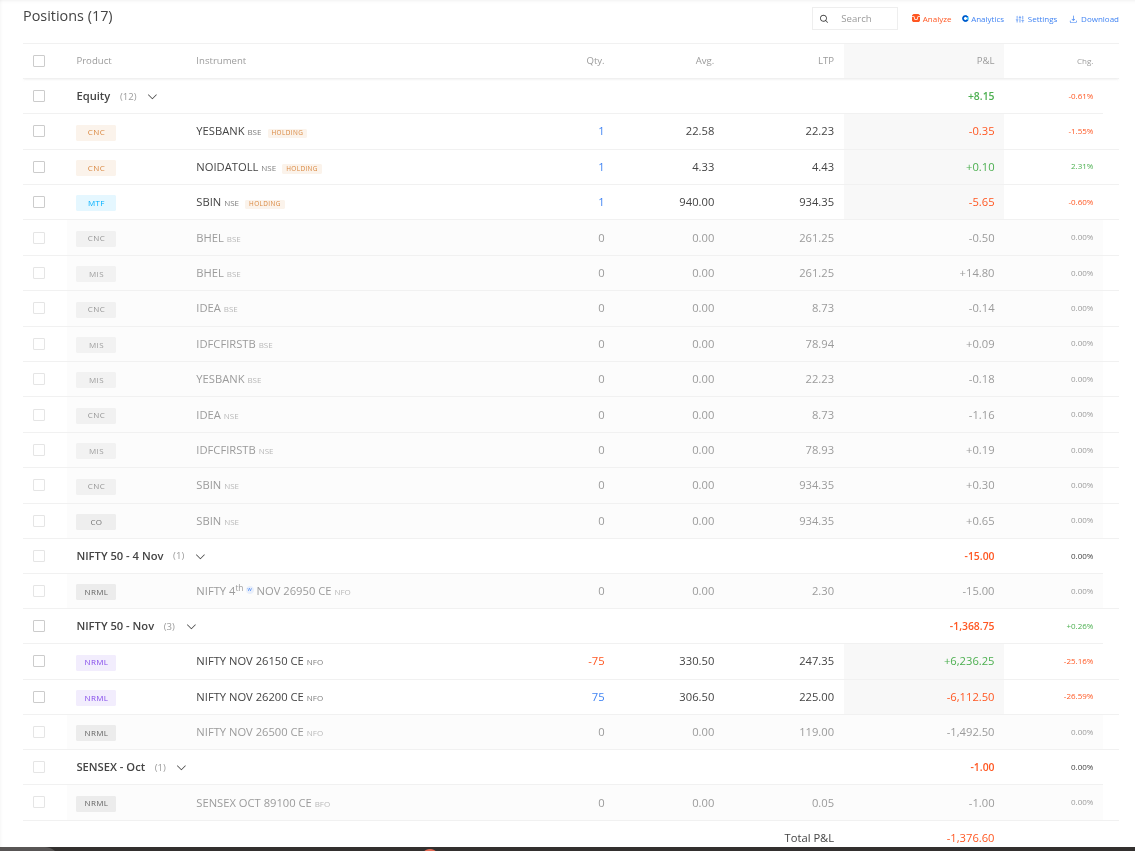
  1. Underlying and Expiry: Positions are organised by both underlying instrument and expiry date. For instance, multiple positions in the same underlying across various expiries are grouped, with P&L calculated accordingly.
Users can also collapse or expand groups as needed to focus on specific positions.
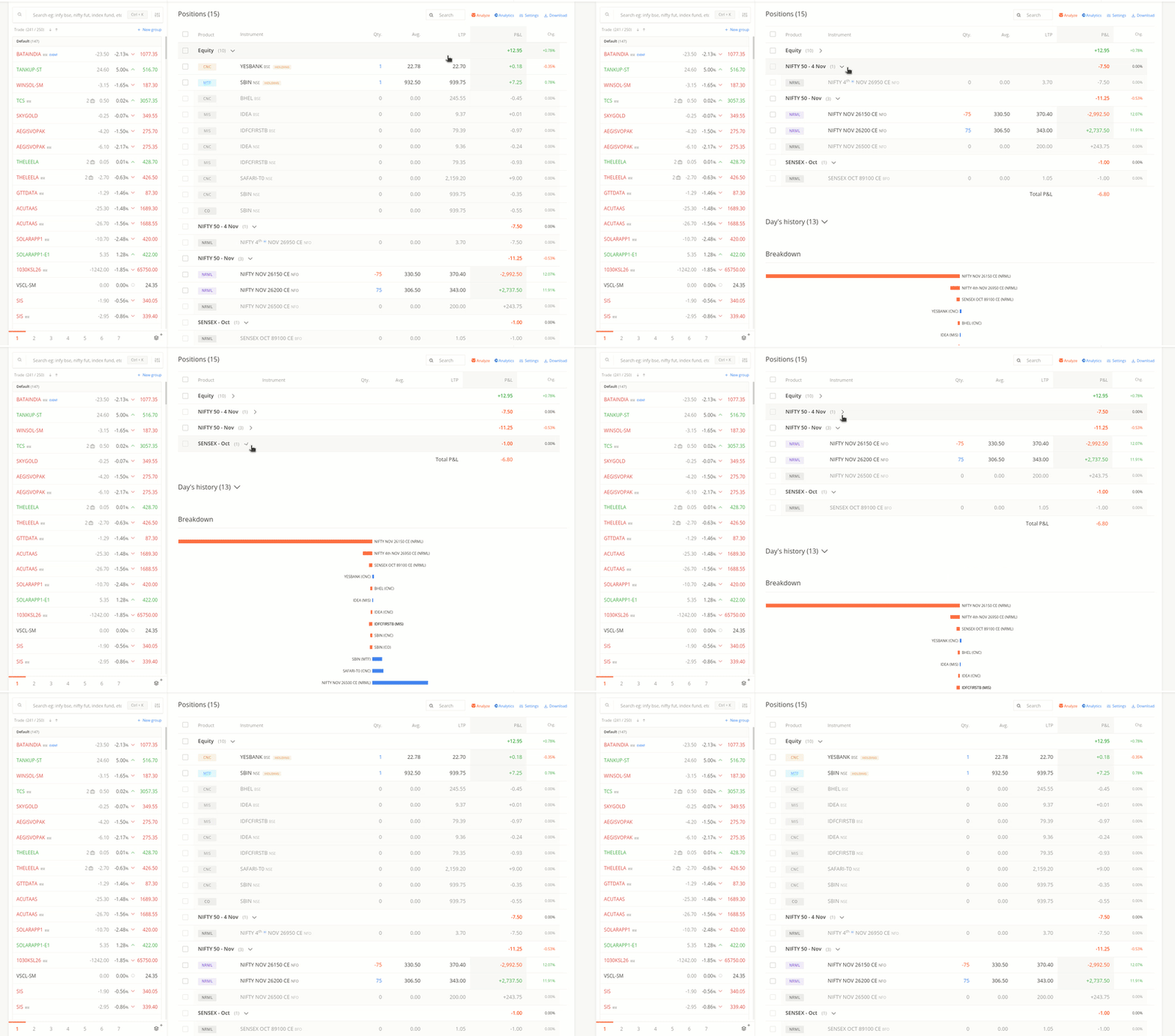
Position_grouping_collapse-ezgif.com-video-to-gif-converter

Filtering:

The filter functionality allows users to view positions based on segment, product type, and status (Active, Closed, Long, Short, Overnight). When filters are applied, the P&L reflects only for the selected positions.
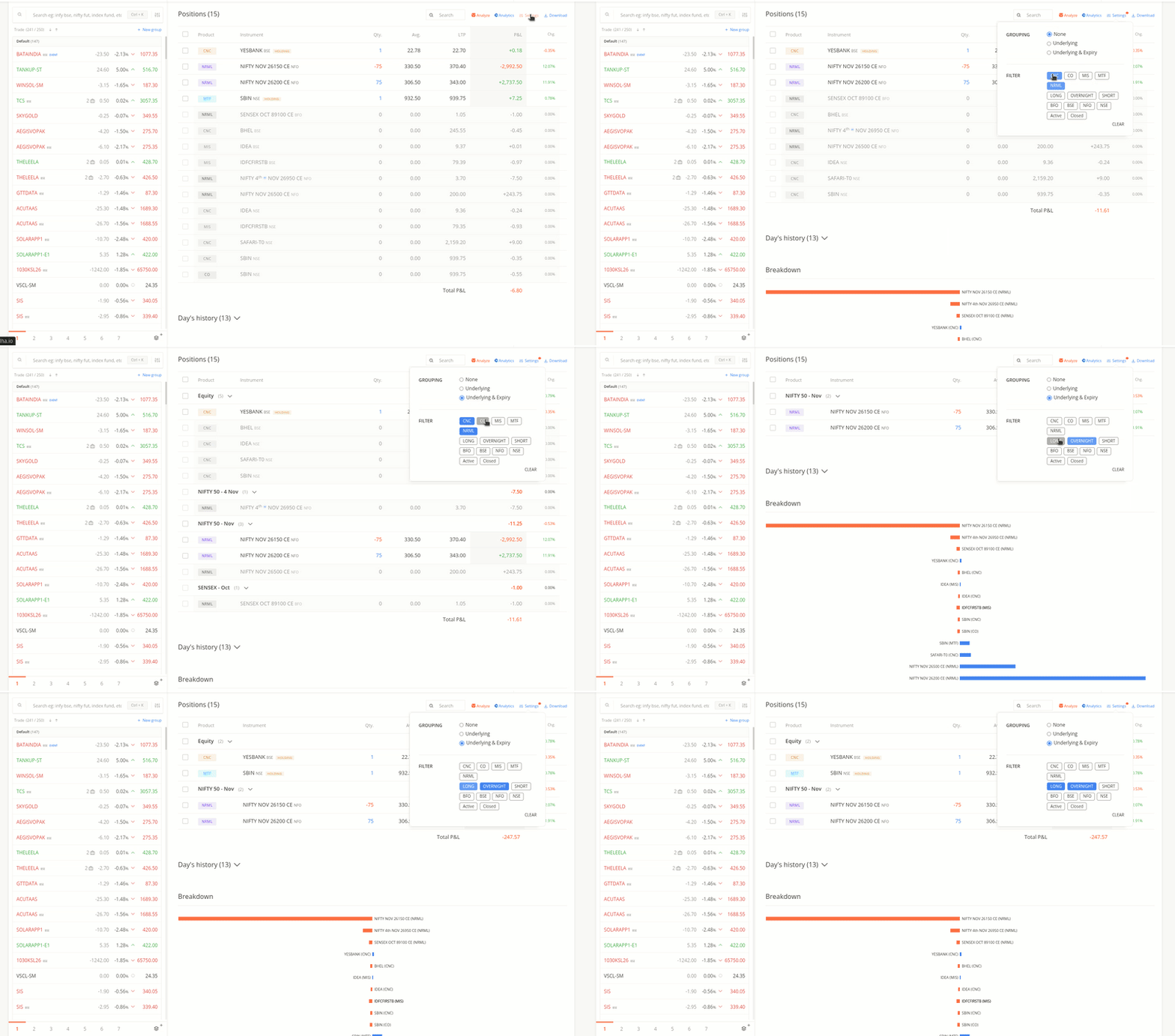
Position_grouping_filter-ezgif.com-video-to-gif-converter

Important Notes:

  • P&L for each group updates in real-time and is displayed next to the group name.

  • Selected preferences are retained until the user manually removes the filter or grouping. A red indicator appears next to the settings icon to remind users of the active preference of the filter.
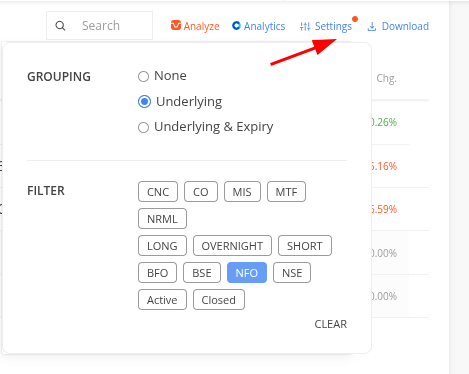
    image

  • Applied grouping and filters reset when switching accounts in the same browser, logging in via incognito mode, or using a different browser.

  • Filtering is already available on the mobile app; grouping functionality will be added in the coming days.

This update is currently available for public beta testing at kite-beta.zerodha.com. Following a review period to address any potential issues, we will deploy this feature to the production environment. Please do try this and share your feedback.
16 Likes

This update has now been rolled out to live and is accessible to all Kite web users on kite.zerodha.com.

The applied filter will be cleared the next day and can be applied again, if needed. However, the grouping preference is remembered.

3 Likes

Why Zerodha wont launch the feature at the same time across all platforms for our convenience and adaptability?

{12C025F0-1648-4AB8-A797-8850BBAD74E4}

Feature vanished now?

Web deployments are instant; we can push changes to the live environment and make them available to all users. If any issues arise, reverting is straightforward.
In contrast, app releases require a version update and can only be rolled out in phases. Additionally, the underlying architecture for the same feature can differ between web and app platforms.

We are working on this and should be available by tomorrow. Apologies for the inconvenience.

hi @DhanushK

Why don’t you guys display the underlying’s price beside the name (highlighted in yellow)

It would be better right ? Instead of adding all the position’s underlying in watchlist

1 Like

It’s in our list of things to do; we will include this in the next phase.

1 Like

Can we have a multi word “Advance filter” in the search box? The search shows up nothing if I search for more than one word.
For eg, if I want to search for “nifty CE” in my positions, I can only look up “nifty” or “CE”.
I would also like to have specific filters for “CE” “PE” and “FUT”. Say if I want to check how my calls are performing, typing CE in search brings up all my calls along with other scrips that have the letters “ce” in them - Relian’ce’
Also, it’ll be great if we can quickly exit multiple positions quickly using the exit button on the positions page. I’m unable to do so for stock options, despite the feature being made specifically for stock options. Market orders allowed in stock options if ordered through watchlist, but not through positions exit.
Say I’m long HDFCBANK CE 920, 930, 940 and short 950, 960 and 970 CE. Call spreads. HDFCBANK opens gap up to Rs 1000.
I would love to exit all 6 positions at the click of a button ASAP. After “market protection” rolling out, I should be able to quickly exit stock options directly by typing HDFC CE - SELECT ALL - EXIT.
I had earlier requested this in the relevant thread as well, no luck so far.
:crossed_fingers:

Here’s the earlier request.